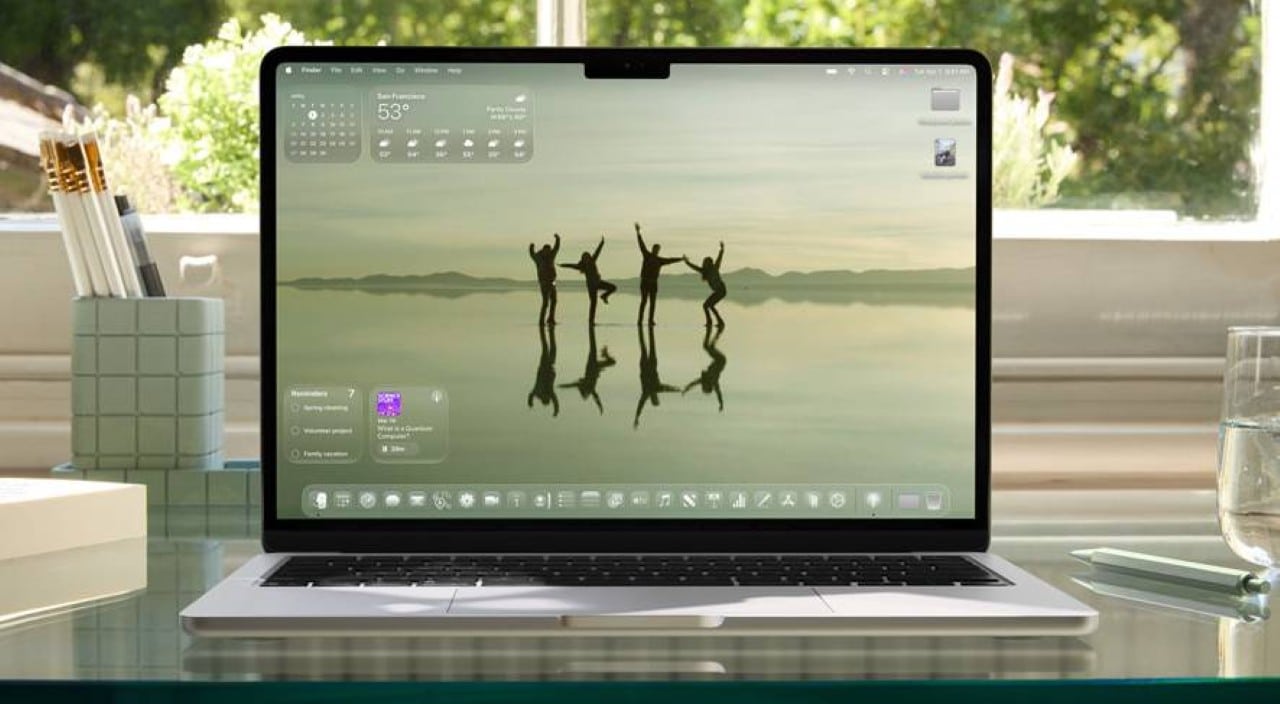
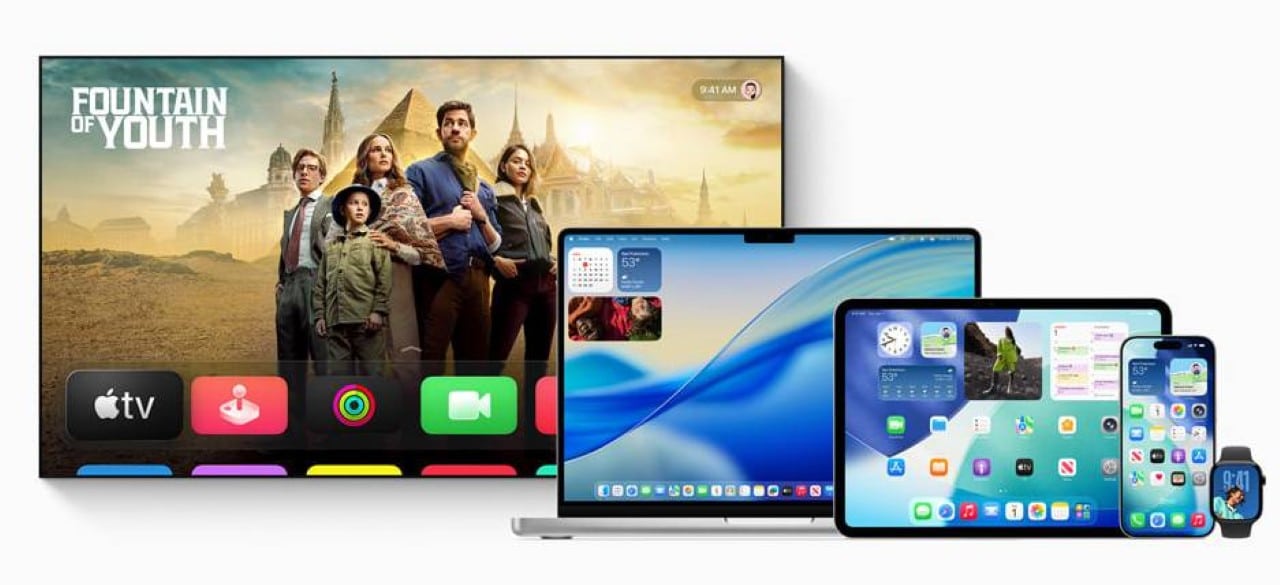
On June 9, 2025, Apple announced a complete overhaul of its operating systems’ design, introducing Liquid Glass, a material promising greater integration and visual dynamism across iOS 26, iPadOS 26, macOS Tahoe 26, watchOS 26, and tvOS 26. Unveiled in Cupertino, California, the innovation spans devices like iPhone 16 Pro, iPad Pro, MacBook Pro, Apple Watch Series 10, and Apple TV, unifying aesthetics across platforms. Considered the company’s most significant design update, the change was led by Alan Dye’s team, Apple’s vice president of Human Interface Design, aiming to blend familiarity with a more fluid, interactive experience. The translucent material adapts to content and environment, bringing vitality to controls, icons, and navigation bars.
The presentation highlighted how Liquid Glass reflects and refracts its surroundings, automatically adjusting to light or dark environments. The overhaul isn’t limited to visuals but also optimizes interaction in apps like Camera, Photos, Safari, and Apple Music. The initiative reflects Apple’s commitment to hardware-software integration, preserving each platform’s unique identity.
- Key design innovations:
- Liquid Glass material with translucent, dynamic behavior.
- Redesigned controls, navigation bars, and app icons.
- Enhanced personalization for home screens and widgets.
- Fluid adaptation across different usage contexts.
Apple’s focus is on delivering a more immersive, intuitive experience, with elements reacting in real-time to movement and displayed content. The overhaul is already sparking curiosity among users and developers, who can explore new tools to create compatible apps.
Liquid Glass redefines visual experience
Inspired by visionOS’s depth, Liquid Glass is the core of Apple’s new aesthetic. Developed through collaboration between design and engineering teams, the material uses real-time rendering to create reflections and specular highlights that react to device movement. This technology brings buttons, sliders, and navigation bars to life, adapting to displayed content. In apps like Apple Music, control bars shrink or expand fluidly as users navigate, keeping content in focus.
Unlike static materials, Liquid Glass changes appearance based on context. In dark environments, it adopts subtler tones, while in bright settings, it displays vibrant reflections. This adaptability makes interaction with devices like iPhone 16 Pro or Apple Watch Series 10 more engaging. Apple emphasizes that the material is both functional and aesthetically pleasing, ensuring users retain system familiarity while exploring a new layer of dynamism.
App redesign for greater harmony
The app overhaul aligns software with the rounded contours of modern hardware. Controls and navigation bars, previously designed for rectangular screens, now seamlessly integrate with the curved corners of devices like iPad Pro and MacBook Pro. This creates a sense of continuity between hardware, software, and content, with Liquid Glass functioning as a functional layer floating above apps.
In iOS 26, navigation bars shrink when scrolling, ensuring content remains prominent. When users scroll back up, they expand fluidly. In iPadOS and macOS Tahoe, redesigned sidebars make apps like Apple TV more immersive, reflecting surrounding content. Apps like Safari and FaceTime also received updates, with more intuitive controls and groupings that ease access to core functions.
Cross-platform integration
For the first time, Apple applied a unified design across all platforms, ensuring visual and functional consistency. iOS 26, iPadOS 26, macOS Tahoe 26, watchOS 26, and tvOS 26 share the same aesthetic concept but retain distinct traits. On Apple Watch, Liquid Glass appears in icons and widgets, while on Apple TV, it enhances multimedia navigation.
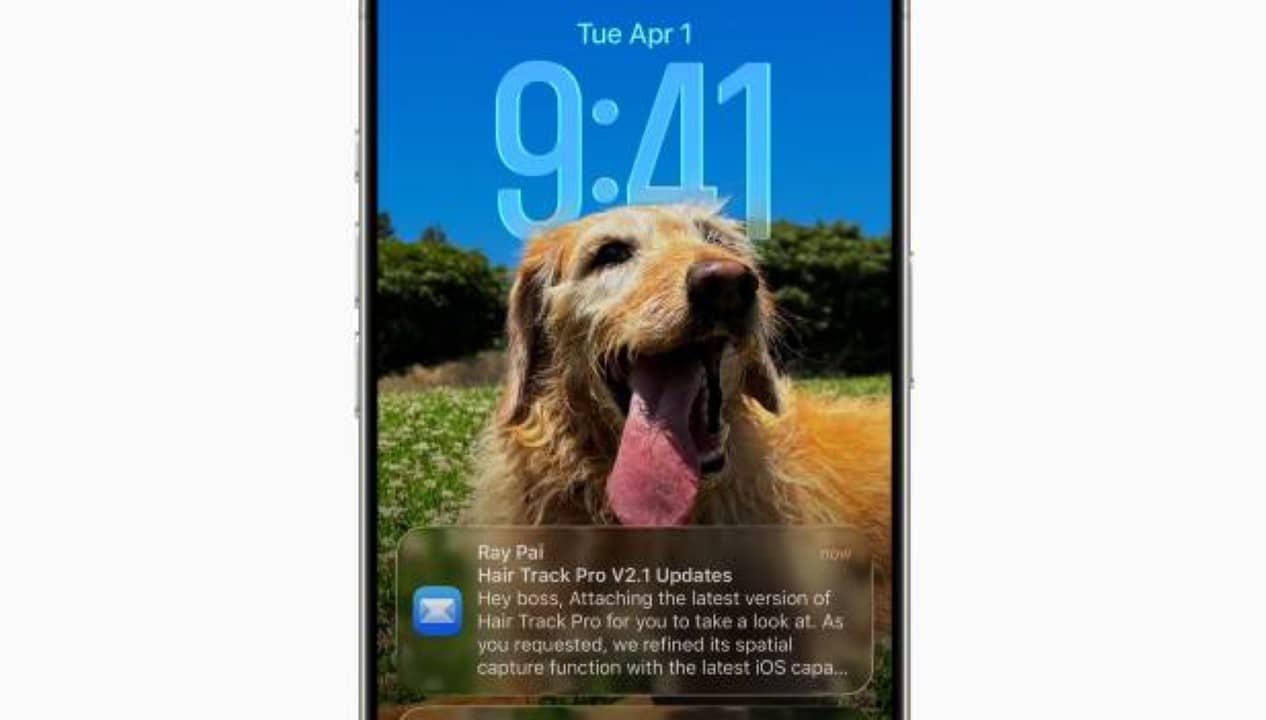
The lock screen was a presentation highlight. The clock, now made of Liquid Glass, dynamically adjusts to sit behind the subject in photographic wallpapers, keeping the image in focus. The San Francisco font, used for the clock, was adapted to vary weight, width, and height, creating a visual effect that blends into the scene. This attention to detail reinforces the user-centric design approach.
Expanded personalization with Liquid Glass
The new aesthetic allows greater personalization, especially on home screens and docks. In macOS Tahoe 26, users can customize the desktop with icons and widgets in various finishes, like light, dark, colored, or transparent. The now fully transparent menu bar enhances the sense of screen space on Macs.
In iOS 26, app icons and widgets are formed by multiple Liquid Glass layers, with reflections varying by ambient light. This creates a three-dimensional look while maintaining the simplicity users expect. Apple also introduced new color and finish options, allowing users to tweak their devices’ appearance without losing brand identity.
- Personalization options in macOS Tahoe 26:
- Light, dark, and transparent desktop modes.
- New colored finishes for icons and widgets.
- Transparent menu bar for greater immersion.
- Support for dynamic wallpapers with Liquid Glass.
Tools for developers
Apple provided new APIs for developers using SwiftUI, UIKit, and AppKit, simplifying Liquid Glass adoption in third-party apps. The Icon Composer tool enables creating icons with the new material, ensuring compatibility with light, dark, or transparent display modes. These updates allow developers to craft more integrated, visually appealing experiences aligned with Apple’s new aesthetic standard.
The tools are designed to be accessible, enabling even independent developers to update apps easily. Apple expects third-party adoption of Liquid Glass to enhance platform visual consistency, benefiting users and the developer community.
Home screen design evolution
iOS 26 and iPadOS 26 home screens were redesigned to highlight Liquid Glass. The dock, now more dynamic, reflects surrounding content and adapts to device movement. Widgets, built with multiple material layers, offer a three-dimensional look that responds to light and touch. This creates a visually rich experience without compromising usability.
In macOS Tahoe 26, the desktop gained flexibility, with options to organize icons and widgets more intuitively. The transparent menu bar and dynamic wallpaper integration enhance depth, making Mac use more engaging. These changes reflect Apple’s care in balancing innovation and familiarity.
Focus on fluid navigation
Navigation in apps was a cornerstone of the overhaul. Navigation bars and controls, made of Liquid Glass, adjust dynamically to context. In apps like Apple News and Apple Podcasts, grouped controls simplify access to specific functions, while iPadOS sidebars enable smooth transitions between sections.
In watchOS 26, navigation was optimized for smaller screens, with icons and controls responding more precisely to touch. Apple also improved accessibility, ensuring new visual elements are clear and functional for all users.
Apple’s design timeline
Apple’s design evolution reflects its pursuit of continuous innovation. Liquid Glass marks a new chapter, connecting to past milestones:
- 1984: Macintosh launch, with a revolutionary graphical interface.
- 2007: iPhone introduction, redefining smartphone design.
- 2014: iOS 8 brought greater platform integration.
- 2023: visionOS introduced depth and transparency elements.
- 2025: Liquid Glass unifies design across five platforms.
Integration with modern hardware
Liquid Glass was designed to leverage hardware advances, like Apple Silicon chips and high-resolution displays. Devices like iPhone 16 Pro and MacBook Pro use processing power to render visual effects in real-time, ensuring fluidity even in complex animations. Apple emphasizes that hardware-software integration is key to the new design’s experience.
This synergy ensures consistent Liquid Glass application across devices. On Apple TV 4K, the material creates more immersive navigation, while on Apple Watch Series 10, it optimizes interaction on compact screens.