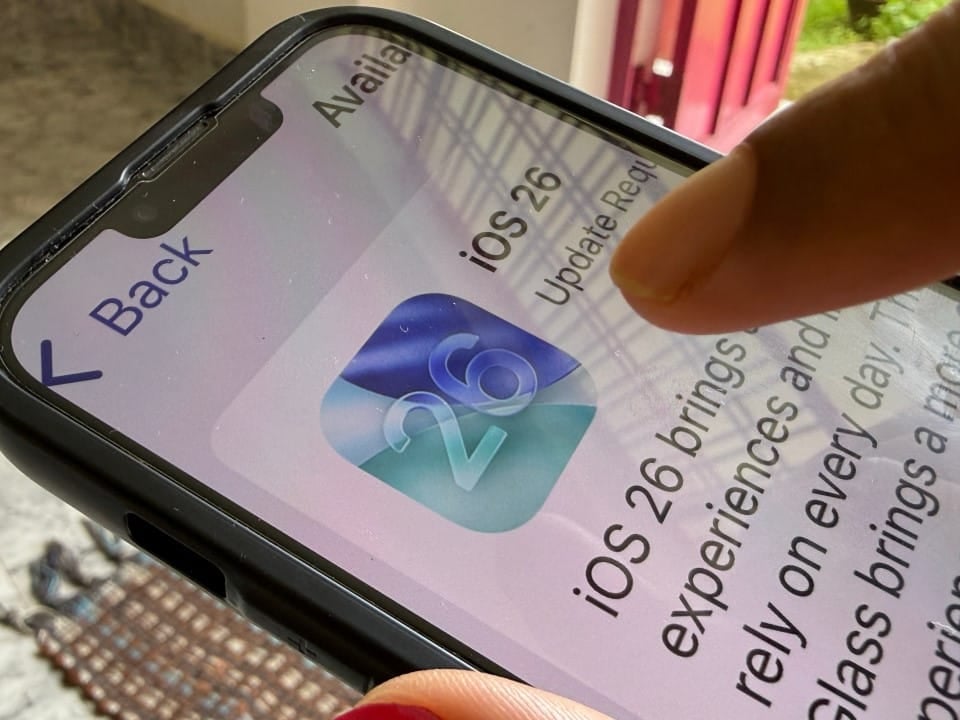
iOS 26 brought a wide range of innovations, but many iPhone users may not be taking advantage of their device’s full potential. Este operating system, recently launched, integrates powerful tools that simplify daily tasks and increase productivity in an intuitive way. By exploring lesser-known features, it is possible to optimize the device experience and reduce the need for third-party applications.
Apple continues to improve its ecosystem, and iOS 26 is a clear example of this evolution, offering features ranging from file organization to personalized communication. Mergulhar in these capabilities allows iPhone to work smarter, freeing up time and improving efficiency in a variety of activities. Descobrir these “secrets” are essential for those looking to maximize their investment in technology.

Efficient scanning by the files app
The Arquivos application, present on the iPhone, transcends its basic function as a manager, also acting as a complete and effective document scanner. Esta integrated functionality allows users to digitize physical documents quickly and conveniently, eliminating the need for external software or additional equipment. Basta open the application and select the scan option.
When pointing the camera at the document, the system automatically detects edges, crops the image to an ideal shape, and offers filter options such as grayscale or black and white to enhance visual clarity. Após the process, the file can be saved directly to iCloud or the device’s local storage, making it easy to quickly archive contracts, receipts or share important documents.
Track the battery directly on the screen
Battery charge monitoring in iOS 26 has become significantly more intuitive and accessible for all users. Agora, you can view the battery percentage directly on the icon on the device’s home screen or status bar.
To activate this functionality, which is practical and highly requested by the community, the user must access the Ajustes menu and locate the option corresponding to displaying the battery percentage, changing its configuration. Esta upgrade eliminates the need to slide open the Central from Controle, providing a quick and convenient method for tracking your device’s power levels at any time of the day.
Freehand personalized messages
For communication that transcends typed text and adds a personal touch, iOS 26 introduced the handwritten messaging feature in the Mensagens app. Esta creative functionality allows users to express themselves in a more authentic and artistic way in their daily conversations.
When you rotate iPhone to landscape orientation, a handwriting area is activated, allowing you to use your finger to scribble or write messages directly on the screen. The system intelligently memorizes previously written messages, facilitating reuse and making the process both fun and efficient.
Relaxing sounds for well-being
Your iPhone now offers a diverse collection of ambient sounds directly integrated into the system, designed to aid relaxation, concentration or even sleep. Essas sound tracks, which include options such as rain, ocean waves and white noise, can be easily accessed through Central and Controle. The presence of these resources aims to provide moments of tranquility and focus amidst the hectic routine.
Unlike many audio platforms that require subscriptions, these ambient sounds do not require a subscription to Apple Music, making them widely accessible to all iOS 26 users. The incorporation of these features reinforces Apple’s commitment to digital well-being, offering tools to manage stress and improve quality of life.
Remote assistance made easy by FaceTime
Helping friends or family with technology challenges has never been more simplified and straightforward than in iOS 26. The operating system introduces innovative functionality that allows users to remotely control another iPhone or iPad during an active FaceTime call, transforming remote technical support into a much more effective experience. Esta tool proves to be particularly valuable for resolving common problems, providing step-by-step guidance on more complex processes or offering detailed assistance without the need for physical presence. By combining real-time visual communication with remote control capabilities, the now-enhanced FaceTime ensures that connection and assistance are maintained seamlessly, regardless of the geographic distance between callers. Isso represents a significant advance for interaction between Apple devices, promoting greater autonomy and accessibility in user support.
Expansion of spotlight search capabilities
Busca Spotlight in iOS 26 has received significant improvements, transforming it into an even more powerful and versatile tool for iPhone users. Longe from being just a resource for finding apps or contacts, it now operates as a smart assistant.
The enhanced Spotlight can process and respond to medical inquiries, perform detailed online searches, and even allow you to copy and share results directly from its interface. Estas evolutions make it an indispensable resource for both personal and professional use, speeding up obtaining information.
Detailed history in the calculator
The Calculadora app in iOS 26 has been enhanced with the inclusion of a comprehensive history feature, which allows users to review all previously performed mathematical operations. Esta addition, although it seems simple, is extremely useful for various activities that require precision.
Especially in tasks such as budgeting, financial planning or any process that involves multifaceted calculations, history proves to be a great ally. By keeping a transparent record of progress, the feature saves time and minimizes the occurrence of errors.
Accurate podcast sharing
The way you share content in Podcasts in iOS 26 has become considerably more accurate and efficient, giving users improved control over what they want to send. Instead of the traditional approach of sharing an entire episode, which can be long and not always focused on relevant information, the system now allows you to select and share specific chapters.
This feature is ideal for highlighting key moments, excerpts from interviews or particularly relevant information with friends, family or colleagues, optimizing the listener’s experience. By focusing on the most important parts of a podcast, communication becomes more collaborative and saves the recipient’s time.
More control over the always-on display
For iPhone models that have always-on screen functionality (Always-On Display), iOS 26 introduces an expanded range of customization options. Users now have the freedom to manage the display, adapting it to their preferences and needs.
It is possible to activate or deactivate the presence of the wallpaper on the screen, apply a blur for a softer and more discreet visual effect, or even completely hide notifications to ensure greater privacy. Essas settings provide refined control, allowing a balance between aesthetics and visual discretion.
Simplified connectivity with QR codes
Sharing access to your Wi-Fi network has been significantly simplified and strengthened in terms of security with the release of iOS 26. The operating system now offers the ability to generate a unique QR code for your wireless network.
This code can be easily scanned by other devices, including those that do not belong to the Apple ecosystem, eliminating the need to manually enter passwords. Trata is a practical feature that speeds up the connection process for guests while maintaining the security integrity of your network.
The features of iOS 26 represent Apple’s commitment to offering an increasingly complete and efficient user experience. From productivity tools like the built-in document scanner and enhancements in the Busca Spotlight, to practical features like generating QR codes for Wi-Fi and customizing handwritten messages, each update aims to make iPhone an even more versatile and intuitive device.
Exploring these features allows the user to not only unlock the full potential of their smartphone, but also transform it into a powerful and indispensable tool for the demands of work, play and creative expression. Esses advances simplify routine tasks, significantly enriching the way we interact with technology in our daily lives.
Apple’s continuous innovation demonstrates its concern with integrating solutions that improve the quality of digital life of its consumers. Portanto, taking the time to familiarize yourself with these less obvious features is an investment that translates into greater efficiency and satisfaction when using your iPhone.
