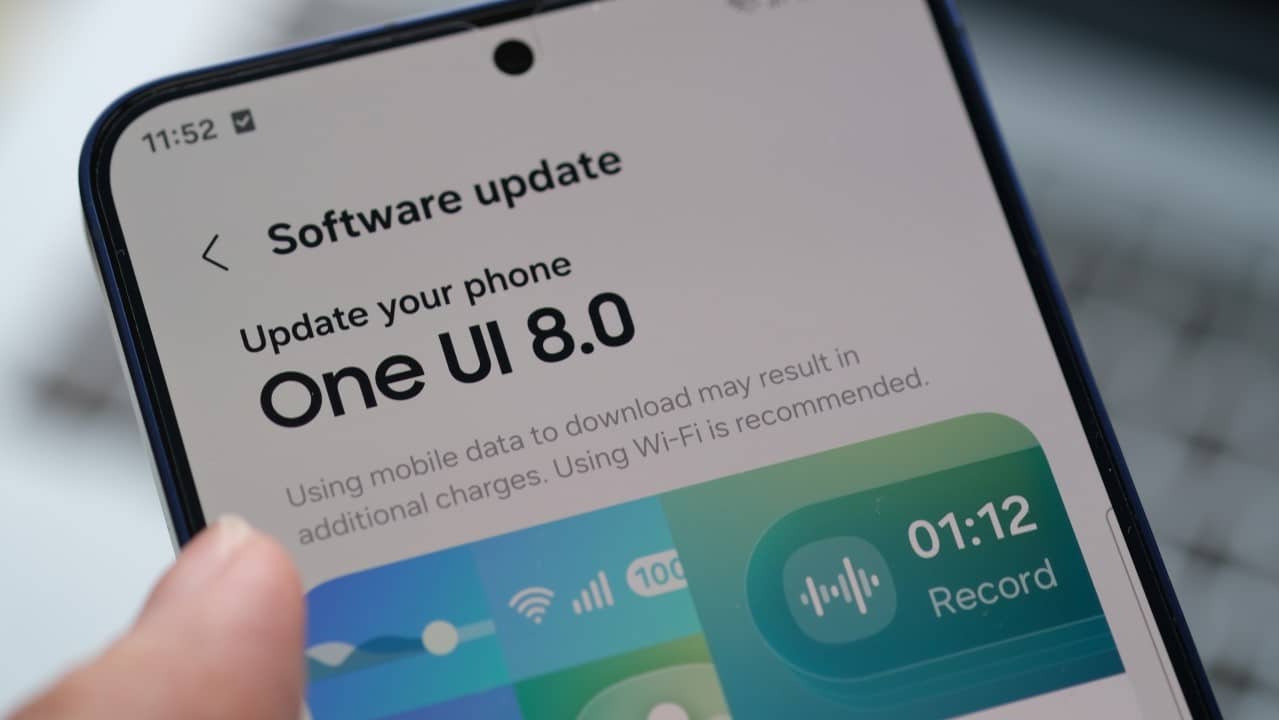
Samsung has started distributing its latest interface update, One UI 8.5, for several models in the Galaxy line, with a special focus on its foldable devices. The new version promises performance improvements and new features, but the initial experience for some owners has been marked by unexpected instabilities.
Growing reports in online communities and specialized forums indicate that the update is causing operating inconsistencies on devices such as the Galaxy Z Fold 6. Complaints mainly focus on two essential areas of the user interface: the Painel Rápido and the native camera application.
These problems, although they seem occasional, directly affect the daily usability of smartphones, generating frustration among users who expected a smooth transition to the new software. The expectation is that the South Korean giant will take a position on the flaws soon, as the final version of the system is scheduled to be released to the public in March 2026.

Details about inconsistencies in the quick dashboard
The Painel Rápido is one of the most used tools in the Android system, allowing instant access to functions such as Wi-Fi, Bluetooth, airplane mode and brightness control. With the update to One UI 8.5, users of Samsung foldables have been experiencing erratic behavior. Reported failures include icons that do not respond to touch, slowness to open the panel and, in more serious cases, complete functionality lockout, requiring the device to be restarted to restore access.
The impact is even more significant on models in the Fold line, whose larger internal screen format was designed to optimize multitasking and quick access to settings. Instability in this fundamental feature compromises the premium experience associated with these devices, making simple tasks like adjusting screen brightness or connecting a wireless headset a time-consuming and unpredictable process. The inconsistency represents a step back from the stability found in previous versions of the operating system.
Camera app crashes
The camera application, one of the main attractions of the Galaxy line, has also been the target of complaints after the installation of One UI 8.5. Usuários point out that the software crashes when switching between different lenses or when trying to access specific capture modes, such as night mode or portrait mode.
In addition to freezes, other bugs include a considerable delay in processing images after capture, causing the photo to take a while to appear in the gallery. Há also reports of sudden interruptions while recording videos, resulting in loss of important files.
These issues directly affect the unique features of foldables, such as the Flex Mode, which allows you to use the partially folded device as a tripod. The unreliability of the camera software diminishes the appeal of one of the Galaxy Z line’s most innovative features, frustrating content creators and casual users alike.
What is the One UI
The One UI is the custom interface developed by Samsung that runs on top of the Android operating system of Google. Seu main objective is to create a more intuitive and cohesive user experience across all of the brand’s devices, from smartphones and tablets to smart watches.
Originally launched to make it easier to use devices with large screens with just one hand, the interface has evolved to become a robust ecosystem. Ela reorganizes visual elements, concentrates interaction areas at the bottom of the screen and offers a clean and organized design.
Among its main features are optimization for multitasking, with DeX mode, which transforms the cell phone into a desktop experience, and deep integration with other products from the Galaxy ecosystem, such as the Buds headphones and the Watch watches.
As it is the software layer that defines the identity of Samsung devices, any instability in a major update such as One UI 8.5 is felt directly by the user, as it affects not just one application, but the functioning of the system as a whole.
Affected models and scope of the issue
Reports about failures in One UI 8.5 are concentrated, so far, on the most recent models in the foldable line, including the Galaxy Z Fold 6 and the Z Flip 6.
It’s not yet clear whether the issues are widespread or only affect a specific batch of devices or users in certain regions. Samsung typically releases its updates in waves, which allows it to monitor early feedback and fix bugs before a larger number of people are impacted. The recommendation for those who have not yet updated is to wait for an official statement from the company or the release of a corrective patch.
The impact on foldable user experience
The experience of using a foldable smartphone is intrinsically linked to software optimization. Recursos as application continuity between the external and internal screen and the Flex mode depend on seamless integration between hardware and software. Quando the interface is flawed, the main difference between these devices is compromised.
The inconsistencies reported in One UI 8.5, while likely temporary, serve as a reminder of the challenges in developing systems for innovative formats. The complexity of adapting software for multiple screens and usage modes requires a rigorous testing process to ensure that functionality and stability are not sacrificed in the name of new features.
The expected response from Samsung
Samsung has built a solid reputation when it comes to software support, offering one of the fastest and longest update schedules on the Android market. Based on its history, the expectation is that the company will recognize the reported issues and work quickly to develop a corrective update. Normalmente, the company uses feedback collected through channels such as the Samsung Members application to identify and prioritize the correction of critical bugs. Affected users should stay tuned to the brand’s official channels for information about a future patch that normalizes the operation of the Painel Rápido and the camera, restoring the expected user experience for their premium devices.
Recommendations for users
Para owners of Galaxy Z devices who are already experiencing problems with One UI 8.5, the main recommendation is to report the failures through the Samsung Members application. For those who have not yet received the update notification, it may be prudent to temporarily disable automatic software downloads in the system settings until the stability of the new version is confirmed by the community and the manufacturer itself.
