
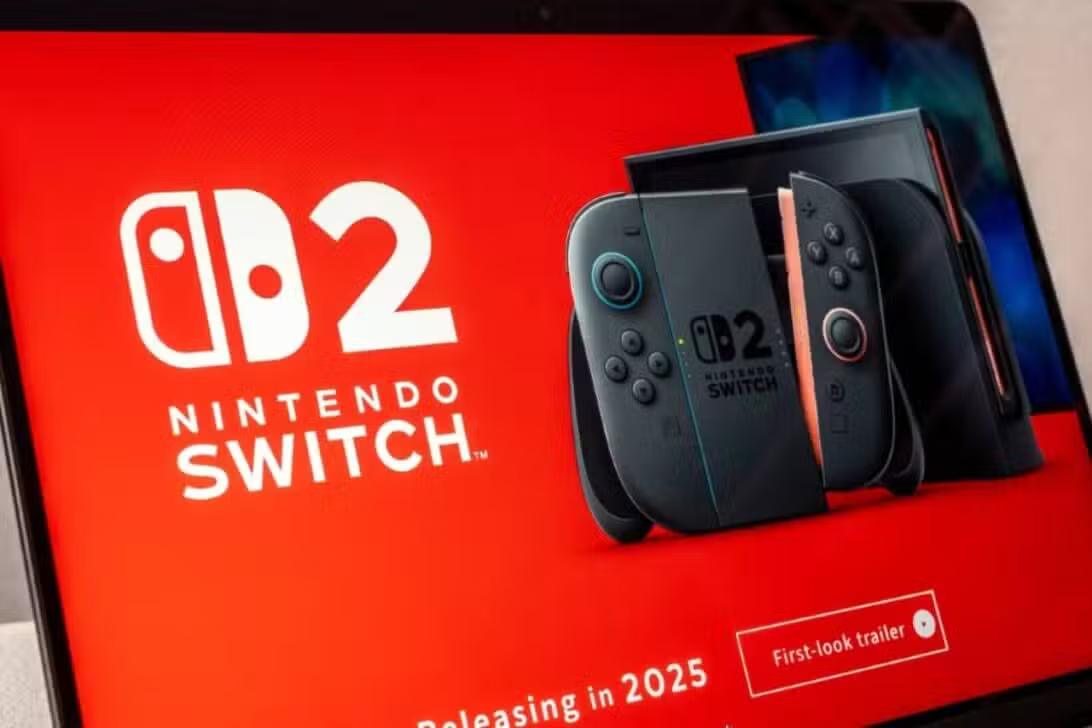
Valve has taken a significant step to further expand the compatibility of its Steam platform, in anticipation of one of the most anticipated releases on the gaming market. A new update, made available in the beta version of the PC client, introduced native support for the controls of the future Nintendo console, provisionally known as the Switch 2, in addition to the iconic and nostalgic GameCube control.
This implementation allows players to connect and use these gamepads directly on the platform, eliminating the need for third-party software or complex adapters to ensure operation. Full integration with the Steam Input tool has also been confirmed, offering a deep level of button and functionality customization.

The initiative reinforces Valve’s strategy of consolidating Steam as an open and versatile ecosystem, which welcomes hardware from different manufacturers. By adding support for controllers that haven’t even been officially released yet, the company demonstrates a long-term vision to maintain its relevance and attract an even larger user base, especially those familiar with Nintendo consoles.
Details of new support for Nintendo controls
The Steam beta update reveals that the controller for the Nintendo Switch’s successor is internally identified as “Nintendo Switch Pro Controller (OLED Model)”. Embora the name may be a placeholder, the measure indicates that the Valve already has the necessary technical information to guarantee compatibility from the first day of launch of the new console. Isso means that future “Switch 2” owners will be able to use their main controller to play the entire Steam game catalog on PC without any technical barriers, enjoying a fluid and integrated user experience.
For longtime fans, the inclusion of GameCube controller support is celebratory news. The stand is designed to work perfectly with the official USB adapter released by Nintendo for the Wii U and Switch, which allows you to connect up to four controllers simultaneously. The Este gamepad is revered for its ergonomic design and durability, maintaining a loyal community, particularly among players of fighting titles like the Super Smash Bros series, where it is considered the gold standard for high-level competition.
The power of Steam Input in personalization
The big advantage of this native support lies in its complete integration with Steam Input, a powerful application programming interface (API) from Valve. Essa tool transforms the way games interact with controls, going far beyond simple button recognition. With the Steam Input, users of the Switch 2 and GameCube controllers will be able to completely remap every button, trigger, and thumbstick to suit their preferences. It is possible to create different configurations for different games or even for specific situations within the same game, such as driving a vehicle or navigating menus. Customization options include adjusting analogue stick dead zones, configuring turbo functions and creating complex macros. Além Additionally, the community can create and share their own configuration profiles, allowing players to download optimized layouts for popular titles with just one click, making it easier to access an enhanced gaming experience.
How to test new features in the beta client
Players interested in trying out the new functionality before the official launch can do so simply by activating the trial version of the Steam client. The process is reversible and allows early access to updates and new features.
To participate, you need to follow a few steps within the application:
- Open the Steam client on your computer.
- In the top left corner, click on the “Steam” menu and select the “Settings” or “Preferences” option.
- In the window that opens, navigate to the “Account” tab.
- Look for the “Beta Participation” section and click the “Change…” button.
- In the drop-down menu, select the “Steam Beta Update” option and confirm by clicking “OK”.
After confirmation, Steam will prompt for a restart to download and apply the beta update. Once the process is complete, simply connect the desired controller to the PC. Para the “Switch 2” controller, the connection must be made via USB-C cable, while the GameCube controller will require the use of the official Nintendo USB adapter. The Steam should automatically recognize the device.
Valve strategy for an open ecosystem
Adding support for more controls is not an isolated move, but rather a continuation of a philosophy that Valve has embraced for years.
The company actively seeks to break down the barriers between different hardware platforms, making the PC the most flexible gaming environment possible.
This approach has already been seen with the robust integration of Sony controllers, such as the DualShock 4 and PlayStation 5 DualSense, which support advanced features such as the trackpad and adaptive triggers in select games on the Steam.
In doing so, Valve not only benefits players, who gain the freedom to choose their preferred control method, but also simplifies the work of developers, who can focus on a single API (Steam Input) to ensure compatibility with a wide range of devices.
The legacy of the GameCube controller in the competitive scene
The decision to officially include the GameCube controller in the Steam is a recognition of its cultural and functional importance in the world of games. Lançado for over two decades, its unique design, with a prominent “A” button and distinctive C-stick button layout, has made it ideal for certain genres, especially platformers and fighting games.
His popularity was immortalized by the *Super Smash Bros community. Melee*, which continues to use the controller as standard in international tournaments. With official support in Steam, these gamers can now use their preferred hardware in a variety of other PC fighting titles or emulators with simplified setup, further solidifying this peripheral’s lasting legacy.
Implications for the future of PC gaming
By getting ahead of the market and preparing its platform for the Nintendo’s next-generation hardware, the Valve sends a clear message: the Steam will continue to be the universal hub for PC gaming. Essa proactivity ensures that the transition to new peripherals is smooth for millions of gamers, strengthening the PC’s value proposition as a platform that not only keeps up with, but also stays ahead of, console industry trends.