

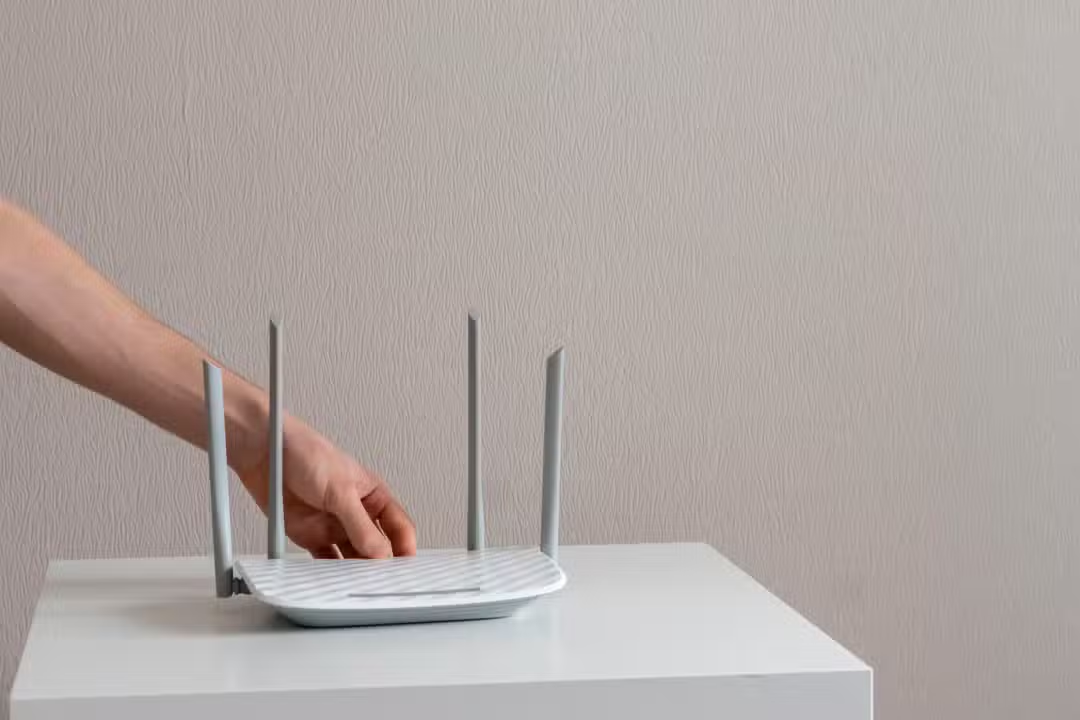
The practice of wrapping the router’s antennas with aluminum foil to try to improve the quality of the wireless connection is a trick widely disseminated in tutorials on the internet. Diversos users adopt this homemade measure with the expectation of directing the internet signal to specific rooms in the home, creating improvised reflective barriers around the equipment.
Despite the continued popularity of this technique in short videos and discussion forums, detailed technical analyzes of radiofrequency propagation demonstrate that the method’s effectiveness is highly questionable. In modern residential environments, the application of metallic materials over transmitters tends to generate more connectivity problems than real solutions for speed drops.
Practical tests carried out with current network equipment indicate that the use of non-standard physical barriers impairs the distribution of electromagnetic waves. Attempting manual optimization often results in network instability, increased latency and even risks to the physical integrity of transmitting devices.
Dynamics of radio waves and metallic reflection
The physical principle underlying the homemade trick has a real scientific basis, since metallic materials, such as aluminum, actually reflect electromagnetic waves. Experimentos laboratories conducted by university researchers in the past have proven that the use of reflectors printed in three dimensions and coated with metal can increase signal intensity in specific directions. Nesses controlled tests, the scientists used precise mathematical calculations to shape the reflector, ensuring that the waves were directed without significant losses, achieving significant gains in coverage in defined areas.
However, the transposition of this controlled experiment to the domestic environment presents critical execution flaws. Ordinary aluminum foil, when crumpled and shaped by hand around antennas, creates irregular surfaces that cause chaotic reflections of radio waves. Instead of a cleanly directed beam, the signal bounces unpredictably against walls, furniture and mirrors in the house. Essa disordered dispersion generates destructive interference, where reflected waves collide with direct waves, nullifying signal strength and worsening the overall connection quality on connected devices.
Risks of overheating of modern equipment
Applying layers of aluminum foil over the router body or around its transmitter rods creates a serious thermal dissipation problem. Network equipment operates by processing large volumes of data uninterruptedly, which generates a considerable amount of heat in internal components, especially in processors and signal amplifiers. Aluminum acts as an efficient thermal insulator when it surrounds the device, blocking air vents and preventing the passive cooling designed by manufacturers. The accumulation of heat inside the plastic casing raises the operating temperature to dangerous levels, which triggers hardware protection mechanisms that automatically reduce performance to prevent the circuits from burning out. Consequentemente, the user experiences extreme slowdowns, constant connection drops and spontaneous system restarts. In prolonged cases, continuous thermal stress irreversibly degrades electronic components, drastically shortening the router’s lifespan and requiring early equipment replacement.
Interference with the omnidirectional emission of antennas
The vast majority of home routers are equipped with omnidirectional antennas, specifically designed to radiate the signal in a 360-degree circular pattern. Esse design aims to cover the largest possible area around the device, allowing devices in different rooms to receive the connection in a balanced and continuous way.
By placing an aluminum barrier behind or around these antennas, the user intentionally blocks the natural emission of the waves. Isso creates immediate dead zones in the opposite direction to the improvised reflector, completely isolating parts of the home that previously received a signal, even if weak, and unbalancing the coverage network planned by the equipment.
Strategic positioning of the device in environments
The physical location of the transmitter inside the home is the most determining factor for the quality of the wireless network, surpassing any external modifications. The device must be installed in the most central room of the house, ensuring that the geometric distance to all other rooms is as small as possible.
The height of the installation also has a direct influence on the propagation of radio waves. Como the signal tends to expand downwards and to the sides, placing the router on high shelves or shelves free from obstacles significantly improves reception on smartphones and computers.
It is essential to keep the equipment away from dense physical barriers, such as reinforced concrete walls, and sources of electromagnetic interference. Aparelhos such as microwaves, older cordless phones, large aquariums, and mirrors absorb or bounce the signal, degrading the connection before it reaches the target devices.
Current technologies surpass homemade tricks
The advancement of telecommunications has made domestic networks extremely sophisticated, operating with modern standards that do not require rudimentary physical interventions. Current transmission protocols manage multiple simultaneous connections with high efficiency, using complex algorithms to digitally direct the signal to devices that demand the most bandwidth.
The adoption of mesh network systems represents the definitive solution for homes with large square footage or multiple floors. Esses sets of devices distributed throughout the rooms communicate with each other to form a unified coverage, eliminating blind spots without the need for metal workarounds.
Keeping the router’s internal software up to date ensures that the equipment operates with maximum energy and transmission efficiency. Frequent updates made available by manufacturers correct security flaws and improve the way antennas deal with interference from neighboring networks.
Correct use of available frequencies also optimizes the daily navigation experience. The 5 GHz band offers ultra-high speeds for nearby, barrier-free devices, while the 2.4 GHz frequency should be reserved for distant devices or smart home devices that require greater signal penetration through walls.
Reasons for the persistence of the myth on the internet
The continued spread of this trick on digital platforms is due to its extreme simplicity and the appeal of a zero-cost solution to a frustrating everyday problem. The visual representation of aluminum reflecting waves makes intuitive sense to the lay public, which facilitates the viral sharing of short videos demonstrating the technique.
There are rare and isolated situations where the method appears to work, fueling positive reports online. Quando a router is positioned in the extreme corner of a house, against an external wall, blocking the signal that would go to the street can cause a slight directional gain towards the interior, but this specific scenario does not justify the application of the technique as a general rule.
Practical adjustments to network settings
Manually changing broadcast channels within the router admin panel is a free and highly effective technical measure. In residential buildings with dozens of overlapping networks, choosing a less congested channel reduces data packet collisions, resulting in more fluid browsing and faster downloads without any physical changes to the device.
Physical alternatives for expanding coverage
For locations where the original signal does not reach at all, installing additional access points connected via network cable to the main router is the technically correct approach. Essa cabled infrastructure ensures that the full contracted internet speed is delivered to the new transmission point, without the common losses of simple wireless repeaters.
Replacing old equipment provided by operators with high-performance models purchased at retail also transforms network quality. Roteadores with multiple adjustable external antennas and dedicated processors can cross obstacles much more easily than technologically outdated devices.
Best practices for signal maintenance
Adopting a care routine for your home network infrastructure prevents signal degradation over time. Medidas simple environment organization and basic configuration guarantee the stability necessary for remote work and high definition media consumption.
– Manter the equipment on open surfaces, avoiding closed cabinets or drawers that muffle the signal and retain heat.
– Reiniciar the transmitter periodically to clear the temporary memory and force automatic reconnection with the least congested channels in the region.