

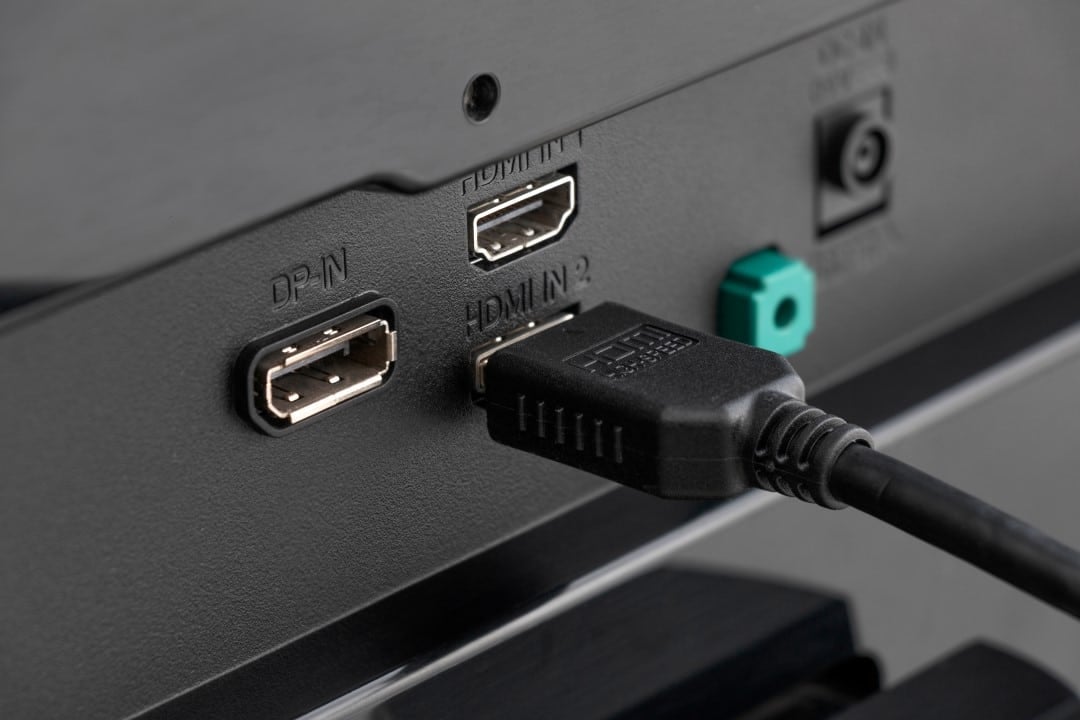
Consumers purchasing high-end consoles or advanced streaming devices often face a silent technical limitation when connecting them to modern televisions. When plugging a PlayStation 5, Xbox Series X or Apple 4K TV into a newly purchased screen, the expectation is to get maximum visual fidelity immediately. However, a standard configuration established by television manufacturers restricts the bandwidth of input ports, preventing the hardware from delivering its full graphics potential.
This software barrier occurs because televisions come out of the box with the ports configured in a basic compatibility mode. The objective of this measure is to ensure that older devices work without experiencing communication failures. The direct result of this standardization is the automatic disabling of essential features for the new generation of digital entertainment. Sem the user’s manual intervention in the television menus, the video signal suffers a forced lowering, operating well below the real capacity of the consoles’ graphics processors.
The lack of clear warnings on the interface makes the situation worse, as the equipment transmits the image normally, leading the owner to believe that they are enjoying maximum quality. Entre the main technical losses recorded in this restricted configuration, critical factors for the visual experience stand out:
– Bloqueio of the 120Hz refresh rate, essential for fluidity in competitive games.
– Desativação from High Dynamic Range (10-bit HDR), drastically reducing color volume and contrast.
– Compressão from chroma subsampling, which leads to blurred edges on text and interface elements.
Manufacturers’ technical reasons for the restriction
The industry’s decision to keep ports limited by default is based on preventing hardware conflicts. Quando a television is configured to receive the maximum volume of data, it expects a clean, high-speed signal. Equipamentos old ones, such as DVD players, cable TV decoders from previous generations or outdated home theaters, cannot process this advanced communication protocol.
If the ports were open to maximum capacity from the first use, connecting an old device would result in black screens, no audio, or constant picture interruptions. Para manufacturers’ technical support departments, this would generate an unsustainable volume of calls from customers reporting non-existent defects in newly acquired screens.
In this way, the restriction acts as a universal compatibility shield. The responsibility for freeing up the data flow is transferred to the consumer, who needs to identify the need for change and navigate each brand’s specific operating systems to disable the digital bottleneck.
Visual losses in practice and signal degradation
When the console identifies that the television port is operating in restricted mode, it automatically changes its video output format to prevent signal loss. Instead of sending a pure image, the system applies a compression technique known as 4:2:0 chroma subsampling. Esse mathematical process discards color information to save bandwidth, resulting in an image where fine details fade and vibrant colors appear washed out, especially in smaller graphics.
In addition to color compression, limiting directly affects the lighting of the scene. True HDR requires a 10-bit color depth, capable of displaying more than a billion different shades. With the restricted port, the signal drops to 8 bits, limiting the palette to about 16 million colors. Essa reduction causes the effect of “banding”, where smooth light transitions, like a sunset in a game, appear as stripes of artificial, marked colors, destroying the visual immersion and accuracy intended by the developers.
Nomenclatures on the menus of the main brands
Resolving the issue requires the user to change the configuration of the specific port where the console is connected. The obstacle in this process is the lack of standardization in the industry, as each manufacturer uses a different commercial term for the same technical function. Menu navigation varies drastically between Tizen, webOS, and Google TV operating systems.
On Samsung televisions, the function is usually located in the external device manager. The user needs to find the option called “Input Signal Plus” or, on slightly older models, “HDMI UHD Color”, and activate it individually for the desired port.
LG takes a similar approach in its webOS system. Bandwidth release is done through a configuration called “HDMI Ultra HD Deep Color”. Esta activation key is usually hidden in the advanced image settings or in the device’s general connections menu.
For owners of Sony screens, release occurs in the channels and inputs menu. You need to find the “HDMI signal format” section and change the port from “Standard” to “Format Avançado”. Marcas like TCL and Panasonic also require similar procedures, often hidden under terms like “HDMI 2.1 Mode” or “Port Enhancement”.
Physical infrastructure and the importance of cables
Changing the TV’s software is just one part of the equation to ensure graphical fidelity. The physical infrastructure that connects the console to the screen plays an equally vital role. The HDMI 2.0 standard, widely used in the past decade, has a physical transfer limit of 18 Gbps. Essa speed is insufficient to transport a 4K signal at 120 frames per second with HDR enabled without severe compression. Para For the television’s advanced settings to take effect, it is mandatory to use an Ultra High Speed cable, certified to the HDMI 2.1 standard, capable of carrying 48 Gbps of data. Last generation consoles already include this cable in the box, but replacements with generic or old cables will nullify any configuration made in the TV menu. Além Furthermore, the internal architecture of many televisions does not distribute the maximum capacity to all inputs. It is common for only two of the four available ports to have the necessary hardware for HDMI 2.1. Conectar equipment on the wrong port will keep the bottleneck active regardless of the software settings selected.
Management of old devices on released ports
After releasing the ports for modern consoles, it is necessary to maintain the organization of the other devices. Conectar old equipment, such as a Full HD resolution satellite TV receiver, on an input configured for maximum bandwidth may cause instability. The legacy device may not be able to interpret the communication protocol required by the advanced port, resulting in image and sound synchronization failures.
Verification procedures on consoles
To confirm that communication between the hardware and the screen is occurring without restrictions, console operating systems offer diagnostic tools. On PlayStation 5 and Xbox Series X, the display and video settings menus have sections dedicated to testing the TV’s real-time capabilities.
These diagnostic screens list all technologies supported by the current connection. If the console report indicates that the TV does not support 4K at 120Hz or that HDR is unavailable, this serves as technical confirmation that the TV’s port is still operating in factory compatibility mode or that the chosen physical input does not support the latest standard.



