

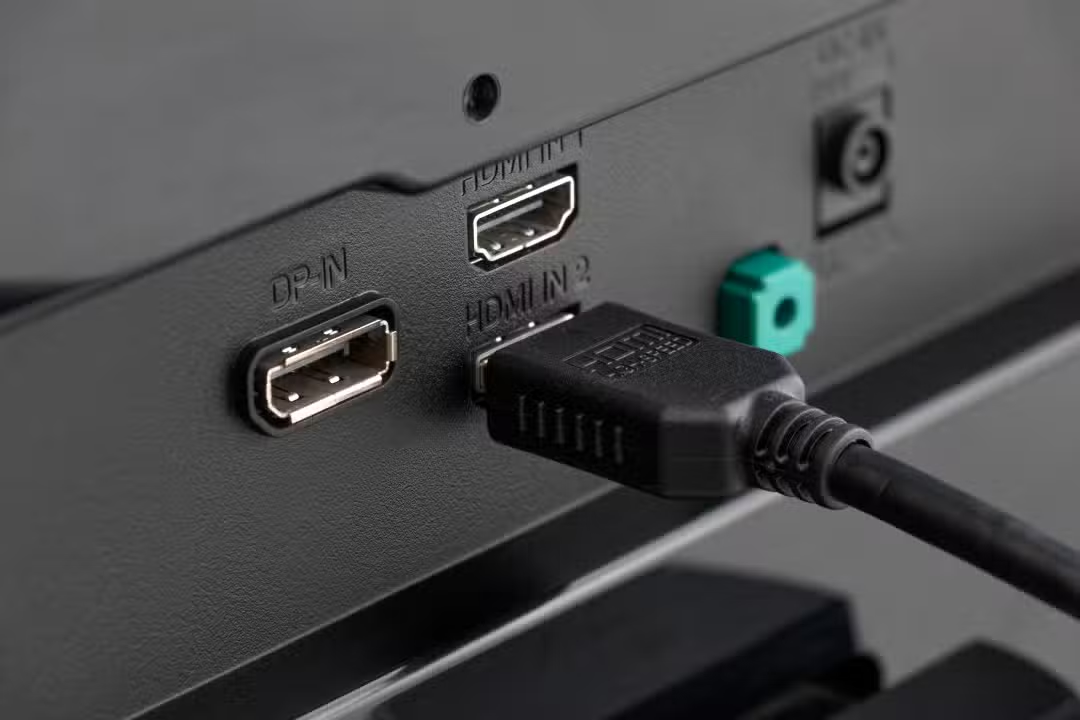
Consumers purchasing modern high-resolution televisions for use with next-generation consoles and media players often do not receive maximum picture quality upon first use. The limitation occurs due to a factory configuration present in the vast majority of devices, which restricts the flow of data through the equipment’s physical input ports.
The problem directly affects owners of systems such as the PlayStation 5, models in the Xbox Series line and advanced streaming devices, such as the Apple TV 4K. When connecting these devices using video cables, the television operating system adopts a conservative signal reception profile, ignoring the maximum capacity of the connected hardware.
This technical security measure results in the automatic deactivation of essential visual resources, preventing newly acquired equipment from demonstrating its full graphical potential on the screen. Solving the fault requires manual intervention in the television menus, a process that often goes unnoticed by users less familiar with technical video specifications.
Technical reasons for factory restriction
The decision to limit the bandwidth of communication ports is a deliberate strategy by electronics manufacturers to avoid a high volume of calls for technical support services and product returns.
When a modern television is installed in a standard home environment, it needs to communicate with a wide variety of electronic devices from different eras. If the input ports were wide open and operating at full capacity by default, older equipment, such as DVD players manufactured more than a decade ago or obsolete cable boxes, could experience severe synchronization failures during the digital recognition process.
To prevent these older devices from displaying black screens, chronic audio desync, or constant image flickering, the electronics industry has adopted a leveling-down standard in their operating systems. Data transmission capacity is throttled to a limit that any basic device can process without experiencing reading errors. Consequentemente, the onus of unlocking the true potential of the newly purchased panel falls entirely on the end consumer. The user must navigate through menus that are often complex and unintuitive to find the specific digital key that unlocks the massive data flow required by modern devices, thus ensuring the visual fidelity promised in the product specifications.
Direct impacts on user experience
The reduction in bandwidth immediately affects the color depth displayed on the panel, disabling the true 10-bit high dynamic range format and leaving images washed out and less vibrant.
Another common visual flaw resulting from this limitation is chroma compression, a technical phenomenon that causes texts, subtitles and edges of graphical interfaces to appear blurred or pixelated on the television screen.
For the gaming-focused audience, the restriction blocks the use of the 120 frames per second refresh rate, a crucial feature for competitive titles that require extremely fast response times.
The forced deactivation of the variable refresh rate also generates breaks in the image, cutting frames horizontally during fast camera movements and impairing the fluidity of the action reproduced by the console.
Nomenclatures used by the main brands
Each electronics manufacturer uses a different trade name to identify the bandwidth unlocking function, which often confuses consumers during the initial equipment setup process.
The Samsung brand often names this option as Sinal from Entrada Plus or HDMI UHD Color, positioning the setting within the external device management menus of the company’s proprietary operating system.
Manufacturer LG uses the term HDMI Ultra HD Deep Color in its advanced image settings, while Sony requires the user to change the port format to Formato Aprimorado in the panel’s external input options.
Procedures required to release the signal
To resolve the data bottleneck, the user needs to access the television’s main settings menu using the device’s original remote control. It is necessary to locate the section dedicated to managing external connections or inputs, where the specific options for each physical port located on the back of the equipment are listed individually for consumer control.
After finding the correct menu, the owner must manually activate the enhancement function only for the exact port where the video game console or high-resolution streaming device is connected. In many cases, the television’s operating system will prompt a quick panel reset to apply the new bandwidth parameters, immediately reestablishing correct communication with the source device and releasing previously blocked advanced visual features.
The importance of cables in data transmission
In addition to the internal configuration of the television software, the physical infrastructure of the connection plays a fundamental and non-negotiable role in the success of high-resolution data transmission. Physical cables act as the highway along which information travels, and the use of an outdated standard will completely nullify any configuration made on the television system. Para support the maximum capacity of the latest video standard, which reaches up to 48 gigabits per second, it is strictly mandatory to use cables certified with the ultra high speed seal, generally included in the boxes of modern consoles. The use of old cables, designed for the 18 gigabits per second limits of previous generations, will result in intermittent signal drops, sharp failures in audio reproduction or in the automatic reduction of image quality by the console’s operating system, which tries at all costs to maintain the stability of the physical connection by reducing the data load sent to the panel.
Old device management
While high-end equipment benefits immensely from changing port settings, older electronic devices should be kept in ports with factory restriction enabled.
Forcing a high-capacity signal into an older carrier decoder can cause profound instability in legacy hardware, requiring the user to strategically arrange their connections on the television’s back panel.
Pay extra attention to the organization of doors
The physical separation of devices ensures that the television does not need to constantly renegotiate image security protocols when switching between video sources during daily use.
Keeping track of which inputs are optimized prevents the consumer from accidentally connecting a basic device to a high-performance input, preventing unexpected image failures.
Evolution of video standards
The ongoing transition to new visual technologies requires a level of hardware understanding on the part of the consumer, transforming the act of turning on a device into a detailed configuration process to ensure the fidelity of the reproduced material.