

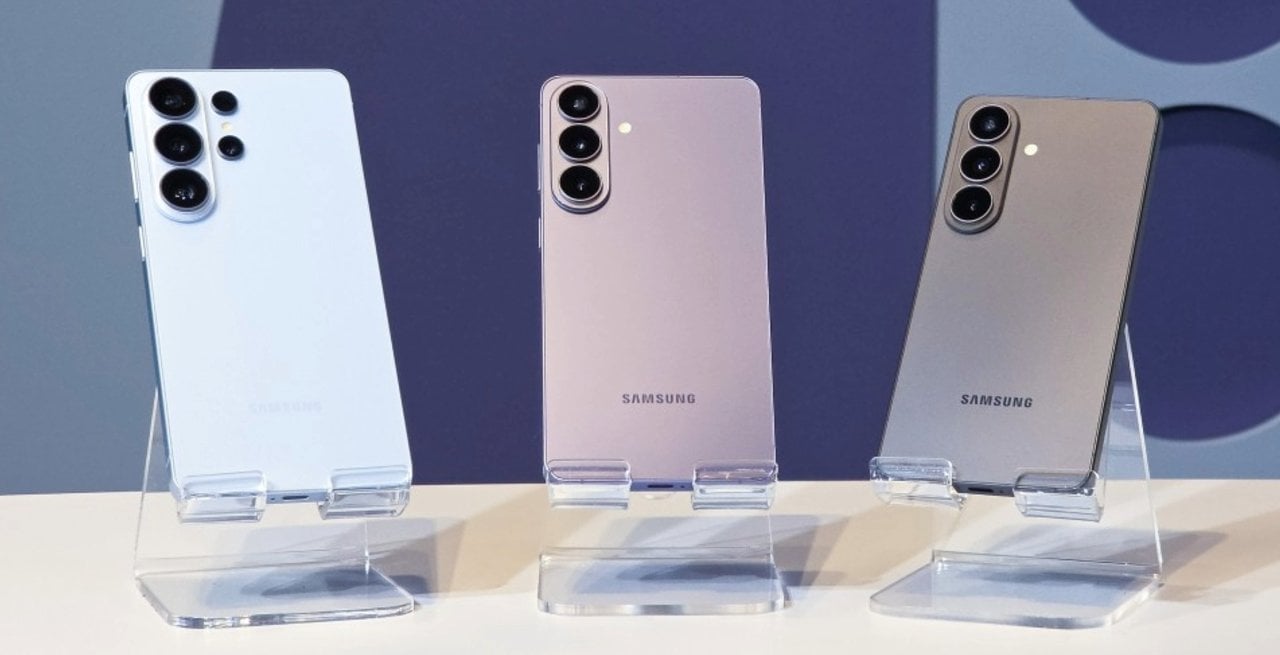
The South Korean manufacturer has released a new version of its advanced photographic module, changing the image capture dynamics for owners of the brand’s latest models. The update to the secondary camera application aims to resolve a frequent complaint from the user community, which highlighted difficulties in activating intermediate resolutions during everyday use. With the change, the adjustments interface becomes more fluid and eliminates the need to navigate through hidden menus.
Version 4.5.00.20 of the software, officially distributed through the manufacturer’s own application store, repositions the activation key for the 24 megapixel resolution. The resource now appears on the main module settings screen, allowing direct and quick access. Essa structural modification to the menu directly responds to requests for simplification of the standard capture interface.

The new feature specifically covers the Galaxy S26, S26 Plus and S26 Integration occurs silently, modifying the options available on the camera’s main screen immediately after initial configuration.
To ensure a seamless experience, the system also introduced the function of remembering the user’s choice. When checking the option to keep the resolution fixed, the device prevents the software from automatically returning to the factory default of 12 megapixels with each new application launch, saving time in moments that require photographic agility.
Technical functioning of the new adjustments interface
The restructuring of the secondary application’s internal menus represents a significant change in the usability of the capture system. Anteriormente, the option to shoot at 24 megapixels was relegated to submenus aimed at advanced users, requiring multiple taps on the screen to activate.
With the implementation of the new version, the manufacturer moved the resolution selector to the first hierarchical level of the settings. Essa visual and functional change transforms a previously hidden resource into an easily accessible tool for the general public looking for higher image quality.
Integration between the add-on module and the native camera app occurs in real time. Assim Once the option is enabled in the auxiliary software control panel, the 24 megapixel icon immediately appears in the top bar of the main display, next to the traditional options.
Practical differences between photographic resolutions
Modern mobile photography operates by combining pixels to capture more light, resulting in the industry standard of 12 megapixels. Esse format delivers lightweight files and excellent performance in dark environments, but sacrifices fine details when enlarging or cropping.
On the other hand, maximum resolutions of 50 or 200 megapixels offer a massive amount of detail, ideal for large format prints. However, these options require perfect lighting conditions and generate large files, in addition to slow processing and overexposure problems in very bright areas.
The 24 megapixel option appears as an ideal technical balance point for most everyday situations. Ela doubles the amount of detail compared to the factory default while maintaining a manageable file size and fast processing time.
Practical tests demonstrate that images captured at this intermediate resolution have a more natural appearance. The format significantly reduces visual artifacts caused by excessive artificial sharpening, a common behavior in modern smartphone processing algorithms.
Image processing and artificial intelligence
The generation of a 24 megapixel photograph on devices in the Galaxy S26 line does not occur through a simple cropping or resizing of the sensor. The system uses advanced artificial intelligence algorithms to merge multiple frames captured simultaneously at different resolutions. The image signal processor combines the high light capture of the 12-megapixel mode with the fine details extracted from a full-resolution capture, merging the information into a single optimized output.
This computational processing requires considerable firepower from the device’s neural processing unit. Durante capture, the software analyzes the scene in real time, identifying complex textures, faces and high contrast areas. The result is a photograph that preserves dynamic range, avoiding blown-out skies or completely dark shadows, while maintaining the sharpness necessary for reading distant text or foliage, overcoming the physical limitations of compact lenses.
System installation and configuration procedure
To access the new functionality, the device owner needs to access the manufacturer’s native application store and search for the complementary photographic module. The download is free and installation takes place in a few seconds, adding a new icon to the operating system’s application drawer.
After opening the newly installed software, the user must locate the resolutions section and activate the switch corresponding to 24 megapixels. It is essential to select the checkbox that fixes the preference, ensuring that the main photography application recognizes and maintains the choice in all future uses.
Feature exclusivity on recent devices
The manufacturer’s decision to limit this ease of access to the Galaxy S26 series raises questions about resource segmentation via software. Modelos from immediately previous generations have sufficient hardware capacity to perform the same processing, but depend on applications aimed at professionals, which require knowledge in manual photography and handling uncompressed files. The absence of an official forecast for the expansion of this simplified interface to other devices indicates a strategy to enhance the current line, using the convenience of the software as a competitive differentiator in the high-performance mobile device market.
Optimizing internal device storage
Disk space management is a constant concern for users who record a lot of media. The intermediate format solves the problem of rapid memory exhaustion, generating files that take up only a fraction of the space required by full-resolution captures, without compromising visual quality for sharing on social networks.
Capture speed comparison in daily use
Shutter speed is a crucial factor in capturing spontaneous moments. The standard 12 megapixel mode remains the fastest, with practically no delay between touching the screen and recording the image.
Capturing at 24 megapixels adds a fraction of a second to the process, the time needed for artificial intelligence to merge the frames. Esse slight delay is imperceptible in landscape photos or posed portraits.
However, for photographing sports or fast-moving animals, the lighter format is still recommended. Intermediate resolution proves its value in static scenarios where rich detail is the photographer’s absolute priority.
Future integration into the native app
Mobile technology experts point out that dependence on an external module for such a basic function represents a transitional stage. The manufacturer often uses these complementary applications as public testing laboratories.
The community’s positive acceptance of easier access to 24 megapixels could influence the development of the next major operating system updates. The expectation is that these options will be natively incorporated into the main camera code.
Until this definitive integration occurs, installing the additional module remains the only viable alternative. The current update fulfills its role of democratizing access to photographs of higher technical quality for the common user.