

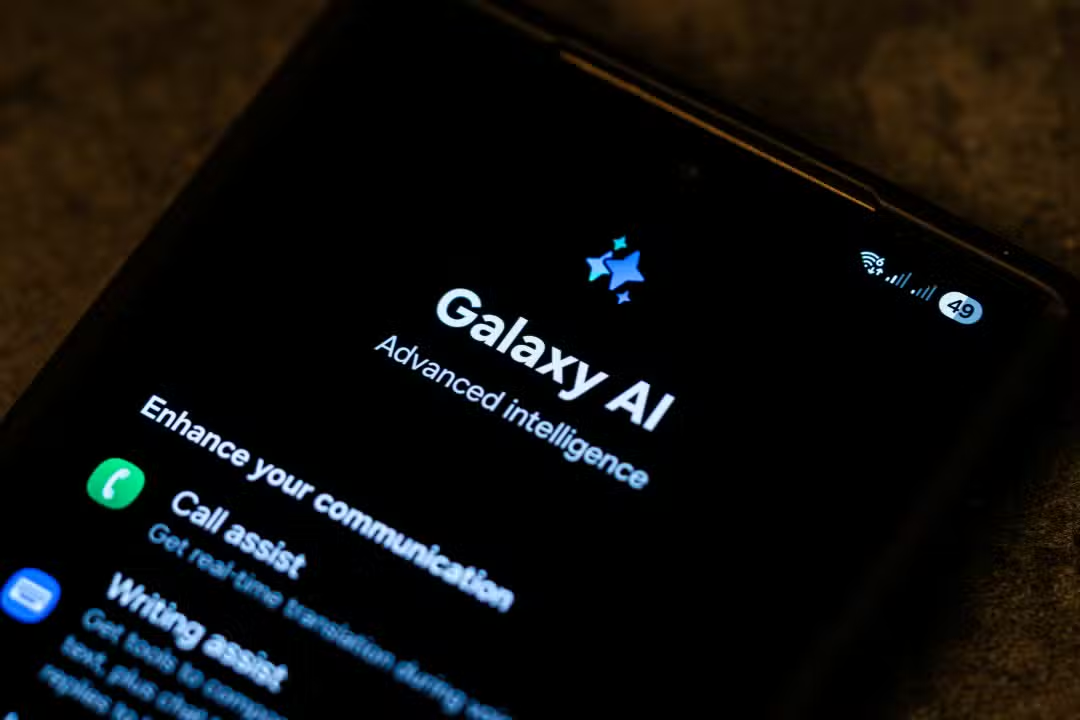
The integration of intelligent systems into mobile devices changes the dynamics of use of modern cell phones. The South Korean manufacturer has implemented a package of advanced tools focused on automation and proactive assistance for users of its high-end devices. The system works directly on the operating system to anticipate commands and facilitate daily actions, changing the way people interact with digital interfaces.
Data processing occurs in a hybrid way, using both the hardware capacity of the device itself and cloud servers to deliver accurate results. Essa architecture ensures speed in executing complex tasks, such as editing high-resolution images and transcribing extensive audio. Split processing allows the device to maintain fluidity even when performing multiple functions simultaneously.

The interface is designed to operate in the background, without requiring the device owner to open specific applications to access assistance functions. Activation occurs through simple gestures or long touches on the main screen. The goal of software engineering was to make the technology invisible during ordinary browsing, only appearing when there is a real demand for advanced processing.
Simultaneous translation on voice calls
The real-time translation feature acts as a virtual interpreter during conventional phone calls. The system processes the interlocutor’s voice, converts it to the selected language and emits synthesized audio, in addition to displaying the text transcription on the device’s screen. Essa double-channel communication ensures that there is no loss of information during complex dialogues or international negotiations.
The functionality operates natively in the brand’s standard phone application, eliminating the need to install third-party software. Processing occurs locally on the device, which ensures the privacy of conversations and allows it to work even in areas with an unstable internet connection. The software architecture was designed to recognize regional accents and idiomatic expressions, adapting the translation to the appropriate cultural context.
Advanced tools for visual search
The search for visual information received a structural update through a partnership with the market’s main search engine. The user can activate the tool by pressing the start button and drawing a circle around any element displayed on the display. The system temporarily freezes the screen to allow accurate selection of the object of interest.
The algorithm identifies objects, monuments, articles of clothing or texts present in photos, videos or social networks. Após recognition, a lower tab slides over the screen with search results, purchase links or detailed information about the selected item. The accuracy of visual recognition depends on the clarity of the image, but the software can overcome low light conditions.
The main advantage of this mechanism is maintaining the navigation flow, as there is no need to switch between applications or take screenshots. The process takes place on the active interface and disappears as soon as the user drags the window down. Essa integration reduces the number of taps needed to obtain information on the internet.
Text optimization and organization of notes
The operating system’s native notes application has been restructured to incorporate automatic summarization and formatting functions. The software analyzes large blocks of text and generates structured summaries with the main points in a matter of seconds. The synthesis capacity helps in reading long documents and complex reports, optimizing the time of professionals and students.
The tool also corrects grammatical errors, adjusts spelling and suggests improvements in the clarity of typed sentences. The user can request that the system change the tone of the message, transforming an informal text into a corporate email or vice versa. The algorithm understands the context of the conversation to avoid inappropriate suggestions.
To optimize the routine, the system offers quick text formatting options, which include:
– Criação automatic headings and subheadings based on the context of the annotation.
– Geração of task lists extracted from running paragraphs.
– Instant Tradução blocks of text without needing to open the browser.
– Padronização of fonts and spacing for professional documents.
Virtual keyboard integration expands these capabilities to instant messaging applications and social networks. The writing assistant suggests contextualized responses based on the latest messages received, streamlining daily communication and maintaining the user’s language pattern. Voice typing has also been improved to recognize pauses and automatically insert punctuation.
Audio transcription and photo editing
Converting voice recordings to text represents a technical advancement for documenting meetings and lectures. The native voice recorder identifies multiple speakers in the same environment and separates each individual’s speech in the final transcription. Após conversion to text, the system offers the option of translating the complete content into other languages or generating an executive summary with the topics discussed. Essa Automation drastically reduces the time spent reviewing long audio files, delivering material ready for reading and archiving in just a few moments. The software can filter out background noises, such as air conditioning or traffic, to focus exclusively on vocal frequencies.
In the image field, the photo assistant uses generative algorithms to fill empty spaces when a photo is rotated or resized. The user can select specific elements of the image, such as people or objects, and move them to other areas of the frame, while the system recreates the background in a natural way. The tool also removes unwanted reflections in photos taken through glass and erases shadows that harm the lighting of the main subject. Todas images modified by this process receive an invisible watermark and a visual icon to indicate the use of digital manipulation, ensuring transparency about the origin of the file.
Ecosystem expansion to previous models
The distribution strategy for these tools was not limited to the most recently launched devices, extending to previous generations through software updates. The interface has been modified to support the new algorithms on S23 line devices, in addition to previous generation folding screen devices and high-performance tablets. The adaptation required optimization work to ensure that older processors could handle the neural processing load without compromising battery life or causing overheating. The manufacturer established a gradual release schedule, prioritizing markets with the largest active user base before expanding the update globally. Essa política de retrocompatibilidade aumenta a vida útil dos equipamentos e democratiza o acesso a funções de alta tecnologia, mantendo a base de consumidores engajada com o ecossistema da marca sem a obrigatoriedade de troca imediata do hardware.
Privacy and processing control
The settings menu offers a panel dedicated to controlling the privacy of smart functions. The device owner can disable cloud processing at any time, forcing the system to perform all tasks exclusively on local hardware to guarantee the absolute confidentiality of personal data and corporate files.
Continuous adaptation to the usage profile
Machine learning embedded in devices monitors user interaction patterns to personalize daily suggestions. The system identifies the times of greatest use of certain applications and preloads the information into RAM memory to speed up opening. Essa intelligent management of hardware resources prevents crashes when transitioning between multiple active windows.
Energy management also benefits from this behavioral analysis, suspending background processes that are rarely used. Continuous adaptation creates a user experience that becomes more fluid and responsive as the device accumulates data about the owner’s routines. The processor’s thermal management is dynamically adjusted, ensuring the device maintains the proper temperature even during heavy use of visual editing tools.