

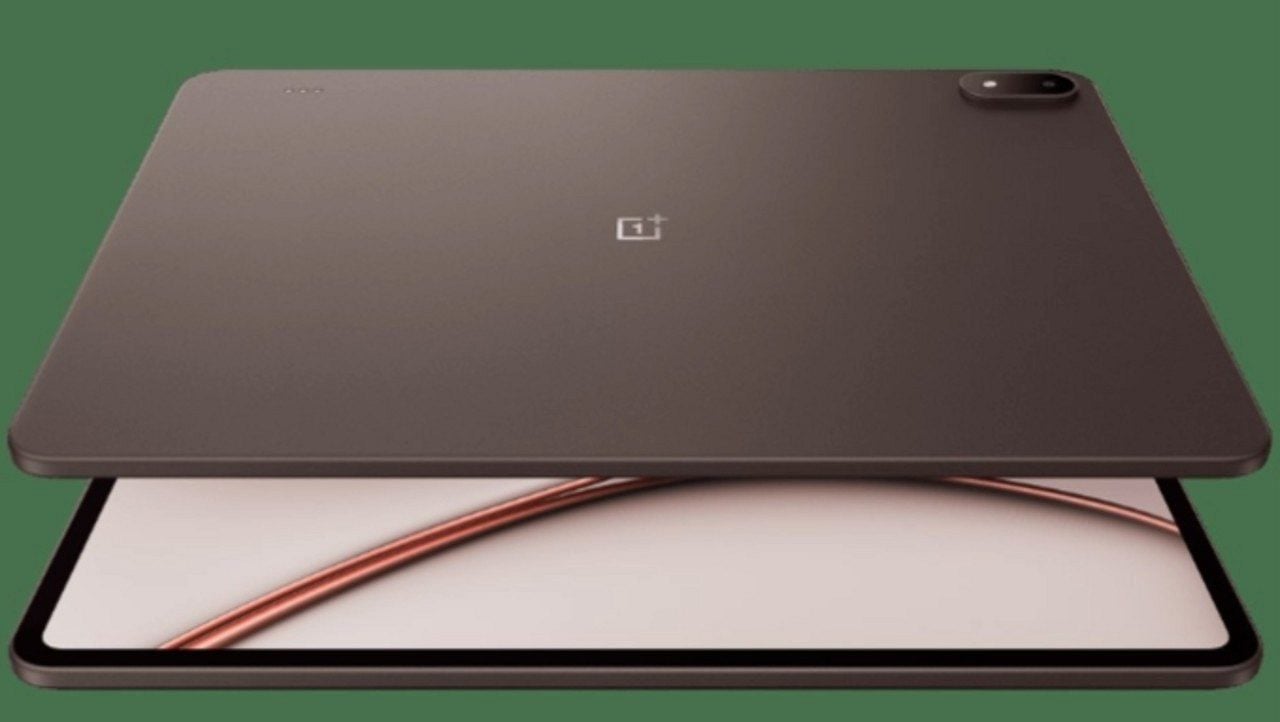
The OnePlus Pad 4 hits the market with a design practically identical to its predecessor, the Pad 3, featuring only discreet visual adjustments and two new color options. The Chinese manufacturer introduces the Dune Glow and Sage Mist tones, in addition to slightly repositioning the keyboard contact pins. The tablet maintains its elegance with clean aesthetics and an extraordinarily thin side profile, measuring just 5.94 mm thick, surpassing even the iPad Air in this regard. The camera protrusion remains noticeable when the device is placed on flat surfaces, a practical solution that avoids discomfort when holding such a thin and large device.
Compact Design with ergonomic challenges
The reduction in thickness combined with the moderate weight makes it easier to handle despite the tablet’s considerable size. However, the physical buttons on the side remain difficult to access, a problem that has persisted since the previous model. The on/off button offers alternatives for activating the device, making it tolerable, but the volume buttons are never in a convenient position regardless of how the device is held. The decision to position them on the larger side instead of the smaller sides remains questionable from a usability point of view.
https://twitter.com/OnePlus_IN/status/2051191479469785429?ref_src=twsrc%5Etfw
The top edge houses the magnetic attachment of the stylus pen. Como the tablet is thinner than the pen, placing it on a surface with a completely level back causes the accessory to tilt slightly. The magnetic adhesion remains firm enough to keep the pen secure without risk of detachment even when pressed against surfaces. Para who appreciated the Pad 3, the Pad 4 offers little new in terms of design, replicating practically everything that worked in the previous model.
Tela enhanced LCD with high brightness
The OnePlus Pad 4 uses a 13.2-inch IPS LCD panel with a resolution of 3392 x 2400 pixels, support for a refresh rate of up to 144Hz and 12-bit color depth per channel. Trata has the same screen as Pad 3, but with significant adjustment: the peak brightness was raised from 900 nits to 1000 nits, a discreet but relevant improvement for use in environments with intense lighting. The panel impresses with its size, resolution, color accuracy and wide viewing angles, characteristics that position it as a solid option for consuming multimedia content.
The tablet supports all major HDR standards, including Dolby Vision, HDR10+, and HLG. Contudo, the 7:5 screen ratio does not favor cinematic content, generating frequent black bars at the edges during video playback. Como LCD panel suffers from contrast limitations without per-pixel lighting or local dimming, resulting in noticeable high blacks in high-contrast scenes. Testes with streaming services like Netflix revealed playback only in standard definition, a recurring issue with OnePlus tablet launches.
Especificações screen techniques and features
- Tamanho: 13.2 inches with 7:5 aspect ratio
- Resolução: 3392 x 2400 pixels with high pixel density
- Tecnologia: IPS LCD with 12-bit color depth per channel
- Update Taxa: up to 144Hz with variation depending on application
- Brilho maximum: 1000 nits at peak brightness
- Suporte HDR: Dolby Vision, HDR10+ and HLG
- Ângulos view: wide, characteristic typical of IPS panels
Performance during fast movements falls short of expectations because of the inherent response times of IPS compared to OLED. Texto becomes blurry and difficult to read when scrolling, especially at rates above those natively supported by the panel. Quanto at high refresh rates, the panel reaches 144Hz mainly in selected games and specific applications such as web browsers.
Edge Touch Rejection Problemas
The biggest challenge in the user experience is not the fault of the panel itself, but the total lack of touch rejection on the super-thin edges. The Pad 4 has extremely thin bezels that look excellent photographically and in person, but leave minimal space to hold the device without interrupting the touch response. Qualquer Minimal skin contact with the screen at the edges causes complete locking of the touch response, compromising overall usability.
The iPad Air has substantial bezels despite its excellent iOS-integrated palm rejection system. The Pad 4 suffers from a double disadvantage: no palm rejection and extremely thin bezels. Older OnePlus tablets faced a similar issue, but had larger edges allowing for contouring. The size and weight of the Pad 4 make it practically impossible to hold it just by the 8mm available around the screen without interrupting the touch response. Para consumption of multimedia content and reading, the screen fulfills its role well despite the contrast limitations inherent to LCD technology, offering a competitive advantage in specific applications where a high refresh rate is supported.