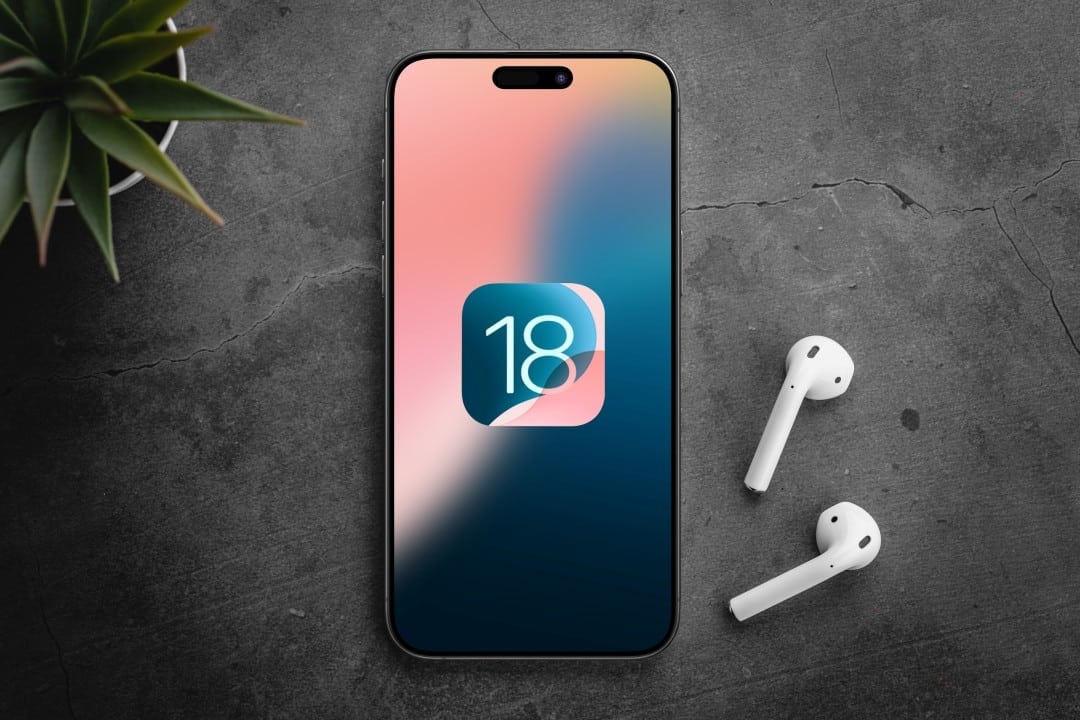
Apple has made the iOS 18.2 update globally available to all compatible iPhone users. The new software suite, offered free of charge, focuses on expanding the artificial intelligence capabilities of the Apple Intelligence platform and implementing essential security fixes to protect user data against newly identified vulnerabilities.
The update comes as an important step in the company’s strategy to integrate AI more deeply into its ecosystem. Além of creative new features, the operating system strengthens protection against digital threats, addressing critical flaws in the system core and the Safari browser engine, WebKit.

Users can now start downloading and installing the new operating system directly through the device’s settings. The company’s recommendation is that the update be carried out as soon as possible to guarantee the full functioning of the services and maximum protection of the device.
Expanded artificial intelligence capabilities
The big highlight of iOS 18.2 is the evolution of Apple Intelligence, which now offers more robust and creative tools. The main new feature is Image Playground, a feature that allows users to generate personalized images from simple text descriptions. Integrado to applications like Mensagens and Notas, it offers different styles such as illustration, animation and sketching, allowing you to create unique visual content for daily communication or note-taking. Outra notable feature is Genmoji, which enables the creation of fully customized emojis based on text prompts, reflecting personal expressions and ideas in an unprecedented way. Apple reinforces that much of the processing of these tools occurs directly on the device, guaranteeing the privacy of the information and photos used. Adicionalmente, the Siri assistant received deeper integration with ChatGPT, allowing for more contextual and detailed responses to complex queries, consolidating the assistant as an even more powerful tool.
Steps for secure installation
To ensure a smooth transition to iOS 18.2, Apple recommends following a standard procedure. The first step is to access the “Settings” app, navigate to the “General” section, and then tap “Software Update.” The system will automatically search for the new version and present the option to download and install it.
Before starting the process, it is essential that the iPhone is connected to a stable Wi-Fi network to avoid interruptions in downloading the file, which can be large. Além In addition, the device must have at least 50% battery charge or be connected to a power source throughout the installation.
The company also suggests making a complete backup of the device via iCloud or on a computer. Embora the update process is designed to preserve all data, having a backup copy is an important precautionary measure against unforeseen events. The total time for the update can vary between 20 and 40 minutes.
Compatible devices detailed
The new operating system update covers a wide range of models, ensuring that many users have access to security and performance improvements. iOS 18.2 is compatible with all devices starting from the iPhone XS and iPhone XR, launched in 2018.
This includes all later generations such as the iPhone 11, iPhone 12, iPhone 13, iPhone 14 and iPhone 15 lines. The second and third generation iPhone SE are also on the list of devices eligible to receive the full update.
However, the more advanced features of the Apple Intelligence, such as the Image Playground and the Genmoji, are exclusive to models with greater neural processing capacity. Atualmente, only the iPhone 15 Pro, iPhone 15 Pro Max and the upcoming iPhone 16 line will have access to these generative AI features.
Older devices, such as the iPhone 8 and iPhone X, are not compatible with iOS 18 and will remain on the latest version of iOS 17, receiving only occasional security updates.
Improvements to the Mail app and notifications
The Mail app has been redesigned to provide smarter inbox organization. The system now automatically categorizes emails into sections such as “Primary” for important personal messages, “Transactions” for receipts and confirmations, “Updates” for service notifications, and “Promotions” for marketing. Além Furthermore, the app generates intelligent summaries of long emails, making it easier to quickly identify the most relevant content.
Notifications have also been improved with a prioritization system. iOS 18.2 can identify the most urgent alerts based on the user’s context and usage pattern, displaying them prominently at the top of the lock screen. Essa change aims to reduce information overload and ensure that the user does not miss important communications amidst a large volume of alerts.
Integration with AirPods and accessories
The update strengthens the synergy between the iPhone and its accessories. The 2nd generation AirPods Pro gain advanced hearing health features, including a test that allows the user to assess their hearing directly through the device. The feature is designed to provide accurate data on hearing ability at different frequencies.
The Buscar app has also received significant improvements, especially when it comes to AirTags location sharing. Agora You can share a temporary link so that others, such as family members or airline employees, can track an item for a set period of time, with permission automatically expiring to protect privacy.
Bug fixes and stability
In addition to the big new features, iOS 18.2 focuses on improving the user experience by correcting a series of flaws reported in previous versions. Entre the most important adjustments is the solution to an issue that affected the quality of night photos on iPhone 16 models Pro, where long exposures could result in image degradation. Outra fix resolves a crash in the Fotos application that prevented recent images from displaying correctly.
For financial market users, the Ações app now displays pre-market quotes for the NASDAQ and NYSE exchanges, providing valuable information before the official opening of trading sessions. Esses refinements contribute to a more stable, faster and more reliable system in everyday use.
Expanded language and region support
The Apple expanded the reach of the Apple Intelligence into new markets by adding support for eight new languages, including French, German, Spanish and Japanese. Brazilian Portuguese has been fully integrated, allowing users on Brasil to utilize generative AI capabilities with commands and prompts in their native language, making the technology more accessible and functional for local audiences.
