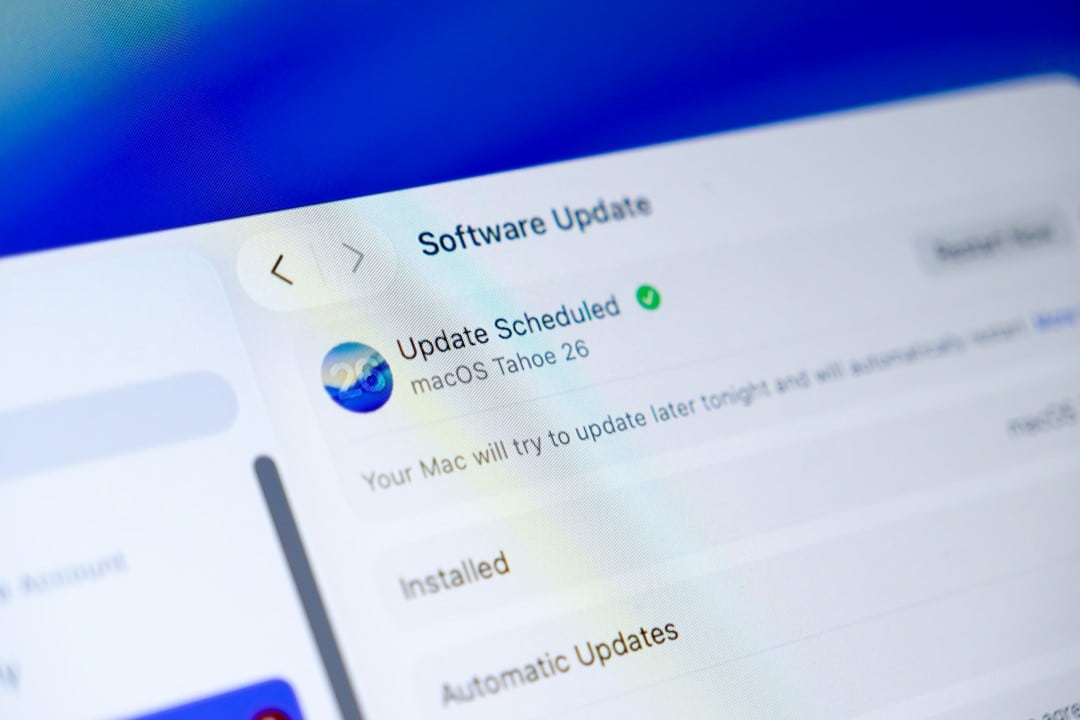
Apple released this Wednesday (11) the macOS Tahoe 26.3 update, the third major version of the operating system initially launched last year. The update arrives exactly two months after macOS Tahoe 26.2 and is available for all compatible Macs.
Users can install the new version directly from the system updates menu. The download is done automatically as soon as the device is connected to the internet and has sufficient battery power.
According to Apple’s official notes, this release focuses exclusively on bug fixes and security improvements. Não new features visible to the end user are added, which makes the update lighter and faster to install.
The company recommends immediate installation for all eligible users. Essas updates are critical to maintaining protection against known threats.
How to perform the update
The macOS Tahoe 26.3 installation process follows the pattern already consolidated in previous versions. Basta open the Configurações of Sistema and access the Atualização section of Software to check availability.
The system automatically checks device compatibility. Caso or Mac meets the macOS Tahoe requirements, the update appears as available for download and installation.
It is recommended to perform a full backup before starting the process. Embora rare, problems during updates may occur, and the backup guarantees data recovery.
After downloading, Mac automatically restarts to complete the installation. Total time varies depending on connection speed and device model.

Main aspects of version 26.3
This update prioritizes operating system stability. Vários bugs reported by users in previous versions have been fixed, improving overall performance.
The security improvements address vulnerabilities identified by the Apple team. Essas fixes prevent potential exploits that could compromise privacy or device integrity.
The company did not detail all of the fixes individually in the initial statement. Informações full details of the fixed vulnerabilities are published separately on the support portal.
Business users and educational institutions also receive the update through the same channel. The distribution is uniform for all usage profiles.
Benefits of security updates
Updates like 26.3 strengthen protection against external threats. Correções security solutions close loopholes that could be used by malicious code.
macOS Tahoe already has a robust protection architecture since launch. Atualizações increments maintain this high level over time.
Regularly installing these versions reduces risks of malware infection. Updated Dispositivos have less exposure to known attacks.
Apple maintains a constant pace of security releases. Esse standard enables rapid response to new threats identified by the community and researchers.
Detailed step by step to install
- Open Configurações from Sistema in the dock or through the Apple menu.
- Click on Geral in the side menu and select Atualização from Software.
- Wait for the system to check for new available versions.
- If 26.3 appears, click Atualizar Agora.
- Enter the administrator password when prompted.
- The download starts automatically in the background.
The process is simple and guided. The system warns you if more disk space or battery charge is needed.
After installation, Mac restarts and displays the new version in the Sobre Este Mac menu. Todas settings and files remain intact.
What to expect from the next version
Apple should soon start testing macOS Tahoe 26.4. Esta version promises to bring more significant features to users.
Among the expected new features are improvements to the Siri assistant. Atualizações in natural language processing can expand interaction capabilities.
New emoji should also be included, following the annual Unicode update pattern. Essas additions expand expression options in messages and applications.
Other features related to productivity and integration between devices may appear. The company usually reserves ads for more advanced testing phases.
Importance of regular maintenance
Keeping macOS updated is a practice recommended by security experts. Old Versões are exposed to vulnerabilities that have already been fixed.
Apple provides extended support for recent system versions. Isso ensures that most users receive the most important fixes.
Automatic updates can be configured in system preferences. Essa option facilitates maintenance without constant manual intervention.
Managed corporate devices receive updates via centralized policies. The process is even more controlled in business environments.
Compatibility and requirements
macOS Tahoe 26.3 maintains the same list of supported devices as the initial version. Modelos released from 2018 continue to receive full support.
The update takes up moderate space on your hard drive. Geralmente less than 3 GB is required for download and installation.
Devices with a stable connection completed the process in less than an hour. Usuários with slower internet can pause and resume the download.
Apple continues to offer technical support for installation via official channels. Usuários with difficulties can consult the virtual assistant or get in touch directly.
Long-term outlook
The macOS Tahoe update cycle demonstrates Apple’s commitment to ongoing security. Versões smaller ones like 26.3 complement the major annual updates.
Users who maintain the habit of updating regularly experience better performance over time. The system becomes more stable as patches accumulate.
The company plans to maintain this pace throughout the year. Novas minor versions should appear every one to two months, depending on identified needs.
The combination of quick fixes and major annual releases keeps the macOS ecosystem up to date. Usuários benefit from constant protection and gradual evolution.
