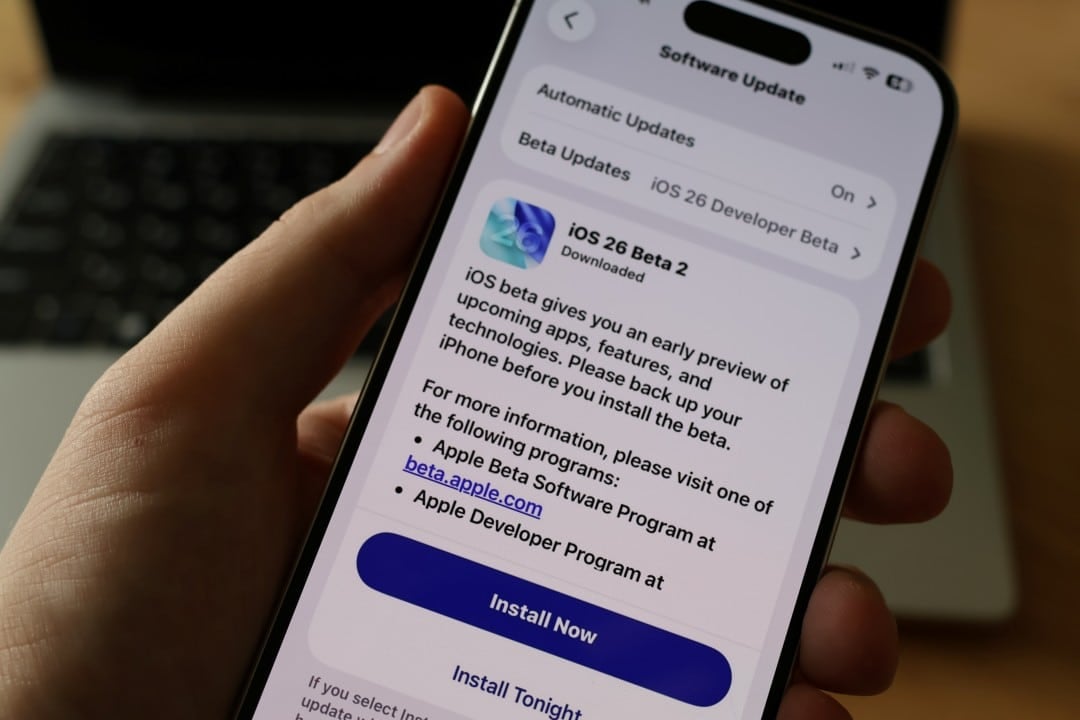
Apple has officially distributed the stable version of iOS 26.2 to the entire base of compatible smartphones around the world. The update package began arriving on devices last week, with the main focus being on refining the user interface and expanding features in native applications. The release consolidates the improvements previously announced by the company, focusing on the stability and fluidity of navigation.
Users can download directly through the operating system settings, receiving the news gradually as it spreads across the company’s servers. The final version was made available after a rigorous cycle of tests with the Release Candidate edition, which guaranteed the correction of critical flaws and the maturation of the software before its delivery to the general public.
Among the most anticipated changes are the visual adjustments to the design concept called Liquid Glass, which is now presented in a more polished way. Além In addition, the operating system received significant improvements in the hub dedicated to games and introduced new tools aimed at productivity and health monitoring, deeply integrating into the brand’s ecosystem.
Visual refinement of the system interface
One of the most noticeable changes for those who update the device is the evolution of the Liquid Glass animations. The visual identity, marked by smooth transitions and elements reminiscent of floating balloons, now operates with much more fluidity. The update corrects specific criticisms about the lack of polish in previous versions, offering a more consistent tactile and visual response during daily use.
Translucent effects and liquid simulation have been optimized to ensure the interface is not only beautiful, but also functional and lightweight. Essa design guideline was applied at various points in the system, creating a sense of cohesion that permeates from the lock screen to the deeper settings menus.
Following this new aesthetic language, the Medida application underwent a complete redesign. When using tools such as digital rulers and levels, the user will notice subtle animations that mimic the behavior of translucent liquids. Essa organic integration aims to make the experience of using utility tools more pleasant and visually integrated with the rest of the operating system.
New features for gamers
The Games application, centralizing the entire gaming experience on the iPhone, received a robust update focused on organization and engagement. The new version introduces advanced filters that allow users to sort their library by specific categories, installed file size and other technical characteristics, simplifying title management on content-heavy devices.
The hub now goes beyond just listing games to display live events that occur within installed titles. Outra A relevant technical novelty is the ability to perform content updates in the background more efficiently, preventing the player from having to wait for lengthy downloads when opening a game. The instructions and guides sections have also been improved, transforming the app into a complete tool for the gaming community.
Evolution in native applications
Several applications that are already installed on the iPhone have new features in this version. Apple Music received an improvement much requested by subscribers: the display of song lyrics in offline mode. Agora, as long as the tracks have been previously downloaded to the device’s memory, it is possible to follow the lyrics of the song without the need for an active internet connection.
In the productivity segment, the Lembretes application has become more versatile. The update allows the creation of audible alarms directly associated with specific tasks, working in an integrated manner to ensure that important appointments are not forgotten. Essa function eliminates the need to create a separate alarm in the Relógio application for each scheduled task.
Health and well-being also received attention in iOS 26.2. The Saúde app has introduced a new scoring system for sleep quality. The tool offers a detailed and easy-to-understand analysis of the user’s nighttime patterns, helping to identify behaviors and improve the rest routine based on concrete data collected by the device’s or Apple Watch’s sensors.
Security and sharing via AirDrop
AirDrop, an essential tool for quickly exchanging files in the Apple ecosystem, gained an extra layer of flexibility and security. The new version of the system allows you to generate a temporary code for transfers, making it easier to share photos and documents with people who are not in the user’s contact list.
This temporary code is valid for up to 30 days, allowing occasional exchanges without the need to change the device’s global visibility settings. Isso simplifies interaction in professional environments or social events, keeping the device’s privacy protected against unwanted messages from strangers after the stipulated period.
Installation and bug fixes
The update to iOS 26.2 is available for all models starting with iPhone 11. Apple has also released corresponding updates for iPadOS and macOS Tahoe, ensuring that continuity and integration between the brand’s different devices remains functional and updated with new features.
To install the new version, the user must access the Ajustes menu, navigate to the Geral option and select Atualização from Software. The process is carried out via OTA (over-the-air), eliminating the need to connect to computers. The system will download and install the files automatically, restarting the device at the end of the process.
In addition to the visible features, the package brings important fixes for problems reported by the community. Foi resolved a specific issue that prevented pre-released albums from playing correctly on Apple Music on their release date. The update also includes critical security patches that protect iPhone against recent vulnerabilities, and immediate installation is highly recommended to ensure the integrity of user data.
