
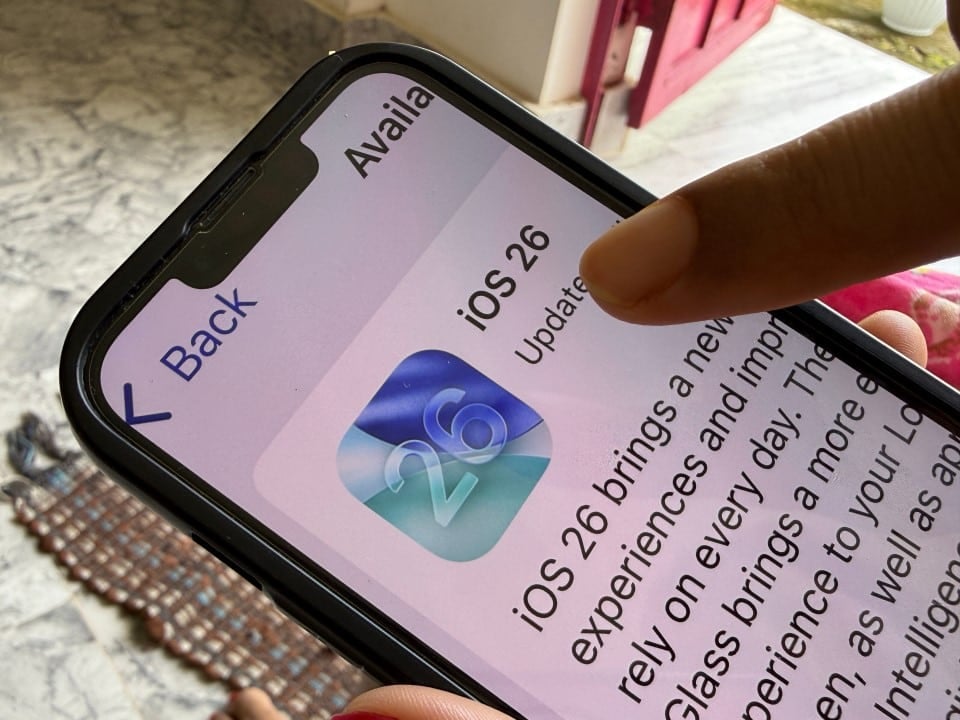
Thousands of Apple smartphone owners are choosing to keep their outdated devices, deliberately ignoring the latest security packages made available by the manufacturer. The resistance to installing the new version of the operating system does not arise from technical performance problems, but rather from a widespread rejection of the new visual interface and the forced integration of artificial intelligence tools. Essa behavioral decision, however, keeps devices exposed to serious vulnerabilities that are already known to cybercriminals.
Staying on previous versions of the software prevents the application of vital fixes to the WebKit engine, the basis for the Safari browser and several other applications that render web content. Especialistas in security warn that, by prioritizing aesthetics over protection, users leave doors open for the execution of malicious codes that can compromise the integrity of personal data stored on the device.
Invisible risks in data processing
The iOS 26.2 update was developed to fix two critical security flaws, technically identified as CVE-2025-43529 and CVE-2025-14174. Estas vulnerabilities directly affect the iPhone’s processing core, allowing attacks based on memory corruption. In practice, an external agent could execute arbitrary commands on the device simply by inducing the user to access a compromised web page, without the need for additional downloads.
The seriousness of the situation lies in the fact that these loopholes already have known active exploits. Diferente of theoretical flaws, there are exploit kits that specifically take advantage of these missing fixes in WebKit. By not updating, the device remains defenseless against scripts that aim to hijack system functions or exfiltrate sensitive information, turning everyday browsing into a high-risk activity.
Visual controversy and distrust with artificial intelligence
The crux of the contention between the user base and the update lies in the introduction of the design language called “Liquid Glass”. Esta new aesthetic relies heavily on translucent layers, blurs and transparencies throughout the system, replacing the solid backgrounds of previous versions. Relatos on technology forums indicate that the change has harmed readability and usability for a significant portion of consumers, who find the look confusing and visually cluttered.
In addition to visual discomfort, there is a growing privacy concern related to Apple Intelligence. The automatic activation of features that analyze behavioral and personal data to feed AI algorithms has generated distrust. Muitos users prefer the stability and predictability of older versions of iOS 18 or in between, where control over data felt more tangible and less dependent on automated background processes.
Manual adjustments ensure protection and usability
Technology professionals argue that the update is non-negotiable from a security point of view, but emphasize that it is possible to mitigate visual and functional inconveniences through system settings. The software allows for a high degree of customization, enabling the user to install the WebKit crash protection package and subsequently revert cosmetic changes and turn off unwanted artificial intelligence functions.
To recover the previous usage experience and guarantee the protection of the device, the following adjustment route is recommended after the update:
- Neutralize the translucent effect:Acesse Ajustes > Acessibilidade > Tela and Tamanho from Texto. Ative the “Reduce Transparência” option. Isso eliminates the “Liquid Glass” effect, returning folder and menu backgrounds to solid colors and improving contrast.
- Disable excessive animations:In the same menu as Acessibilidade, select “Movimento” and activate the “Reduce Motion” function. Isso simplifies screen transitions and removes parallax effects that can cause visual discomfort.
- Stop AI analysis:Navegue to Ajustes > Apple Intelligence and Siri. Certifique Make sure the main artificial intelligence options are disabled. If the predictive feature icons are grayed out, it means that data processing for that purpose has been suspended.
- Version Check:Vá in Ajustes > Geral > Sobre and confirm that the software version is 26.2 or higher, ensuring that WebKit security fixes were successfully applied.
The experts’ final recommendation is to perform the update immediately to close the security holes and then take a few minutes to adjust the interface. Dessa way, the integrity of the device is maintained against cyber attacks without the need to live with the visual or functional changes that generated the initial rejection.
