

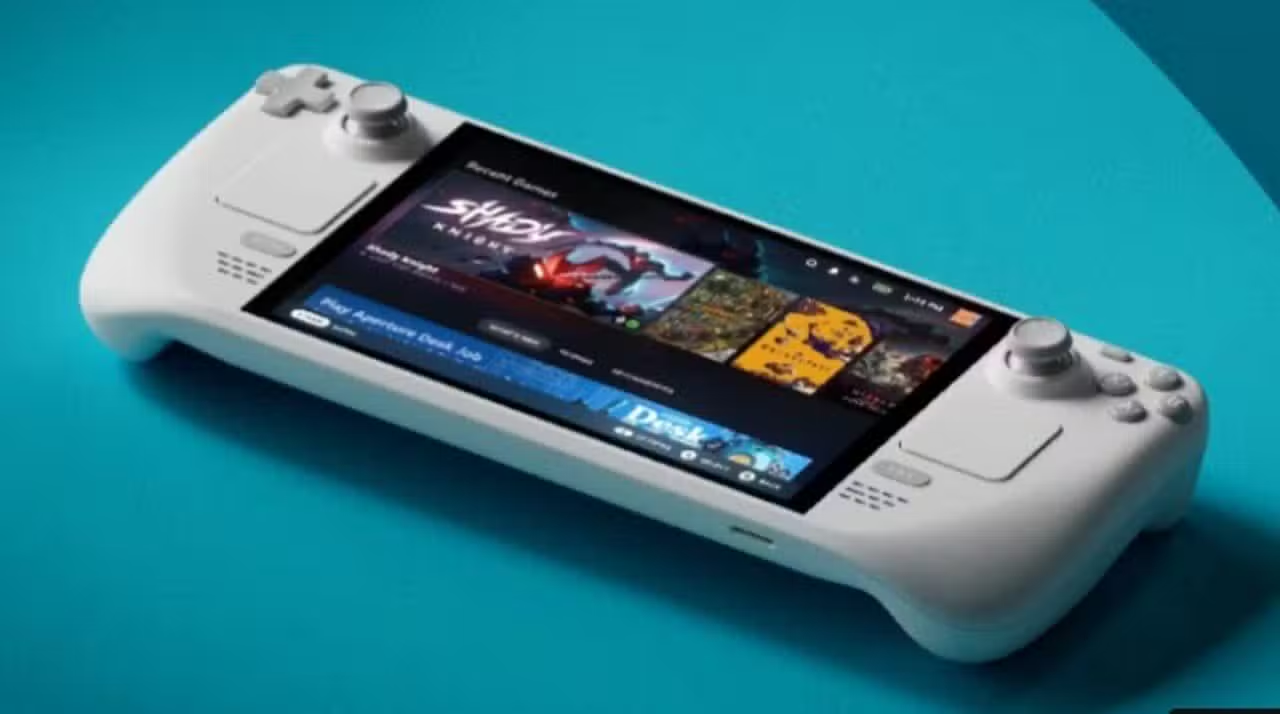
Valve has implemented a series of significant changes to the SteamOS Steam client, bringing features that expand the versatility of the Steam Deck in different usage scenarios. Entre’s main new feature is the remote download manager, which allows players to control file transfers even when they are not near the portable console.
The remote management feature works bidirectionally. Usuários who have the Steam client installed on a PC or other device in addition to the Steam Deck can now start, pause or cancel downloads directly on the portable console through a remote interface. Conversely, you can use Steam Deck to manage downloads on a desktop computer linked to the same account.
Downloads remotes transform the user experience
The remote management system solves a practical problem faced by gamers who want to have their titles ready when they get home or elsewhere. Instead of waiting for the portable console or turning on the PC in advance, the user starts the download minutes before arriving at their destination, saving time and allowing them to play immediately.
The functionality integrates perfectly with the Steam ecosystem, which already allows you to manage game libraries across different devices. Esta update only expands this possibility specifically for the Steam Deck, recognizing the mobile nature of the device and the usage patterns of its owners.
Relatórios usage shows that most Steam Deck owners use the device both at home and outside. The remote manager addresses exactly this segmentation, allowing preparations to take place before location changes.

Notificações Battery and Warnings for Wireless Peripherals
Outra improvement implemented specifically addresses wireless joysticks. Quando the battery of a wireless controller reaches a critical level, the Steam Deck now emits a visual warning on the portable console screen. Esta change prevents unexpected interruptions during gaming sessions by allowing the player to locate the charger before losing connection to the peripheral.
The system detects the controller’s battery level through communication via Bluetooth and triggers a notification when the charge drops below a specific threshold, probably around 10 to 15 percent. The implementation is simple, but it solves a common problem among users of wireless peripherals on portable consoles.
Chat from Steam migrates to quick settings menu
The chat position has been changed within the Steam Deck interface. The feature now resides in the “Rápidas Settings” menu instead of the previous location, making it easier to access even when playing games. Configurações Rápidas’s menu appears as a floating overlay, allowing the player to chat without having to completely exit the running game.
Esta change recognizes the growing importance of multiplayer communication and social chat in the context of portable gaming. Amigos can hold side conversations while playing titles that don’t require pausing, such as turn-based strategy games or asynchronous multiplayer experiences.
The interface remains responsive even in games that use the full graphical power of the hardware. Notificações messages also appear discreetly so as not to interrupt the visual experience of the game, a design detail that reflects the maturity of the platform.
Melhorias in managing accumulated notifications
Quando a player receives multiple notifications in a short space of time, the interface now groups and presents these messages in a more organized way. Notification reading has been optimized to facilitate quick scanning, especially important on a small screen size like the Steam Deck.
The system implements UI/UX techniques that summarize notifications by type or sender, reducing visual noise. Usuários with many online friends or active community participants in Discord integrated with Steam will no longer be bombarded by a disorganized list of alerts.
Correção bug in SteamOS Steam client
Valve fixed several bugs that affected different sections of the Steam client. Embora The company has not released a complete list of resolved issues, fixes typically include:
- Occasional Travamentos when switching between games
- Problemas progress sync with cloud from Steam
- Inconsistências visuals in certain menus
- Falhas when connecting to specific Wi-Fi networks
- Permission Erros when accessing game files
- Performance Correções when loading large libraries
Estas cumulative fixes ensure that the user experience gradually improves over the course of updates.
Compatibilidade with Steam Deck OLED and earlier versions
The new features arrive for all versions of the Steam Deck, including the OLED model launched in 2023. The Valve maintains functionality parity between generations, ensuring that owners of older units are not left behind. SteamOS version 3.5 or later fully supports all mentioned improvements.
Continued support reflects Valve’s commitment to Steam Deck as a long-term platform. The company has already confirmed that it intends to maintain development of SteamOS and hardware for many years, including possible future iterations of the console.
Integração with broader Steam ecosystem
Estas updates connect to Valve’s larger strategy of unifying experiences across PC, mobile and laptops. The Steam Link app, which lets you play PC titles anywhere within your home network, now benefits from the same remote management infrastructure that supports download control.
The company continues to invest in middleware and cloud services that allow data synchronization between devices. Progresso in games, online friends, and interface preferences now flow naturally between platforms.
Steam Deck established itself as a relevant hardware after initial launch in February 2022. With more than 3 million units sold globally, the platform has gained a large enough user base to justify continued feature development.