

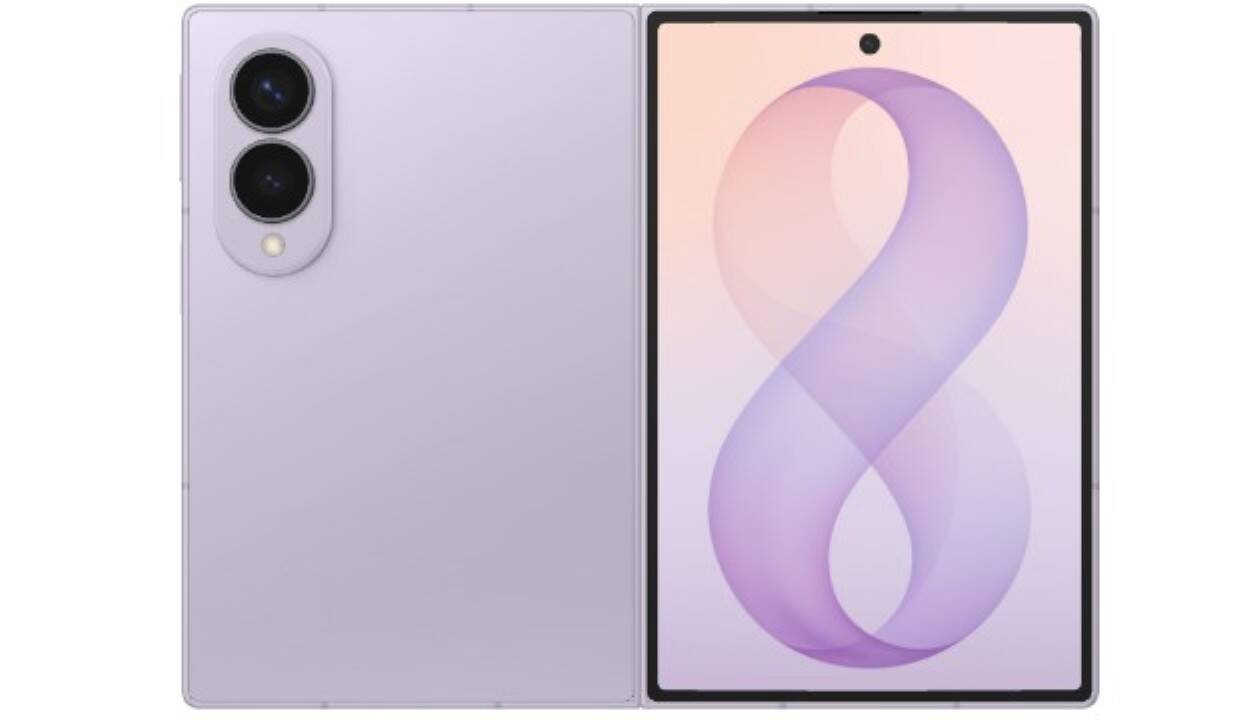
Samsung detailed the optical specifications for the Galaxy Z Fold 8, presenting an upgraded Portrait Video tool engineered specifically for its foldable device lineup. The South Korean manufacturer structured the camera setup to replicate studio lighting arrangements found on specialized cinema hardware. This technical implementation targets creators seeking professional background separation on mobile devices.
Engineers based in South Korea analyzed physical light transmission across premium optical hardware and translated those dynamic behaviors into mathematical models that allow the 50 MP primary sensor to calculate multiple spatial depth planes during live capture with immediate computational precision. The onboard hardware processes these environmental calculations without introducing recording latency.
The imaging software measures physical distances for individual elements across the frame while detecting ambient light points in the background. Fine geometric subjects such as hair strands, spectacle edges, and transparent reflections receive isolated segmentation. This continuous edge detection prevents blurring artifacts from distorting subject borders. Visual boundaries remain sharp.
Footage recorded with the feature exhibits natural falloff matching the physical distance separating each object from the camera lens. Depth stays intact.

The processor embeds a volumetric spatial map directly into the video container file without inflating device storage usage. Users retain access to post-capture editing controls that modify focal points and shift blur strength across a scale from 0 to 7 in the native application. This persistent metadata enables precise adjustments long after recording finishes.
Samsung provided five practical recommendations for operators recording footage with the mode enabled on the handset. These operational steps prioritize controlled lighting placement and progressive intensity adjustments during video shoots:
- Position bare illumination sources directly within the background of the frame.
- Capture sunlight filtered through tree canopies, streetlamps, or festive holiday bulbs to enhance environmental texture.
- Place reflectors or natural lighting behind and beside the subject rather than pointing light directly from the front.
- Select the minimum blur setting before increasing effect intensity incrementally.
- Decrease background blur levels whenever subjects move rapidly across the frame.