
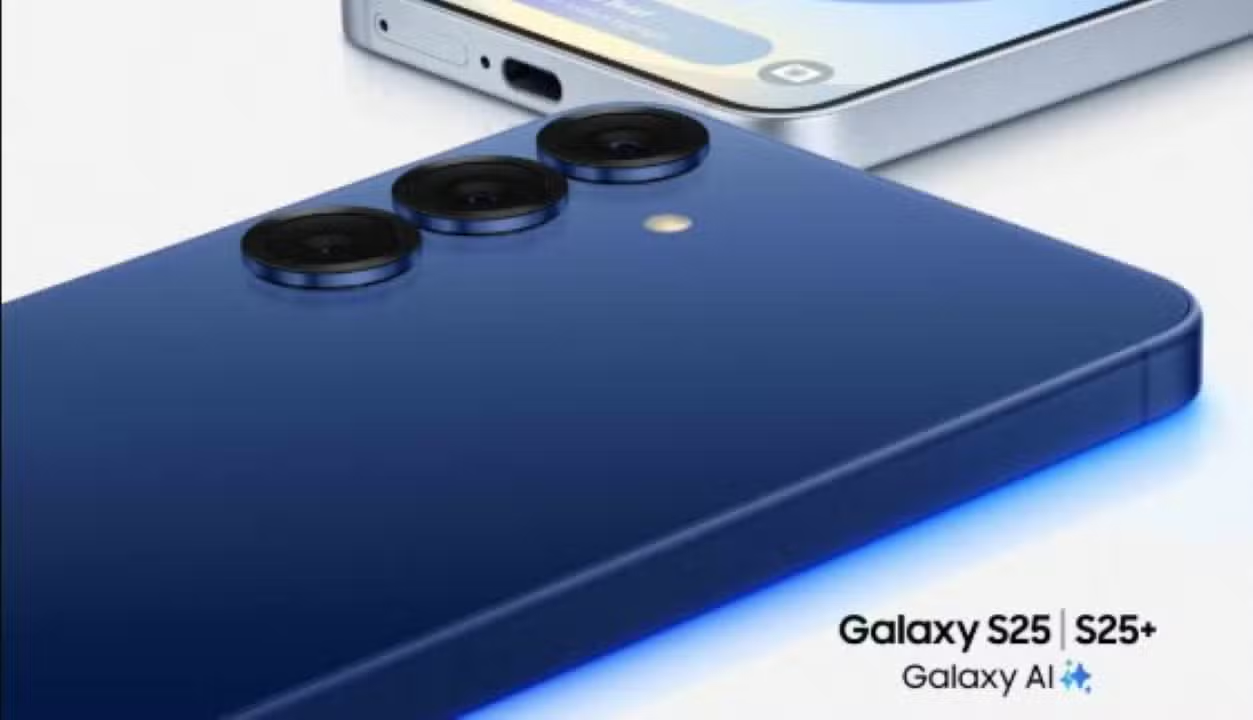
Samsung has begun rolling out One UI 7, its latest interface based on Android 15, delivering a refreshed experience to millions of Galaxy device users. Officially launched in April 2025, the update blends advanced artificial intelligence, modern design, and optimizations that promise to reshape smartphone and tablet interactions. From integration with the Gemini assistant to a vertical app drawer, One UI 7 emphasizes usability and customization. Initially available for the Galaxy S24 series and expanding to other models, the interface is already a highlight in the newly launched Galaxy S25. With features like the Now Bar and camera enhancements, Samsung strengthens its leadership in the Android market, offering tools that balance innovation and practicality for diverse user profiles.
The update follows months of testing in a streamlined beta program, completed in record time, according to Samsung. Premium models, such as the Galaxy Z Fold 6 and Z Flip 6, are among the first to receive the innovations, while mid-range devices like the Galaxy A54 will be updated by June. Artificial intelligence powers One UI 7, with features ranging from writing assistants to real-time video editing. The interface is also optimized for foldable screens and multitasking, ensuring smoother performance in complex tasks, particularly on devices like the Galaxy Z series.
To install One UI 7, users can navigate to their device settings, select “Software update,” and tap “Download and install.” The process is straightforward, though Samsung advises checking device compatibility and ensuring a stable connection. The company notes that AI features will remain free until the end of 2025, with details on potential future costs yet to be disclosed.

Key innovations of One UI 7
One UI 7 introduces a range of enhancements that elevate the user experience. Below are some of the standout features that make this update unique:
- Now Bar: A dynamic widget on the lock screen displaying real-time updates, such as media controls, Google Maps directions, and sports scores.
- Now Brief: Personalized summaries with weather, reminders, and playlist suggestions, delivered three times daily.
- Vertical app drawer: Alphabetical organization on a single page, with folders at the top for streamlined navigation.
- Gemini integration: Google’s assistant enables natural commands and app integration, activated via the lock button.
- Optimized camera: Repositioned controls for one-handed use and smoother navigation between capture modes.
- Writing assistant: An AI tool that summarizes, edits, and proofreads text in apps like Samsung Notes and social media.
- Separated panels: Notifications and quick settings now have distinct access points, inspired by iOS, with an option to retain a unified panel.
Revamped interface for seamless navigation
Samsung has overhauled the One UI 7 design, embracing a minimalist aesthetic with fluid animations and vibrant icons. The interface features rounded edges, such as the new pill-shaped charging animation, adding a modern flair. Menus have been reorganized for clarity, and widgets offer greater customization options. On foldable devices like the Galaxy Z Fold 6, multitasking is enhanced, supporting up to three simultaneous apps with intuitive transitions. Simplified gestures, like swiping from the right corner to access the control panel, complement the experience.
Beyond aesthetics, One UI 7 boosts device performance. Android 15 optimizations improve power efficiency, extending battery life. Tests show models like the Galaxy S24 achieving up to 20% longer battery life during light tasks, such as web browsing. 5G connectivity is also enhanced, with seamless transitions between 5G and 4G in areas with unstable coverage, particularly in emerging markets like Brazil. These improvements make the interface ideal for users relying on their devices for work, study, or entertainment.
Artificial intelligence at the core
Artificial intelligence is the cornerstone of One UI 7, with Galaxy AI playing a pivotal role. Integration with Google’s Gemini assistant enables natural commands and complex interactions. Users can, for instance, ask Gemini to locate a pet-friendly Italian restaurant and share the details with a contact in seconds. AI also enhances settings searches, allowing users to find options like screen brightness or night mode with phrases like “my eyes are tired.”
The writing assistant is another standout, capable of summarizing text, correcting grammar, and generating content from prompts. Available in apps like Samsung Notes, messaging, and social media, it’s perfect for students and professionals drafting on the go. For videos, the Audio Eraser feature removes unwanted noise, detecting up to six sound types, while AI Select converts clips into GIFs with minimal effort. These features are exclusive to models like the Galaxy S24, Z Fold 6, and Tab S10.
The photo gallery also benefits from AI. Image searches now support vague queries, like “beach photos,” for faster organization. The Drawing Assist tool transforms sketches into realistic artwork, offering styles like watercolor and pop art. Combined with real-time camera editing, these tools position One UI 7 as one of the most advanced interfaces available, rivaling systems like iOS.
Update timeline for Galaxy devices
Samsung has adopted a phased approach to distribute One UI 7, prioritizing premium models before reaching mid-range devices. The timeline covers smartphones, tablets, and foldables, with specific dates for various lines:
- April 18: Galaxy S24, S24+, S24 Ultra, S24 FE, Z Flip 6, Z Fold 6.
- April 25: Galaxy S23, S23+, S23 Ultra, Z Flip 5, Z Fold 5, A54.
- May 16: Galaxy S22, S22+, S22 Ultra, Z Flip 4, Z Fold 4, A34, A33, A53.
- May 23: Galaxy S21, S21+, S21 Ultra, Z Flip 3, Z Fold 3.
- June: Galaxy A73, A53, Jump series, and other mid-range models.
Implementation may vary by region, and Samsung advises checking availability directly on the device. The Galaxy S25 series, launched in January 2025, comes with One UI 7 pre-installed, leveraging next-generation processors for optimal performance.
Camera and photography enhancements
The camera app, a staple of smartphone use, receives significant upgrades in One UI 7. Controls have been relocated to the bottom of the screen, enabling one-handed operation. Shooting modes, such as portrait and night, are more accessible, and zoom level navigation is streamlined. The “More” tab, housing additional modes, features a more intuitive layout, reducing the time needed to adjust settings.
AI further enhances photography. The ProVisual Engine, part of Galaxy AI, uses deep learning to capture sharp images at any zoom level. Object removal in photos is now more precise, and creating collages from extracted elements is simpler. For videos, real-time editing allows instant adjustments, while the Live Effect adds depth to images, highlighting people and objects. These features shine on premium models like the Galaxy S24 Ultra, which competes with professional cameras.
Strengthened security and privacy
One UI 7 bolsters Galaxy device security with the Knox Matrix panel, a solution that monitors all connected devices and alerts users to potential vulnerabilities. The Auto Blocker prevents automatic connections to 2G and open Wi-Fi networks, reducing data interception risks. These measures are critical in an era of rising cyberattacks, empowering users with greater privacy control.
The interface also introduces data management tools, allowing users to set app-specific data limits. In regions with limited 5G coverage, such as rural Brazil, One UI 7 optimizes network transitions, minimizing disruptions. These features are particularly valuable for users seeking to balance performance and cost in limited data plans.
Optimizations for tablets and foldables
Galaxy tablets, including the Tab S9 and S8 series, receive substantial upgrades with One UI 7. The interface supports floating windows and advanced multitasking, ideal for students and professionals. S Pen latency has been reduced, offering greater precision for notes and drawings. Battery life sees up to a 20% boost in light tasks like reading, positioning tablets as viable laptop alternatives for productivity.
On foldable devices like the Galaxy Z Fold 6, One UI 7 maximizes screen flexibility. Running up to three apps simultaneously is seamless, with gestures simplifying navigation. The interface reduces power consumption on flexible displays, extending hardware durability. These optimizations make foldables versatile tools for work and entertainment, appealing to innovation-driven users.
Enhanced personalization and usability
One UI 7 offers extensive personalization options, letting users tailor the interface to their preferences. The Good Lock app, Samsung’s customization tool, introduces new features like lock screen stickers and custom icon shapes. Widgets have been redesigned with rounded edges, and folders are larger, aiding organization.
The vertical app drawer is a practical addition, eliminating the need for separate pages. Alphabetical ordering, with folders at the top, speeds up app access. The Now Bar on the lock screen supports third-party apps like Spotify and YouTube, expanding its utility. These enhancements make navigation more intuitive, especially for users managing multiple apps.
Battery and performance optimizations
Energy management is a highlight of One UI 7. The interface implements smart charging, capping at 80% to extend battery lifespan. An adaptive pattern, based on sleep schedules, prevents overcharging. Tests show devices like the Galaxy A54 achieving longer battery life, particularly in streaming and browsing.
Processor performance is also optimized, ensuring smooth transitions in games and heavy apps. Reduced 5G latency improves video calls and data transfers. These enhancements are vital in markets like Brazil, where 5G infrastructure is still expanding, ensuring reliability even on unstable networks.
Benefits for diverse user profiles
One UI 7 caters to a broad audience, from tech enthusiasts to casual users. Professionals benefit from multitasking on foldables and tablets, streamlining complex tasks. Students leverage the writing assistant and S Pen integration, while gamers enjoy the Game Booster, which can be manually activated for specific titles.
The interface is accessible to beginners, with built-in tutorials and a gentle learning curve. Natural language settings searches help less experienced users find options quickly. Compatibility with accessories like keyboards and earbuds creates a versatile ecosystem, meeting varied needs.
Expansion to 46 devices
Samsung plans to roll out One UI 7 to 46 devices, spanning smartphones, tablets, and foldables. Beyond the Galaxy S series, the A, M, and Tab lines are included, ensuring mid-range models like the Galaxy A54 receive the updates. The rollout began in late 2024, focusing on premium devices, and continues through 2025.
Models like the Galaxy S24, S24+, and S24 Ultra report improved imaging and battery life. Tab S9 tablets gain productivity enhancements, while Z Fold 6 and Z Flip 6 foldables excel in multitasking. Samsung’s strategy, offering up to four years of OS updates and five years of security patches, competes with brands known for longevity.
Impact in the Brazilian market
In Brazil, a key Samsung market, One UI 7 arrives amid expanding 5G coverage. The interface complies with local privacy and connectivity regulations, ensuring seamless integration. Popular models like the Galaxy A54 and A53, widely used in the country, will see enhanced performance in social media and streaming.
Optimized connectivity benefits urban areas with established 5G and rural regions with frequent network transitions. Data management tools help reduce costs on limited plans, a significant factor for Brazilian consumers. Samsung estimates millions of local users will benefit from the updates throughout 2025.
Preparing your device for the update
Before installing One UI 7, users should take precautions. Confirming device compatibility is essential, as not all models support every AI feature. Samsung recommends backing up critical data, like photos and documents, to prevent loss. A stable Wi-Fi connection and at least 50% battery are required for downloading and installing.
To check availability, go to “Settings,” select “Software update,” and tap “Download and install.” The process may take a few minutes, depending on the model and region. Post-installation, Samsung suggests exploring features like the Now Bar and writing assistant to fully leverage the interface.
Fun facts about One UI 7
One UI 7 includes details that enrich the user experience. Here are some highlights:
- The Now Bar supports third-party apps like Spotify, enabling direct lock screen controls.
- The writing assistant offers real-time text translation, perfect for multilingual communication.
- Gemini integration allows visual commands, such as analyzing images shown to the camera.
- The vertical app drawer draws inspiration from competitors but is tailored to the Galaxy style.
- Knox Matrix monitors connected devices, like smartwatches, for enhanced security.
Future prospects
One UI 7 marks a significant milestone in the Galaxy ecosystem, solidifying Samsung’s leadership in Android innovation. The interface sets the stage for future applications, like immersive gaming and interactive experiences, with a focus on local processing to reduce reliance on online connections. Samsung is already planning One UI 8 for 2026, promising further AI advancements.
The update also underscores Samsung’s commitment to sustainability, with optimizations extending battery and hardware lifespan. Compatibility with a wide device range ensures mid-range models remain relevant, democratizing access to cutting-edge technology. With One UI 7, Samsung delivers a blend of performance, security, and practicality, meeting the demands of an evolving market.