Oppo’s new technology in the Find X9 combats travel sickness with dynamic animations on the cell phone screen By Luís Henrique Costa
5 min read
 |
Oppo presented a technological solution to a common problem faced by millions of smartphone users: motion sickness when using the device in moving vehicles. The new functionality, called Motion Cues, debuts with the launch of the Find X9 smartphone and promises to significantly reduce discomfort through an intelligent system of visual animations on the screen.
The resource was developed to combat motion sickness, or motion sickness, which occurs due to a sensory conflict. Quando a person reads or watches something on a static screen while the body feels the accelerations and curves of a car, bus or train, the brain receives contradictory information, resulting in nausea and dizziness. The Oppo technology seeks to synchronize the user’s vision with the movements perceived by the body.
The initial implementation is restricted to the brand’s top-of-the-line model, the Find X9, but the functionality is expected to be expanded to other devices through future updates to the ColorOS operating system. The initiative positions the company as one of the pioneers in integrating well-being features directly into the software of its devices, addressing a practical everyday need.

The science behind Motion Cues
The operation of Motion Cues is based on a neuroscientific principle to resolve the conflict between the visual system and the vestibular system, located in the inner ear and responsible for balance. Quando in a vehicle, the vestibular system detects movement and sends these signals to the brain. However, when focusing on a cell phone screen, the eyes tell the brain that the environment is still. Essa dissonance is the main cause of motion sickness. The Oppo solution uses the smartphone’s high-precision sensors, such as the accelerometer and gyroscope, to monitor the vehicle’s acceleration, braking and curves in real time. Based on this data, the system generates small animated dots on the edges of the screen that move in the opposite direction to the car’s movement. For example, in a right turn, the points shift to the left. Essa Peripheral animation provides the brain with a visual reference point that corresponds to the physical movement felt, helping to reconcile conflicting signals and consequently relieving or preventing nausea symptoms.
How the role compares in the market
Oppo’s initiative to integrate a native anti-motion sickness solution places the brand among a select group of manufacturers that prioritize accessibility and health features. The approach is conceptually similar to other solutions that have emerged in the industry, such as Vehicle Motion Cues announced by Apple for the iOS system. Ambas technologies use peripheral visual cues to stabilize the user experience. However, the Oppo implementation stands out for its deep integration with the ColorOS system and direct access to the device’s hardware, which guarantees a faster and more accurate response from the sensors, optimizing the effectiveness of the animation.
Unlike third-party applications that try to offer similar functionality, Motion Cues is a system resource, which eliminates the need for additional installations and ensures optimized battery consumption. The presence of the shortcut in the quick control panel also facilitates immediate activation, making the experience more fluid for the user. Essa native integration reinforces the value proposition of the Oppo ecosystem, which seeks to offer a more comfortable and safe user experience in various everyday situations, going beyond traditional technical specifications.
Steps to activate the feature on Find X9
Activating the functionality was designed to be quick and intuitive, allowing the user to easily activate it before starting a trip. The most practical way is through the quick control panel, accessed by swiping the screen from top to bottom. The Motion Cues icon can be tapped to instantly turn the feature on or off.
If the shortcut is not visible by default, you can customize the control panel and add the Motion Cues icon for easier access. Essa flexibility allows each user to organize their tools according to their preference and usage needs.
An alternative route to enable the function is through the device’s main settings menu. The user must navigate to the “Accessibility and convenience” section and, within it, locate the Motion Cues option to activate the switch. For now, the feature is not automatically activated when it detects that the user is in a vehicle, requiring manual activation before each use.
Impact on users’ daily lives
The Motion Cues was designed to adapt to a variety of transport modes, proving effective in both private cars and city buses and trains. In real-use tests, the animated points respond accurately to sudden movements, such as accelerations and braking common in city traffic.
For passengers who face long daily commutes, the function transforms travel time into a more productive and comfortable period. Atividades how answering emails, reading the news or interacting on social networks becomes viable without the risk of feeling unwell.
The technology especially benefits people who are more sensitive to motion sickness, including children and adults who often suffer from the problem when traveling. The ability to use your smartphone without discomfort improves the overall experience of any commute.
By offering a solution to a real physiological problem, Oppo expands the accessibility of its devices. The tool contributes to a more inclusive digital experience, allowing more people to enjoy mobile connectivity anywhere.
Oppo availability and strategy
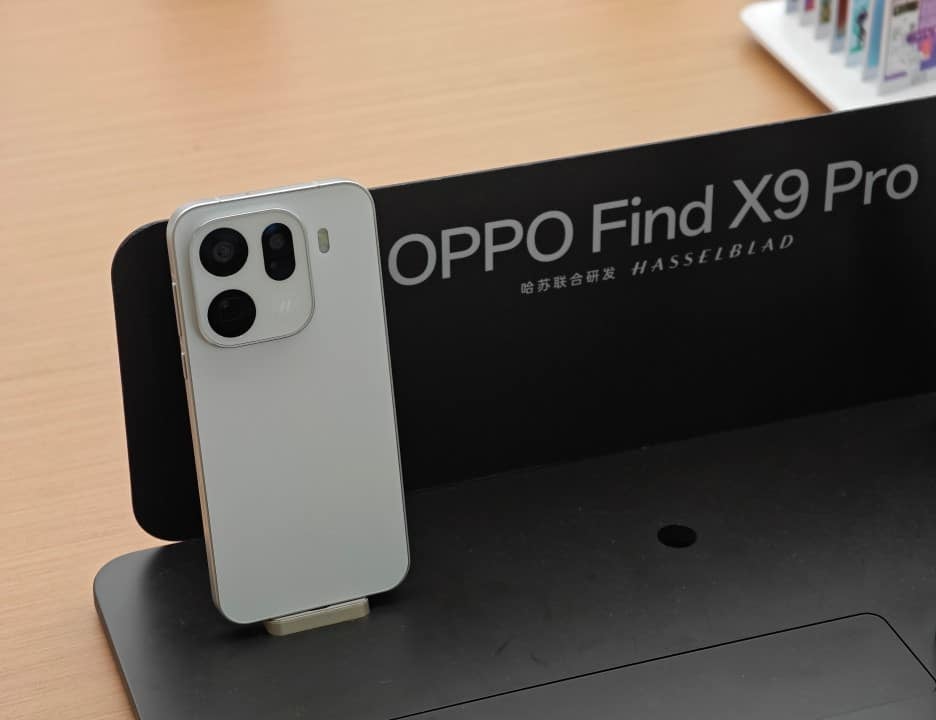
Initially, the Motion Cues feature is exclusive to the Oppo Find X9 line, including its variants such as the Find X9 Pro. Essa launch strategy in a premium model serves to highlight innovation and associate it with the brand’s cutting-edge technology.
The company has already confirmed plans to expand the feature’s availability to other compatible models through future ColorOS 16 updates.
Optimizing the anti-sickness experience
To obtain the best results with the Motion Cues, it is recommended that the user activate the function before the vehicle starts moving, allowing the brain to adapt from the beginning of the journey. Manter keeping the screen brightness at a comfortable level is important so that the animated points are clearly visible without causing eye strain. Além Furthermore, combining the use of technology with traditional practices, such as taking regular breaks to look out the window and focusing on distant points on the horizon, can further enhance the motion sickness relief effect, ensuring a more pleasant trip.