
Apple releases the new iOS 18.2 with improved Apple Intelligence and more security for iPhones

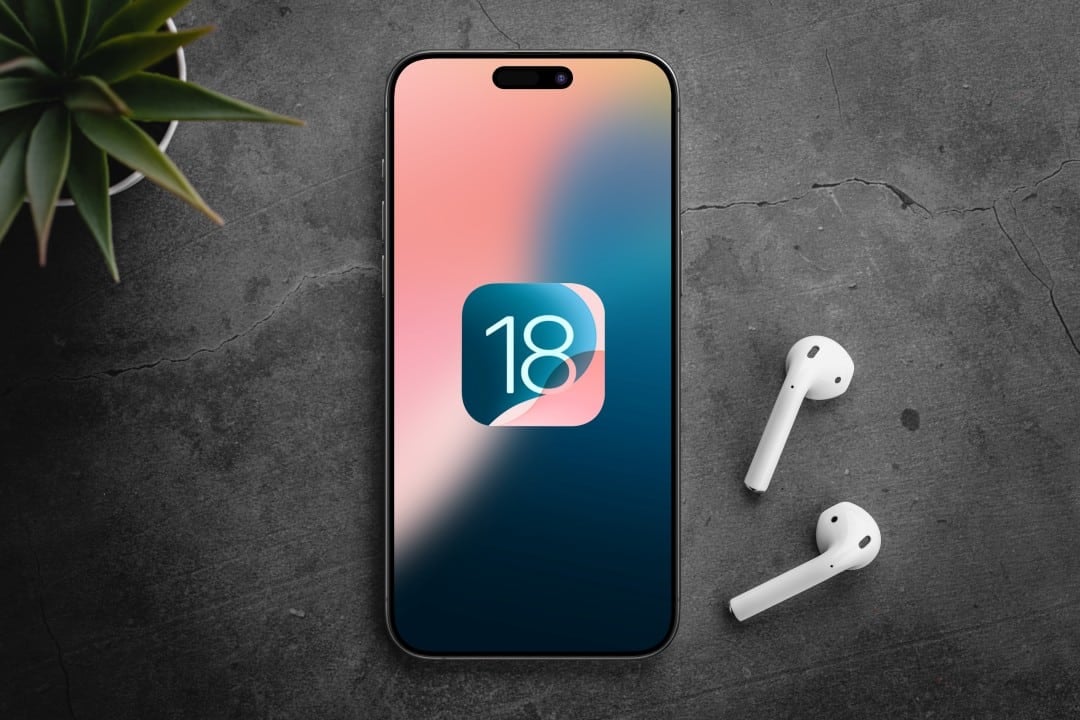
iPhone users around the world can now download the latest operating system update, iOS 18.2. Apple released the software package this Wednesday, December 11th, with the main highlights being the expansion of its artificial intelligence platform, Apple Intelligence, and a robust set of fixes for critical security vulnerabilities. The update is free and available for a wide range of models, although the most advanced AI features remain exclusive to the brand’s latest devices.
The company’s focus with this launch is twofold: enhancing the user experience with creative and intelligent tools and, at the same time, strengthening the ecosystem’s defenses against digital threats. The update addresses flaws identified in the system’s kernel, the core that controls all device operations, and in WebKit, the engine behind the Safari browser. The company’s recommendation is that all eligible users carry out the installation as quickly as possible to ensure the protection of their data and the proper functioning of essential applications.
The distribution of iOS 18.2 occurs gradually globally and can be accessed directly through the iPhone’s settings menu. Além of AI and security improvements, the package includes optimizations in native applications such as Mail and Notificações, as well as new functionalities for accessories such as AirPods and AirTags, refining the integration between the brand’s products.

Expanded artificial intelligence capabilities
iOS 18.2 deepens the integration of Apple Intelligence, introducing tools that transform the way users interact with visual and textual content. The main new feature is Image Playground, a feature that allows imaging directly in everyday applications, such as Mensagens and Notas. By providing a text description, the user can create custom illustrations, sketches or animations, choosing between different visual styles. Outra creative tool is Genmoji, which allows the creation of customized emojis from text prompts or even photos of people, offering a new level of personalization for digital conversations. An important differentiator highlighted by Apple is that much of this AI processing occurs directly on the device, which ensures the privacy of user information. The update also solidifies the integration of ChatGPT into the Siri assistant, enabling more contextual and detailed responses to complex queries, combining the convenience of the assistant with the power of an advanced language model.
Steps for a secure installation
Updating to iOS 18.2 is a simple process, but it requires some precautions to ensure that everything goes smoothly. The first step is to make sure your iPhone is connected to a stable Wi-Fi network, as downloading system files via mobile networks can be slow and consume a large amount of data. Além Furthermore, it is essential that the device has at least 50% battery or is connected to a power source throughout the process to avoid unexpected shutdowns that could corrupt the installation.
To start, the user must access the “Settings” application, navigate to the “General” section and tap “Software Update”. The system will automatically search for the new version and display the option to download and install it. Antes confirm, it is highly recommended to perform a full backup of the device. Isso can be done via iCloud, directly in the device’s settings, or by connecting the iPhone to a computer and using Finder (on macOS) or iTunes (on Windows). Backup ensures that in case of failure, photos, contacts and other important data can be restored easily. The total update time varies between 20 and 40 minutes, depending on the speed of your internet connection and the iPhone model. Após completion, the device will automatically restart with the new operating system, keeping all applications and settings intact.
Compatible devices detailed
Compatibility with iOS 18.2 covers a wide range of models, but the capabilities of Apple Intelligence are more restricted. Todos iPhones from the XS and XR onwards, launched in 2018, can receive the update. Isso includes the entire iPhone 11, iPhone 12, iPhone 13, iPhone 14 and iPhone 15 line, as well as the second and third generation iPhone SE.
However, to take advantage of the most advanced features of the Apple Intelligence, such as the Image Playground and the improved integration of the Siri, it is necessary to have an iPhone 15 efficiently and safely directly on the device.
The basis for running the standard operating system, without the heavier AI features, is the A12 processor Bionic or higher. Essa requirement ensures that the device’s performance is not compromised by the new version of the software. Older Dispositivos, such as the iPhone 8 and iPhone X, which have the A11 Bionic chip, are not eligible for iOS 18 and remain on the latest version of iOS 17, receiving only occasional security updates.
To check compatibility, the user can go to “Settings”, then “General”, then “About”, where the iPhone model name is displayed. Essa confirmation is important to avoid expecting to receive features that the device’s hardware does not support.
Improvements to the Mail app and notifications
The Mail application has received a significant reorganization with the aim of making email management more efficient. The inbox now automatically sorts messages into main categories, such as “Primary” for important personal emails, “Transactions” for receipts and purchase confirmations, “Updates” for service notifications, and “Promotions” for marketing. Essa intelligent screening, processed on the device itself to maintain privacy, helps the user focus on what really matters. Além In addition, Mail now generates summaries of long emails, allowing you to quickly read essential content.
Notifications have also been improved to reduce information overload. The system now identifies priority alerts and highlights them at the top of the lock screen, ensuring that urgent messages or reminders don’t get lost amid a constant stream of less important notices. Essa prioritization is based on the user’s context, such as their interaction habits with certain applications and contacts, making the experience more personalized and less intrusive throughout the day.
Integration with AirPods and accessories
The update strengthens the Apple accessory ecosystem. The 2nd generation AirPods Pro gain advanced hearing health features, including a mode that allows the user to perform a hearing test directly from their iPhone. The functionality, approved for clinical use in people over 18 years of age, measures hearing capacity at different frequencies and can help identify hearing losses early. AirTags location sharing has also been improved, allowing users to create temporary links so that others, such as airline employees, can track an item for a set period of time. Access automatically expires, ensuring security and privacy after use.
Bug fixes and stability
iOS 18.2 also focuses on resolving crashes and improving overall system stability. One of the most notable adjustments fixes an issue affecting the camera’s night mode on iPhone 16 Pro models, where long exposures could result in degraded image quality. Outra fix addresses a bug in the Fotos application that, in some cases, prevented recent images from displaying correctly.
Additionally, the Ações app has been updated to include pre-market quotes from the NASDAQ and NYSE stock exchanges, a useful tool for investors following the financial market. Esses small refinements contribute to a more fluid and reliable user experience in several areas of the operating system.
Expanded language and region support
With iOS 18.2, Apple Intelligence expands its global reach with support for eight new languages, including French, German, Spanish and Japanese. Brazilian Portuguese is now fully integrated, allowing users on Brasil to use commands and prompts in their native language to interact with AI tools such as creating images and organizing notes. The expansion also includes regional variants of English, such as those spoken in Índia and Singapura, making the platform more accessible and relevant to a wider audience.
Considerations for advanced users
For developers and tech-savvy users, iOS 18.2 opens up new possibilities. The update introduces APIs that allow third-party applications like Truecaller to access real-time caller ID, significantly improving spam call blocking. Outra important change is the health monitoring for non-original batteries, which will now display information about the component in the system settings, offering more transparency in cases of repairs carried out outside the authorized Apple network. Pequenos details such as new animations on the OLED buttons have also been added to provide more subtle haptic feedback when interacting with the device.



