Apple txhim kho kev ceeb toom ceev ua haujlwm nrog iOS 26.4 ntawm iPhone

Lub lim tiam dhau los, Apple tso tawm iOS 26.4 hloov tshiab rau iPhones tshaj. Essa version suav nrog kev txhim kho tseem ceeb rau Lembretes app, tshwj xeeb tshaj yog yav dhau los qhia txog kev ua haujlwm ceev. Cov neeg siv tam sim no muaj cov cuab yeej siv tau ntau dua los tswj kev teem caij uas xav tau kev saib xyuas tam sim.
Lub ntsiab tseem ceeb yog daim ntawv teev npe tshiab tshwj xeeb tshwj xeeb rau cov lus ceeb toom uas yog qhov ceev. Essa daim ntawv teev npe tshwm nyob rau sab saum toj ntawm lub vijtsam tseem ceeb ntawm lub app thiab ua ke txhua lub sijhawm ua haujlwm tseem ceeb, tsis hais cov npe qub uas lawv tau tsim.
- Cov npe ntse hauv nruab nrab ntawm kev ceeb toom ceev los ntawm ntau pawg.
- Nws muaj kev nkag tau sai yam tsis tas yuav xauj ntau cov npe.
- Alarms txuas ntxiv mus ntawm lub sijhawm teem, nrog rau kev xaiv los so.
Kev txhim kho hauv kev kos cov haujlwm ceev
Cov neeg siv tam sim no tuaj yeem kos cov lus ceeb toom sai sai hauv txoj hauv kev ncaj qha hauv lub app. Antes, koj yuav tsum qhib tag nrho cov lus qhia ua haujlwm screen kom qhib qhov kev xaiv.
Qhov hloov tshiab tso cai rau koj los nias thiab tuav ib txoj hauj lwm los xaiv lub sij hawm ceev ncaj qha. Outra lwm txoj kev tshwm sim thaum tapping lub icon daim ntawv qhia hnub nyob rau hauv lub ceev toolbar, qhov twg cov kev xaiv yuav sai sai no.
Cov kev hloov pauv no txo tus lej ntawm cov kauj ruam uas yuav tsum tau teeb tsa kev ceeb toom uas yuav tsum muaj kev ceeb toom tseem ceeb. Lub feature ua kom muaj kev ceeb toom puv npo ntawm lub sijhawm teem tseg, txawm tias thaum lub iPhone nyob hauv hom ntsiag to lossis ua kom pom tseeb.
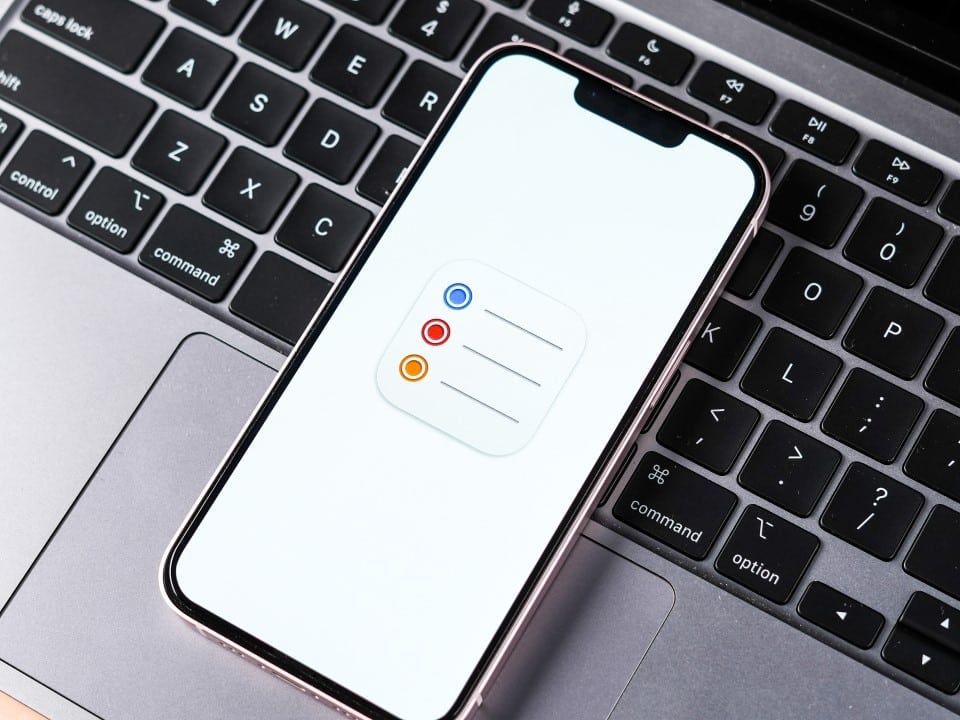
Yuav ua li cas daim ntawv tshiab ntse ua haujlwm
Daim ntawv teev npe ceev tuaj yeem ua ke tag nrho cov lus ceeb toom uas tau txais ib qho cim tshwj xeeb thiab muaj hnub thiab sijhawm teev tseg. Ela ua haujlwm zoo li daim ntawv teev npe muaj txiaj ntsig zoo, hloov kho lub sijhawm tiag tiag thaum ua tiav lossis hloov kho.
Cov neeg siv saib kev teem caij kho mob, cov rooj sib tham tseem ceeb lossis ib qho haujlwm uas tsis tuaj yeem ncua nyob rau hauv ib qho chaw. Essa lub koom haum pab koj ua ntej koj hnub yam tsis muaj kev cuam tshuam koj cov kev xav ntawm cov npe sib txawv ntawm tus kheej lossis cov npe ua haujlwm.
Lub tswb muaj nuj nqi rau kev ua haujlwm ceev ceev tswj tus cwj pwm uas tau qhia nyob rau hauv lub dhau los version, nrog rau cov lus ceeb toom tseem ceeb thiab muaj peev xwm los so. Kev sib xyaw ua ke ntawm cov npe tshiab thiab cov txheej txheem kos npe yooj yim ua rau cov peev txheej nkag tau yooj yim dua rau txhua hnub.
Cov txheej txheem tshiab ntawm kev ua kom lub luag haujlwm ceev
Ntev-nias ib txoj hauj lwm qhia txog cov ntawv qhia zaub mov nrog cov kev xaiv los cim nws sai. Esse shortcut ua haujlwm ob qho tib si hauv lub ntsiab saib thiab hauv cov npe tshwj xeeb.
Nyob rau hauv lub toolbar ceev, tom qab xaiv lub icon daim ntawv qhia hnub, qhov ncaj muaj peev xwm mus qhib lub ceev xwm txheej tshwm sim. Esses txoj hauv kev tiv thaiv kev nkag mus rau hauv cov lus qhia ua haujlwm, ua kom cov txheej txheem nrawm rau cov neeg siv app nquag.
Ntau tus neeg siv tau tshaj tawm tias cov kev xaiv tshiab ua rau nws yooj yim dua los siv cov yam ntxwv hauv cov haujlwm tsis khoom. Qhov hloov tshiab tswj kev sib raug zoo nrog txhua qhov kev ceeb toom uas twb muaj lawm thiab tso cai rau koj siv cov cim rau ntau yam haujlwm uas tau xaiv tib lub sijhawm.
Cov ntsiab lus hais txog qhov hloov tshiab iOS 26.4
iOS 26.4 tau mus txog cov neeg siv nrog kev tsom mus rau kev ua kom zoo rau ntau lub apps ib txwm muaj. Além ntawm cov kev hloov pauv hauv Lembretes, lub version coj cov yam ntxwv tshiab rau Apple Music, Podcasts thiab CarPlay, nrog rau kev ruaj ntseg thiab kev ua haujlwm kho.
Kev ceeb toom ceev ua haujlwm tau txais raws nraim qhov yuav tsum tau ua kom ua tau zoo dua hauv lub neej niaj hnub. Daim ntawv teev cov ntse ntse daws qhov nyuaj dhau los ntawm kev nrhiav sai sai rau txhua txoj haujlwm tseem ceeb kis thoob plaws lub app.
Yooj yim nkag mus rau cov haujlwm tseem ceeb
Cov neeg tsim tawm ntawm Apple tau kho qhov sib txuas kom pom cov npe tshiab sai sai thaum koj qhib daim ntawv thov. Isso tso cai rau kev saib xyuas tam sim ntawm cov teeb meem tseem ceeb uas yuav tsum tau ua rau hnub.
Kev sib koom ua ke ntawm kev hu xovtooj ceev thiab kev ua haujlwm hauv nruab nrab tsim kom muaj txiaj ntsig zoo rau cov kws tshaj lij thiab cov neeg siv niaj hnub uas tso siab rau kev ceeb toom los npaj cov sijhawm tsis khoom.
Cov txiaj ntsig rau cov neeg siv app Lembretes
Kev sib xyaw ua ke ntawm shortcuts thiab cov npe ntse txo lub sijhawm siv los tswj cov haujlwm. Usuários uas yuav tsum tau teeb tsa lub tswb rau lub sijhawm tshwj xeeb tam sim no tuaj yeem ua li ntawd nrog tsawg dua ntawm qhov screen.
Lub feature tseem ua raws li kev tsom xam thiab qhov chaw ntsiag to, kom ntseeg tau tias lub tswb ceev tau pom txawm tias muaj kev cuam tshuam tsawg. Essa feature tswj cov cuab yeej kev ntseeg tau rau kev teem caij tseem ceeb.

NVIDIA Beta App Hloov Kho Qhia DLSS 4.5 nrog Dynamic Frame Generation rau RTX 50

Tshiab ntiaj teb no navigation qauv kho txhua xyoo hloov chaw ntawm 36 km ntawm lub ntiaj teb tus ncej hlau nplaum
Nintendo Hloov 2 xaus GameChat pub dawb thiab xav tau kev tso npe rau kev pabcuam online hauv lub Plaub Hlis
Txhim kho hauv-app koom haum
Daim ntawv teev npe ceev ceev tsis hloov cov npe ib txwm muaj, tab sis ntxiv rau lub koom haum uas twb muaj lawm. Ela cia li lim cov khoom kuaj, khaws cia tus kheej tus qauv uas txhua tus neeg siv tsim dhau sijhawm.
Txoj hauv kev no tso cai rau koj tswj hwm cov npe xws li Trabalho, Casa, lossis Compras thaum muaj lub hauv paus rau qhov koj tos tsis tau tiag tiag. Qhov hloov tshiab txhawb nqa Lembretes lub luag haujlwm ua cov cuab yeej ua tiav hauv Apple ecosystem.
Yooj yim siv hauv lub neej txhua hnub
Nias thiab tuav lossis siv lub toolbar ceev ua rau lub cim nrawm nrawm thaum tsim lossis kho cov haujlwm. Cov neeg siv tsis tas yuav cuam tshuam qhov ntws mus rau cov ntawv qhia tob.
Daim ntawv teev npe ntse hloov tshiab raws li cov haujlwm raug cim lossis tsis cim, nco ntsoov khaws cov ntaub ntawv tshiab. Esse Dynamism pab koj ua raws li kev hloov pauv sai hauv koj lub sijhawm yam tsis muaj kev siv zog ntxiv.
Kev koom ua ke nrog lwm yam iPhone nta
Kev ceeb toom ceev txuas ntxiv ua haujlwm nrog rau daim ntawv qhia hnub thiab lwm yam kev sib koom ua ke apps. Cov ntawv ceeb toom puv npo sawv tawm qhov muag pom, ua kom yooj yim rau kev paub tam sim thaum lub sijhawm ua haujlwm.
Qhov hloov tshiab iOS 26.4 sib sau ua ke cov kev txhim kho no yam tsis tau hloov tag nrho cov qauv ntawm lub app, khaws kev paub rau cov neeg uas twb siv Lembretes tsis tu ncua.
Cov lus qhia rau kev ua kom zoo dua ntawm kev ua haujlwm
Thaum tsim ib txoj haujlwm nrog hnub thiab sijhawm, cov neeg siv tuaj yeem siv cov cim ceev ncaj qha los ntawm cov shortcuts tshiab. Daim ntawv teev npe tshwj xeeb yuav tshwm sim nrog cov khoom tsim nyog.
Koj tuaj yeem xaiv ntau yam dej num ib zaug thiab batch cim lawv sai, uas ua rau kom muaj ntau yam kev teem caij sib xws.
Kev hloov tshiab tsis ntev los no ntawm app Lembretes
Apple tau ua tsis tu ncua kev txhim kho lub app nyob rau hauv qhov tseeb versions ntawm iOS no. Kev taw qhia ntawm qhov kev xaiv ceev thiab tam sim no nws txoj kev yooj yim ua kom pom tseeb ntawm kev ua kom lub app muaj zog dua rau cov dej num tiag tiag-rau-hnub.
Cov npe ntse tshiab sawv cev rau cov kauj ruam tseem ceeb ntawm kev ntse dua, kev paub tus kheej ntau dua hauv Lembretes.
Yuav nkag mus li cas xov xwm
Tom qab txhim kho iOS 26.4, tsuas yog qhib lub Lembretes app kom pom cov npe ceev rau saum. Tagging shortcuts tam sim ntawd muaj nyob rau hauv cov haujlwm saib.
Cov neeg siv uas tseem tsis tau hloov kho lub kaw lus tuaj yeem tshawb xyuas muaj nyob ntawm Ajustes > Geral > Atualização los ntawm Software.
Pom pom kev txhim kho interface
Lub tswv yim txoj hauj lwm ntawm daim ntawv teev npe ceev ua kom yooj yim nkag tau txhua hnub yam tsis hloov lub app lub ntsiab navigation. Isso tuav lub simplicity uas characterizes Apple’s haiv neeg daim ntaub ntawv.
Lub functionality yoog raws li tus naj npawb ntawm cov haujlwm ceev, qhia cov ntsiab lus tseem ceeb txawm tias daim ntawv teev npe khoob lossis muaj ob peb yam khoom.
Txhawb ntau hom neeg siv
Ob tus neeg siv Lembretes rau kev ceeb toom yooj yim thiab cov kws tshaj lij uas tswj hwm cov sijhawm nyuaj yuav tau txais txiaj ntsig los ntawm kev hloov pauv. Qhov yooj yim ntawm kev hu xov tooj txhawb kom siv ntau zaus ntawm kev ua haujlwm ceev.
Centralizing ntawm daim ntawv ntse pab tiv thaiv cov haujlwm tseem ceeb los ntawm kev poob ntawm ntau ntau cov npe uas tsim los ntawm lub sijhawm.
Veja Tambem em News (HMN)

Cov neeg ua yeeb yam Kazunari Ninomiya thiab Elaiza Ikeda coj kev sib tw rau Marugame Seimen lub tais tshiab

Broadcaster txhawb nqa Paapa Essiedu txoj kev tiv thaiv tawm tsam kev ntxub ntxaug lwm haiv neeg hauv Harry Potter series tshiab

Oppo officially launches Find X9 Ultra thoob ntiaj teb nrog Hasselblad lo ntsiab muag thiab roj teeb muaj zog
Ib tsab xov xwm tshiab ntawm foldable smartphone nqa kub tiav rau lub caij ntuj no kev sib tw ua si
Tim Cook nthuav tawm cov qauv tshiab iPhone thiab iPod hauv kev ua koob tsheej ntawm Apple lub hnub nyoog tsib caug xyoo

Android system tau txais haiv neeg Gemini Nano 4 kev koom ua ke rau kev ua haujlwm offline ntawm smartphones

Leak cov ntsiab lus kho vajtse ntawm lub portable PlayStation tshiab nrog cov duab zoo dua rau Xbox Series S
Samsung hloov kho QuickStar module thiab nthuav dav kev tswj qhov pom ntawm lub vaj huam sib luag hauv One UI 8.5 interface
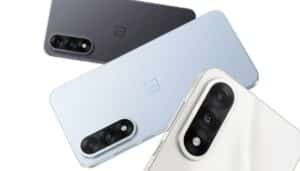
Tshiab OnePlus Nord 6 nta 9,000mAh roj teeb thiab ua tau zoo dua cov qauv dhau los ntawm kev ua lag luam
Google hloov lub suab kaw lus hauv Gemini Live daim ntawv thov thiab hloov kho lub suab nrov hauv cheeb tsam
Apple system hloov kho optimizes lub koom haum ntawm lem hla ntau playlists