

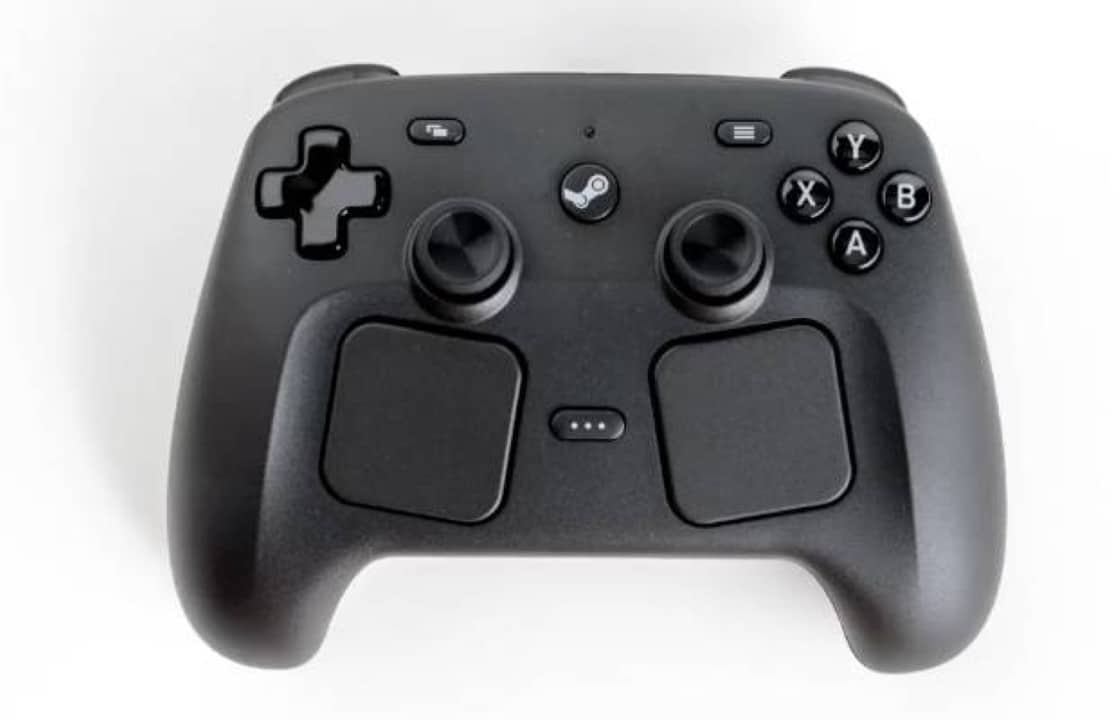
Valve’s new Steam Controller, launched with promises of full customization, faces significant criticism related to configuration software. Usuários report persistent difficulties when trying to customize the interface, with the system often returning to default settings without warning. The user experience, according to reports collected in online communities, reveals a considerable gap between the potential of the hardware and the usability of the software.
The frustration mainly focuses on the Steam’s control panel, which should allow intuitive adjustments to the control’s buttons and functions. Instead, the process requires multiple confusing steps and insufficient documentation. Muitos users describe the experience as counterintuitive, especially when trying to create custom shortcuts or assign different functions to buttons.
Trackpads as a differentiator, but configuration blocks potential

The Steam Controller’s trackpads function as a simultaneous mouse and keyboard, representing a genuine technical innovation for desktop navigation. The left panel is dedicated to scrolling while the right controls the cursor. Quando activated, displays a virtual keyboard that allows typing via trackpads. Essa functionality, however, remains largely underused due to the customization interface.
Usuários need to access specific layouts on Steam to be able to make any configuration changes. The confusing naming of options such as “extra commands” versus “subcommands” leaves many not knowing exactly which function to choose. The software does not offer clear explanations of these distinctions, forcing users to search for answers in old Reddit forums that are years old.
Comportamentos unexpected crashing the responsive
Quando users can create shortcuts to open Gerenciador from Tarefas, the control stops responding to commands. The same problem occurs when using Alt+Tab, forcing you to return to the physical mouse or keyboard. The solution involves running Steam as an administrator — information that Valve does not officially provide, leaving users dependent on old forums to find answers.
Learn more: Steam Controller emits Wilhelm scream when dropped, user discovers
Executar or Steam in Modo of Compatibilidade, an alternative that some try, generates warnings that problems may arise, creating additional insecurity. Compatibility between different operating systems and versions of Steam remains inconsistent. Não It is unclear whether these issues only affect new users or also owners of the original Steam Controller.
Stock Conjuntos works, but without clarity of purpose
Action sets allow you to create specific layouts for each game, but this special functionality is not evident during the configuration process. Usuários spend hours refining custom layouts only to find that they can’t import them into other games without overwriting the existing base settings. Valve does not mention this limitation in the starter guide.
Cada gameplay requires its own independent action set, a design decision that remains opaque to most. The result is time invested in customizations that only work in specific contexts. Esse isolation system between games should be communicated as soon as the user starts the process.
Botão Menu of Acesso Rápido remains practically useless
The Steam Controller includes a button dedicated to the Menu of Acesso Rápido that cannot be customized, an arbitrary limitation for a device advertised as fully customizable. Usuários who want to use this button to switch between desktop and gaming layouts find it impossible. The button is rarely pressed by users, making it essentially idle in its current state.
More on this story: Sony patent reveals revolutionary design for PS6 controller with unexpected innovations
Para a control that emphasizes flexibility, these undocumented restrictions frustrate owners. Valve apparently blocks certain customization buttons without explaining the reasoning behind these decisions. Dedicated Usuários only find it impossible when trying to implement their ideas.
Sharp Learning Curva Empties Real Potential
Completar configuration as desired takes several hours, even for patient and technically versed users. The real obstacle is not just resolving errors, but dealing with a fundamentally complicated experience. The software ignores usability standards established in control configuration applications.
On the same topic: New DualSense controller for PS5 appears in leak with renewed design
Atalhos’s buttons and action layers radically change how the control can be used, but Steam Guide doesn’t explain these changes in an accessible way. Recursos valuables are hidden in nested menus or scattered documentation. Ninguém can intuitively unlock the full potential of Steam Controller without extensive external research.
Valve should prioritize clarity in official documentation. Explicações on when to use which option, practical examples of common workflows, and step-by-step tutorials would significantly reduce initial frustration. Comunidades online fills this gap, but a company the size of Valve should not depend on third parties to make its product accessible.
Hardware performs perfectly, software creates barrier
Quando Operated without any customization beyond the default, the Steam Controller delivers genuinely excellent performance. The durable battery, virtually lag-free response and ergonomic comfort make it superior to conventional alternatives. Muitos users confirm that it has completely replaced their previous controls in terms of physical-sensory experience.
The contrast between robust hardware and problematic software creates a frustrating situation. Proprietários recognize the transformative potential of the device, but the customization interface prevents most users from exploiting this potential. Valve invests in differentiated hardware, but neglects the software experience that should amplify this difference.
More on this story: Japanese manufacturer reduces price of premium control to dominate professional market
Especialistas on interface design observe that the current architecture forces users to learn a new control paradigm without adequate educational structure. Comparado with competing control configuration software, the Steam lags significantly behind in usability. A complete restructuring of the customization interface would be necessary to fully take advantage of the available hardware and compete effectively in the peripheral market.