

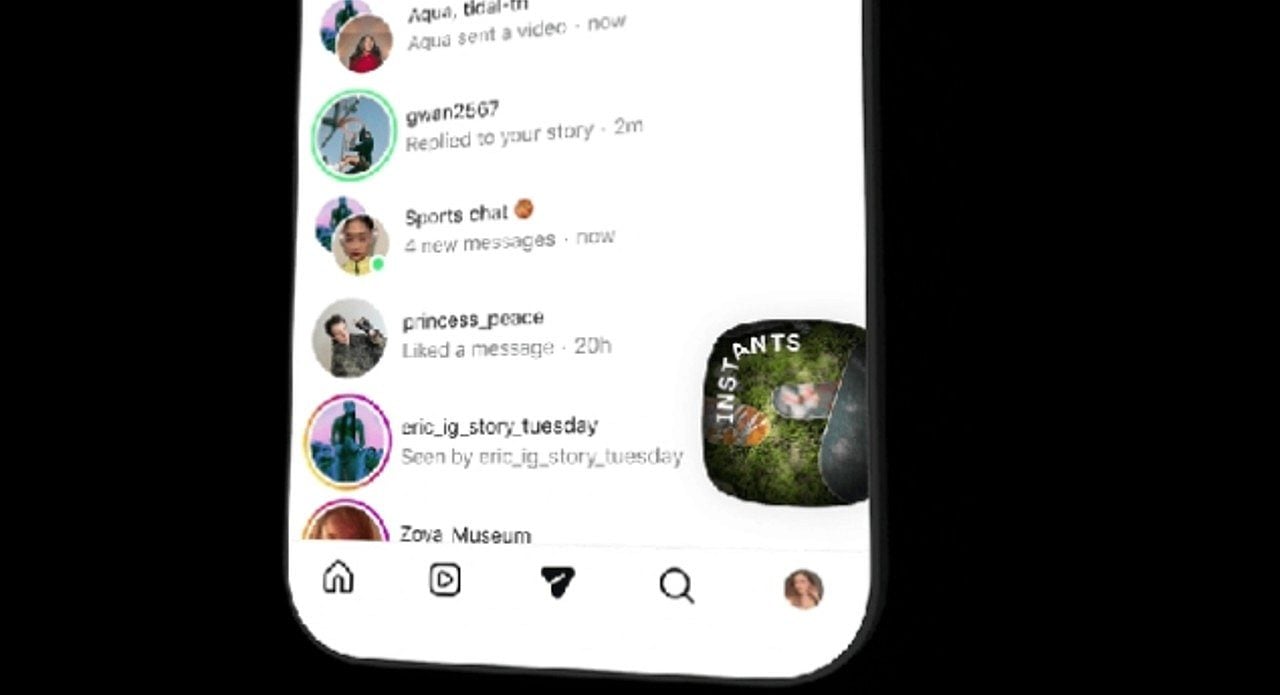
Instagram has globally released a new feature called “Instants”, aimed at sharing authentic and ephemeral photos. Muitos users, however, look for effective ways to disable the feature on their accounts. The intense search is driven by widespread concerns about privacy and the potential for accidentally sending images to their networks.
Meta, the company that owns the popular social network, presented Instants as an innovative way to share real-life moments at the exact moment they happen. Contudo, widespread confusion over how the feature works has led to unwanted sharing. Diversos user reports indicate that photos were sent without their clear intention, generating frustration.
Nova function generates initial controversy and confusion
When you first open Instagram’s new “Instants” section, accessible via a stack of photos icon in the bottom right corner of the inbox, the app displays a brief introduction. Esta introduction informs you that “Instants” disappear quickly, there is no visible viewer list, and reactions or replies are strictly private. The platform then guides the user through the process of viewing and reacting to this ephemeral content.
More on this story: Instagram launches Instants and users face accidental photo uploads
The main controversy arises when getting to the Instants’s camera, where there is a capture button. Abaixo of it, there is an option to toggle between “Amigos” and “Best Amigos”, set by default to “Amigos”. Meta does not immediately inform users that the moment the capture button is tapped, the photo taken is automatically sent to everyone on the Friends list unless the setting is manually changed to “Best Friends” before clicking.
Auto-Send Mecanismo Causes Concern
Essa lack of clarity in the upload process has resulted in many users accidentally sharing photos with people they did not intend to send them to. No Instagram, where users are accustomed to carefully reviewing and editing their content before sharing it, the feature’s instant upload design has been quite irritating, especially since data privacy is directly at stake. The feature offers an “undo” option right after sending, but many miss it due to the surprise of having exposed the image in an unintentional way.
Além Furthermore, many people don’t even realize that a photo has been sent, which increases the concern. The experience of receiving photos unsolicited or inadvertently sending them has generated significant debate among the user community. The expectation of control over one’s content is a fundamental pillar of interaction on social media, and “Instants” seems to go against this basic premise.
Guia to disable the “Instants” feature and regain control
Diante out of dissatisfaction and the search for greater control, many users are looking for ways to disable the “Instants” functionality altogether. Instagram provides a direct way to disable the resource from appearing in the inbox, allowing users to decide whether or not they want to interact with it. Este control is essential for managing the experience on the platform.
Learn more: Meta releases ‘Instants’ on Instagram and users seek to disable automatic sharing
- Para disable the new “Instants” feature, follow the steps below:
- Acesse your profile on Instagram.
- Toque in the three-line menu located in the upper right corner to open the settings.
- Role scroll down until you find the “Conteúdo Preferences” option.
- Ative the “Hide Instants in Caixa from Entrada” toggle.
Once this option is selected, the “Instants” functionality will no longer be visible in your inbox. Consequentemente, you will also stop seeing any Instants that others may have sent. If the intention is not to disable the feature completely, it is possible to hold down the stack of Instants in the inbox and swipe to the right, temporarily stopping receiving these updates.
Retratando photos shared by mistake quickly
Mesmo with instant send functionality, Instagram has implemented mechanisms for users to correct mistakes. The possibility of immediately undoing a sending is a crucial tool for managing privacy and avoiding further embarrassment. Reaction agility can determine whether an image is seen or not.
Assim Once an Instant is sent, an “Undo” option appears discreetly below the capture button, allowing quick retraction of the photo before recipients can view it. Adicionalmente, if the time for immediate “undo” runs out, you can go to the Instants file. Selecionando the four box icon, situated in the top right corner of the camera, you can delete an Instant, which will ensure it is removed from friends who have not yet opened it.