

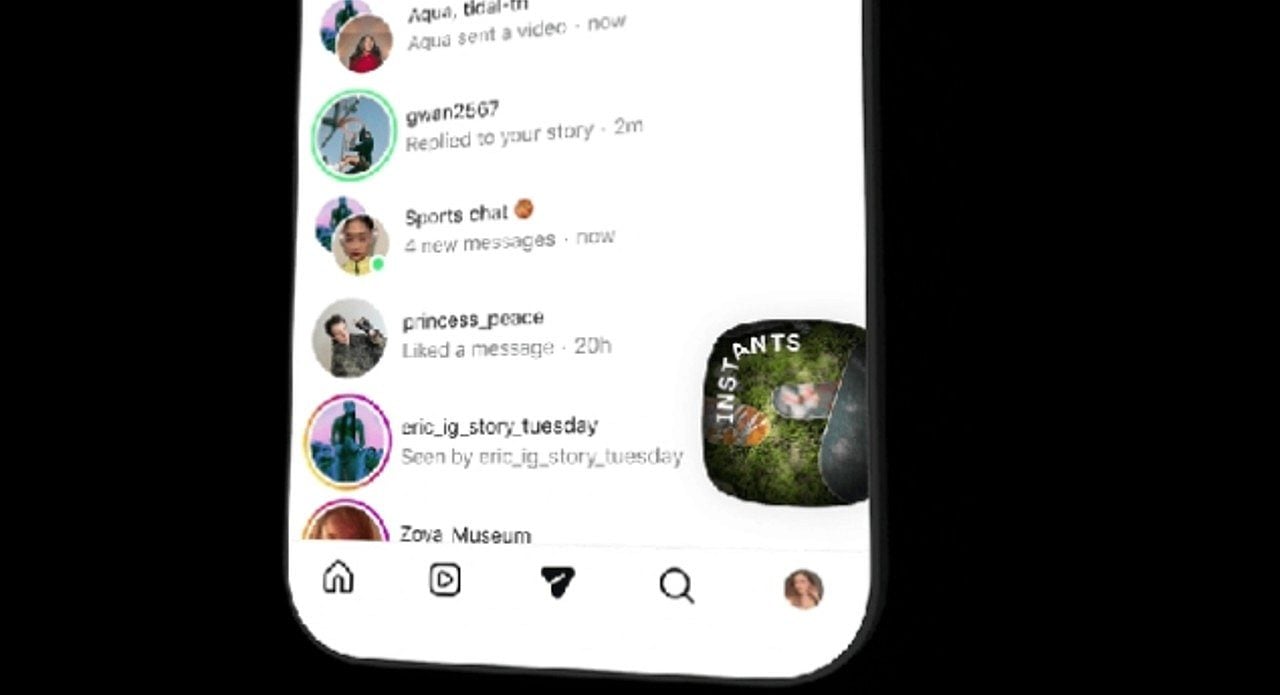
Instagram globally launched the “Instants” feature, a functionality for sharing ephemeral and authentic photos. The tool, however, has generated confusion among users who report accidental sending of images to their contacts. Concerns about privacy and unintentional sharing drive massive searches for ways to disable the new function on the platform.
Meta, owner of Instagram, presented Instants as an innovation to capture moments in real time. The design of the feature, however, automates the sending of photos by pressing the camera button, causing frustration among users accustomed to reviewing content before publishing. Diversos reports indicate that images were distributed without clear intention from the owners, generating debate about data control and security on social networks.
Como works the new feature and why it generates confusion
Instants is accessible via a photo stack icon in the bottom right corner of the Instagram inbox. When opening the feature for the first time, the app displays a brief introduction informing you that images quickly disappear, there is no list of viewers visible, and reactions are private. The viewing process is automatically guided by the platform.
The main controversy emerges in the Instants’s camera, where there is a capture button. Abaixo from it, there is a toggle between “Amigos” and “Best Friends”, set by default to “Friends”. Meta does not clearly communicate that the photo is automatically sent to everyone on the friends list at the exact moment the capture button is tapped, unless the setting is manually changed before clicking. Essa lack of transparency resulted in inadvertent sharing on a large scale.
Impacto on privacy and user experience
The instant upload mechanism goes against the expectation of users to carefully review and edit content before sharing it. Muitos users don’t even realize a photo has been sent, raising privacy concerns. The feature offers an “Undo” option right after sending, but many miss it due to the surprise of unintentionally exposing the image.
The experience of receiving unsolicited or inadvertently sent photos has generated significant debate in the community. Control over one’s content is fundamental on social media, and Instants seems to contradict this basic premise. Usuários report embarrassment upon discovering that images were shared without clear authorization, especially with contacts who did not expect to receive such content.
Passo step by step to disable Instants
Diante due to widespread dissatisfaction, many users look for ways to disable the functionality altogether. Instagram provides a direct way to disable the resource from appearing in the inbox, allowing each user to decide whether they want to interact with it. Este control is essential for managing personal experience on the platform.
- Acesse your profile on Instagram.
- Toque in the three-line menu located in the upper right corner to open the settings.
- Role scroll down until you find the “Conteúdo Preferences” option.
- Ative the “Hide Instants in Caixa from Entrada” toggle.
Once this option is selected, the Instants functionality will no longer be visible in the inbox. Você will also stop seeing any Instant sent by others. If the intention is not to disable the feature completely, it is possible to hold the Instants stack in the inbox and swipe to the right, temporarily stopping receiving these updates without permanent deactivation.
Recuperando accidentally shared photos
Mesmo with instant shipping, Instagram has implemented mechanisms to quickly correct mistakes. The ability to undo a shipment is a crucial tool for managing privacy and avoiding embarrassment. Reaction agility can determine whether an image is seen by recipients or not.
Logo After an Instant is sent, an “Undo” option appears discreetly below the capture button, allowing quick retraction before recipients view it. If you run out of undo time, you can access the Instants file by selecting the four-box icon in the top right corner of the camera. Excluindo to Instant in this location, the image is removed from friends who have not yet opened it, offering a second opportunity to control the shared content.