Auxiliary application on the Samsung Galaxy S26 Ultra releases photo capture with 24MP resolution
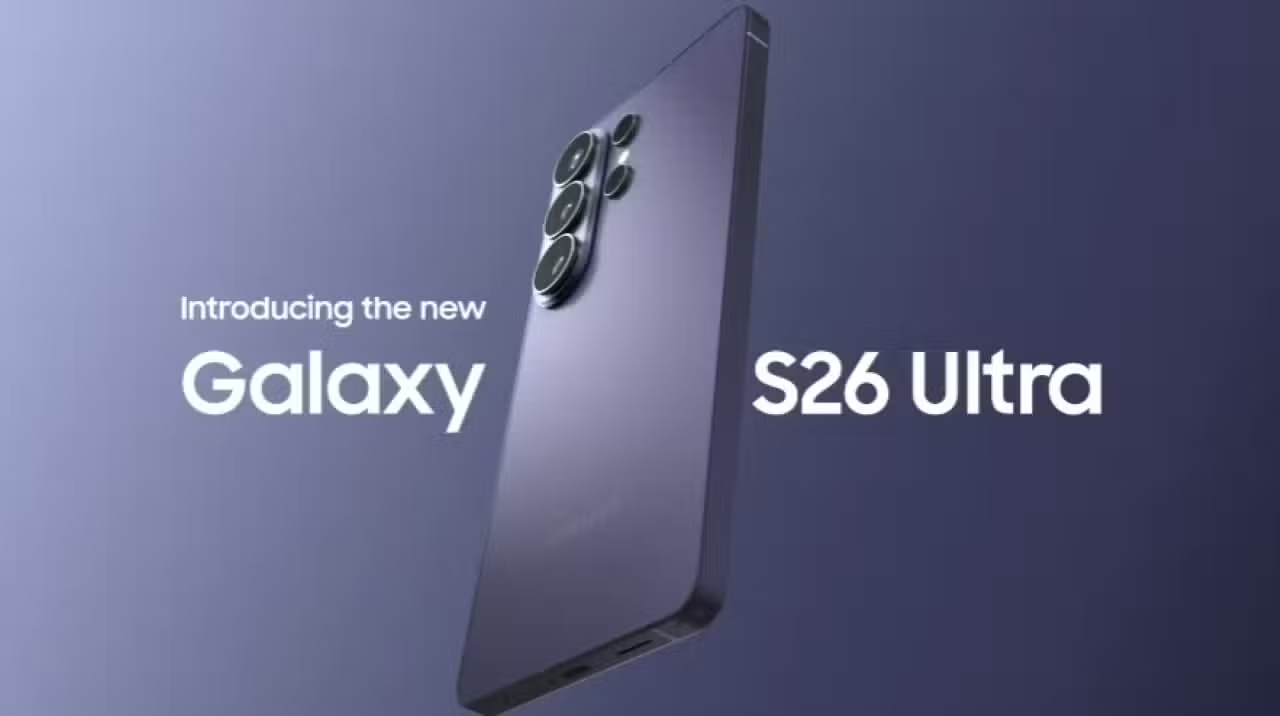
The Samsung Galaxy S26 Ultra smartphone maintains the main photographic sensor with a 200MP capacity and provides a 24MP capture alternative for consumers. The specific setting does not appear natively in the device’s default camera app interface. Owners need to install and access the Camera Assistant module, which is part of the Good Lock customization ecosystem, to enable the function. The feature acts as a technical bridge between the standard 12MP resolution and ultra-high definition modes.
The South Korean manufacturer adopts pixel grouping as standard to optimize storage space and capture speed in daily use. The 24MP mode appears to meet the demand for greater texture fidelity without generating excessively heavy files. The image signal processor works with exposure fusion algorithms to deliver balanced results. Choosing to hide the option in the advanced menu preserves the fluidity of the experience for the general public.

Dinâmica of pixel binning and main sensor processing
The 200MP photographic component present in the Samsung Galaxy S26 Ultra uses an advanced visual data compression technique. The system combines multiple light information captured by the hardware and transforms it into a final 12MP file. Essa strategy guarantees superior performance in dark environments or during night photography. Reducing image size allows the software to apply noise corrections and color adjustments in fractions of a second.
The standard resolution perfectly suits quick sharing on social networks and instant messaging apps. The generated files take up little space in the device’s internal memory and load quickly on mobile internet connections. The Samsung’s processing in this configuration tends to prioritize vibrant colors and a high level of sharpness to highlight elements in the scene. The agility of the shutter in 12MP mode makes it easy to record moving objects or fast sequences.
Quando the user demands the most from the hardware, the device offers native 50MP and 200MP options directly on the main application screen. Essas resolutions capture a massive amount of detail, but require ideal lighting conditions to work properly. Processing time increases considerably, and the resulting files consume a significant portion of internal storage. The use of these extreme modes is usually restricted to static landscapes or commercial photography.
Benefícios Intermediate Resolution Technicians in Daily Photography
Enabling 24MP capture changes how the Samsung Galaxy S26 Ultra software interprets sensor data. The system applies a different fusion that preserves a greater amount of original information from the photographed scene. The result presents a noticeable reduction in the sensation of artificial sharpness, technically known as over-sharpening. The textures of complex elements, such as foliage, fabrics and human skin, take on a more natural appearance and are closer to reality.
The balance between visual quality and file size makes this setup attractive to mobile photography enthusiasts. The extra number of pixels offers a comfortable safety margin for making cuts during editing. Photographers can reframe the image without losing the definition needed for viewing on large screens or medium-sized prints. The smartphone’s processor manages the additional workload in the background so as not to crash the app.
Choosing the ideal resolution depends directly on the user’s objective and the environmental conditions at the time of clicking. The device’s photographic system adapts to different scenarios through the following settings:
- The 12MP mode prioritizes capture speed and energy efficiency in any light condition.
- The 24MP option delivers realistic textures and greater flexibility for editing in well-lit environments.
- 50MP resolution captures fine details for aggressive enlargements and crops in still landscapes.
- The 200MP format extracts the maximum capacity of the sensor for specific projects that demand very high definition.
Usuários who tested the intermediate setting report a clear advantage in scenes with controlled lighting. The difference in quality becomes evident when enlarging the image in the gallery or when transferring the file to a computer monitor. The feature exploits the capabilities of the image signal processor without requiring physical changes to the lens assembly.



Configuration Caminho via the customization ecosystem
The release of 24MP mode requires the owner of the Samsung Galaxy S26 Ultra to download the Good Lock application from the manufacturer’s official store. The software works as a center for advanced modifications to the operating system interface. Dentro of this platform, the user needs to search and install the specific module called Camera Assistant. The tool adds a new deep options menu in camera settings.
The intermediate resolution option is available in the advanced image adjustments section and applies to both traditional photo mode and portrait mode. The company’s decision to keep this feature separate from the main interface avoids visual clutter for consumers looking to just point and shoot. The helper app also lets you modify shutter behavior, edge smoothing, and automatic lens switching.
The integration of Camera Assistant with the native system is stable and does not compromise the warranty or security of the device. Software updates sent by the manufacturer usually optimize the operation of these additional modules. The presence of the resource demonstrates a segmentation strategy, where the same hardware serves everyone from the casual photographer to the demanding content creator.
Gerenciamento storage and system performance
The transition from 12MP to 24MP mode has a direct impact on the smartphone’s internal memory consumption. Files with higher pixel density take up more space, which requires adequate planning on the part of the user. Proprietários versions with lower storage capacity need to monitor available space or use cloud backup services more frequently. Deleting duplicate or unwanted photos becomes a best practice.
More elaborate computer processing may result in a slight delay when saving the photo to the gallery. The operating system handles this demand by running final rendering in the background, allowing the user to continue shooting without sudden interruptions. In extreme conditions of use, such as very fast sequences or high temperatures, the device may temporarily limit access to higher resolutions to prevent overheating of internal components.
The behavior of the 24MP mode may also vary depending on the focal length chosen at the time of clicking. Image fusion reaches its maximum efficiency on the main lens, but the software adjusts resolution delivery when using optical zoom or ultrawide cameras. The manufacturer continues to develop imaging algorithms to refine the consistency of results across all lenses available in the photography suite.
The inclusion of this technical alternative in the Samsung Galaxy S26 Ultra consolidates the company’s focus on providing versatile tools for imaging. The user gains the freedom to customize the behavior of the 200MP sensor according to their daily workflow. The combination of robust hardware and customizable software guarantees the device’s longevity in the high-performance mobile device market.
Veja Tambem em Latest News (EN)

Epic Games Store digital store makes Lonestar and Calico available at no cost to PC users

Jetour T1 hybrid SUV debuts on the Brazilian market for R$ 264,900 with a focus on adventurous design

With a 4-1 defeat at Junior Barranquilla, Palmeiras advances to the round of 16 of the Libertadores

Matheus Pereira scores a great header and opens the scoring between Cruzeiro x Barcelona SC in Libertadores 2026

Samsung begins distribution of the One UI 8.5 system with a focus on artificial intelligence on the Galaxy S25

Developers receive fourth iOS 26.5 beta update focused on iPhone performance

Apple formalizes new division of annual payments in the App Store with blocking of refunds on cancellations

Lisa Marie Presley’s posthumous work exposes the intimacy and behind-the-scenes of her marriage to Michael Jackson

Polish studio confirms third unreleased expansion for The Witcher 3 to launch in 2027

Explorers face five leviathans on the planet Zezura during Subnautica 2 Early Access

Xiaomi 17T Pro debuts on the market with 7,000 mAh battery and advanced Leica telephoto lens