

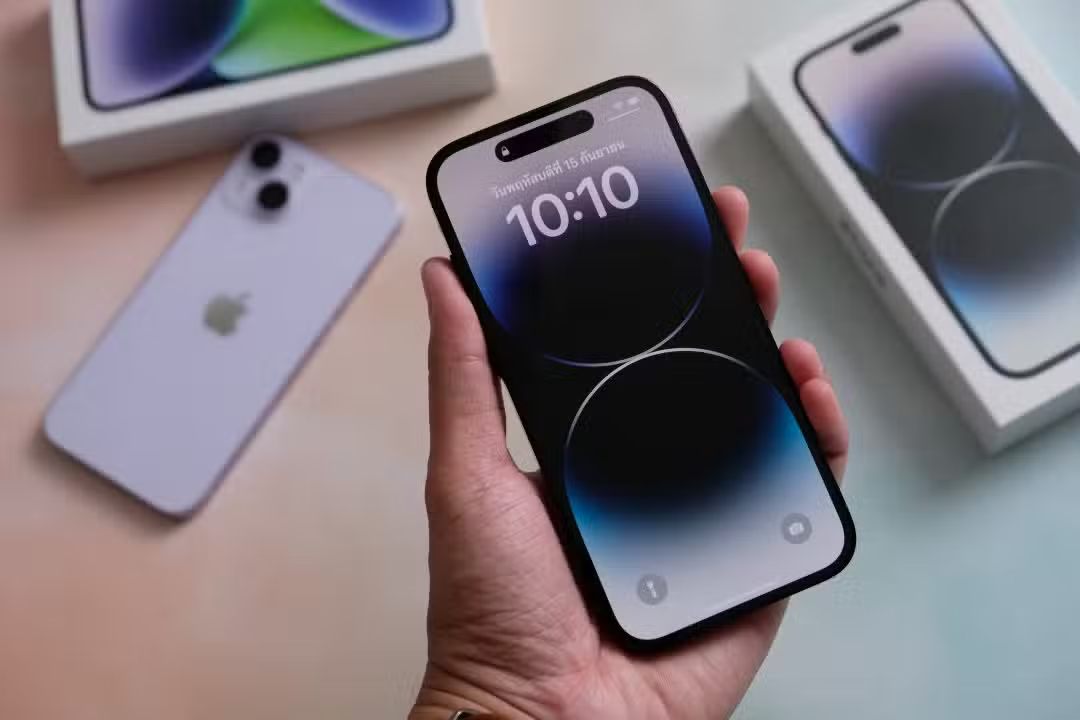
The Apple smartphone has an ecosystem of pre-installed applications that goes far beyond basic communication and internet browsing functions. iPhone’s Usuários often lack native tools integrated into the iOS system that perform complex tasks without the need for additional downloads in App Store. The device uses its own internal sensors to provide measurement, data conversion, geo-orientation and hearing health monitoring capabilities.
Using these options optimizes the device’s storage space and centralizes everyday activities in a single, secure interface. Integration between the company’s advanced hardware and software allows the camera, microphones and gyroscopes to function as precision instruments. Access to these five functionalities is direct, the owner simply needs to explore the menus already available on the equipment’s home screen.

Native Calculadora performs currency conversion and measurements in real time
The operating system’s calculator delivers features that go beyond traditional mathematical operations of addition, subtraction, multiplication and division. The application has a built-in unit conversion system that transforms values between different metric and imperial categories. The user can convert measurements of temperature, weight, distance, volume and area in a matter of seconds. The interface features directional arrows that make it easy to invert the selected units in an intuitive way.
The highlight of the tool is the conversion of international currencies in real time. The system updates exchange rates automatically whenever the device establishes an internet connection. Essa feature ensures financial accuracy for people making purchases on foreign websites or planning international trips. The feature eliminates the risk of using outdated quotes and eliminates the need to open browsers for quick consultations.
Profissionais that handle daily calculations also benefit from trading history retention. The application allows a fluid transition between the basic numeric keypad, the scientific calculator with trigonometric functions and the conversions screen. Apple designed the tool to operate with minimal touches on the screen, ensuring agility in daily use.
Sensores of the device transforms camera into tape measure and digital level
The Medida application exemplifies the practical application of augmented reality in the daily lives of smartphone owners. The software uses the rear camera lens combined with depth sensors to calculate dimensions of physical objects and real spaces. The individual points the device at the desired location, marks a starting point with the plus icon and drags the virtual line to the final destination. The display shows the exact length immediately.
The system’s precision meets light home and professional needs, such as planning renovations or purchasing furniture. The app also automatically identifies rectangular shapes, providing the total surface area with a single tap. The user can capture a photograph of the screen with the measurements superimposed for archiving or sharing with architects and carpenters.
Dentro from the same platform, the system offers a digital alignment instrument. Level mode uses the internal gyroscope to determine the slope of physical surfaces. Key practical applications include:
- Instalação of shelves and decorative niches on residential walls.
- Alinhamento of frames, mirrors and television stands.
- Nivelamento of tables, chairs and appliances on the floor.
- Verificação for tilting on workbenches and sinks.
- Ajuste of tripods for photographic or recording equipment.
The device screen turns green when it reaches perfect alignment at zero degrees. The feature also allows the definition of a specific angle as a starting point for measuring relative deviations in more complex projects.
Compass Aplicativo provides geographic orientation without internet signal
Geographic orientation represents another pillar of native tools through the Bússola application. The software provides accurate magnetic direction completely independently of mobile networks or wireless internet signals. The system cross-references data from the internal magnetometer with information from the global positioning module to deliver precise latitude and longitude coordinates. The main screen also informs the user’s current altitude in relation to sea level.
The functionality gains critical relevance in remote areas, nature trails or rural roads where traditional navigation applications lose connection. The individual can lock a specific route by touching the digital display. The device emits visual alerts if any significant deviation from the previously programmed course occurs.
The operating system settings panel allows the user to choose between magnetic north and true north. The minimalist interface focuses on quick readability in direct sunlight by displaying tilt degrees in large numbers. The tool consumes little battery power, ensuring prolonged operation in emergency situations.
Noise Monitoramento acts to prevent and protect hearing health
Preserving hearing health is part of the utility package through continuous monitoring of environmental and internal noise. The iPhone works together with the Apple Watch to record the intensity of sounds around the user in decibels. The watch’s microphone captures external noise and sends the consolidated data to the Saúde app on the phone. The system generates daily, weekly and monthly graphs about sound exposure.
Protection extends to the use of headphones, especially models from the AirPods line. The operating system allows you to add a real-time volume meter directly to the device’s Central or Controle. The visual indicator changes color to alert you when reproduction exceeds safe limits recommended by health experts. The feature acts as a preventative against permanent hearing damage caused by excessive volumes.
The user has the option to set automatic limits for media playback. The device reduces the volume on its own if the audio reaches the eighty-five decibel mark for an extended period of time. Apple developed this layer of safety based on international medical guidelines on occupational health and physical well-being.
Acesso to resources requires only simple navigation through the interface
Locating these tools only requires familiarity with the equipment interface. The compass and meter are found in the utilities folder, while the conversion resides in the calculator. The user can use the Spotlight search bar to instantly access any of the functions.
The manufacturer refines these applications with each new version of the operating system. Updates fix calibration errors and improve the graphical interface without charging fees. The stability of these native tools outperforms third-party apps that display ads.
Taking full advantage of the smartphone involves recognizing its multifunctional capacity. Exploiting the built-in sensors turns the phone into a reliable assistant. Regular practice consolidates the use of these resources in your routine, saving time when solving daily problems.