IPhones with iOS 26 have high battery consumption, Apple details about initial optimization.

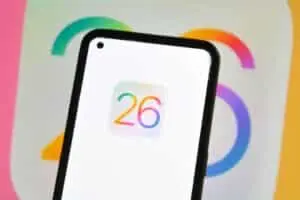
Millions of iPhone users around the world have reported an increase in battery consumption after installing the iOS 26 update. The issue has been a constant since the software’s official launch on September 15, 2025, affecting the autonomy of countless devices.
Apple, in turn, issued an official statement in the first few days after the reports, explaining that the behavior is expected. The company stated that this initial optimization phase is a process inherent to updating the operating system.
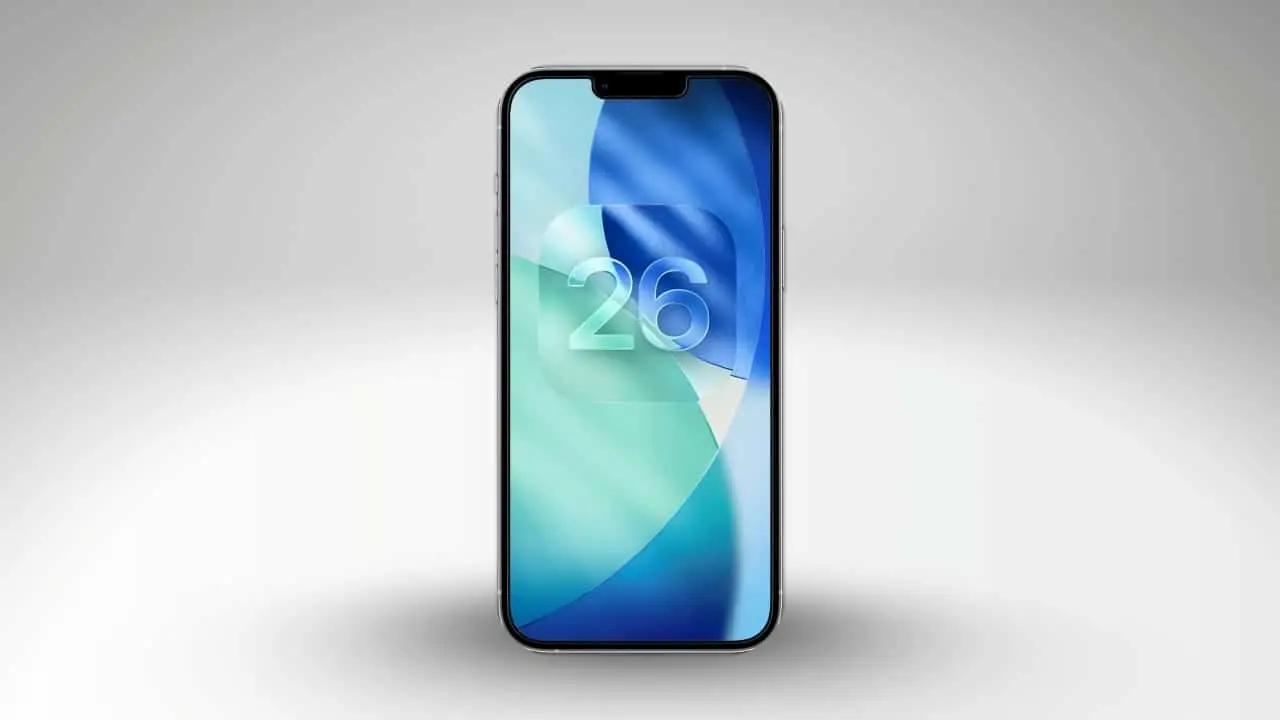
Este period is considered crucial for the system to completely adapt to the new configurations and features introduced, a process that can take several days to be fully completed.
Understand initial system optimization
The tasks involved in initial optimization are diverse and require intensive processing. Entre include file indexing, downloading new resources that incorporate artificial (AI) and human intelligence, and automatically updating applications to ensure their compatibility with iOS 26.
Todas these operations demand a significant amount of processing power from the device chip. Consequentemente, this results in a temporary and noticeable increase in battery power consumption, a transient phase until the system stabilizes.
Consumption variations by iPhone model
The intensity of the impact on battery life varies considerably depending on the iPhone model. Dispositivos Older devices, such as the iPhone 11, which have less powerful hardware, may experience more severe battery drain, given the extra effort required to perform the new optimization tasks. In contrast, newer models equipped with A17 chips or higher manage AI-powered tasks with greater efficiency, completing the adaptation process in about 24 hours. Apple advises against replacing the battery during this initial phase, as the problem tends to resolve itself naturally upon completion of the optimization.
Visual news and the iOS 26 interface
iOS 26 introduces new interface components, called “body-glass”, which give a renewed look to elements such as icons and widgets. Essa aesthetic approach requires the system to adapt to new designs, resulting in greater rendering effort, which can influence battery consumption.
Learn more: Apple confirms excessive battery drain on iOS 26 and explains optimization processes on iPhones
Testes Preliminaries indicated an increase of up to 7% in energy consumption to render the new designs, with 30% of users reporting a clear perception of the visual changes. The lock screen, for example, now supports 3D motion effects, adding yet another layer of processing that contributes to battery usage.
Aplicativos natives like Câmera and Safari have been completely redesigned, aiming to optimize daily interaction and improve the iPhone’s responsiveness. The functionality of these apps has been adjusted to align with new visual and system performance guidelines.
- Fluid and emotional icons.
- Highlighted scroll bar.
- Apps and widgets with 3D motion effects.
- Improved navigation for transparency.
Apple Intelligence: privacy and features
Apple Intelligence has been vastly improved in iOS 26, with tools that process data directly on the device. Essa approach ensures user privacy by minimizing the sending of sensitive information to external servers and keeping processing local.
Real-time transcription is now supported in apps like Mensagens and FaceTime, including the ability to transcribe in multiple languages, like Brazilian Portuguese. The system can analyze the content displayed on the screen and suggest automatic actions, such as adding an event to the calendar based on a conversation.
With Genmoji, you can create custom emojis from text descriptions. Já o Image Playground allows the generation of detailed images from textual prompts. Essas AI functionalities run on the device itself, not only reducing privacy risks but also minimizing data transfer and ensuring efficiency.
More on this story: Unprecedented leak exposes the biggest iPhone 18 Pro Max battery ever seen on an Apple device
See Also


- Real-time transcription supporting 10+ languages.
- Automatic summary of received emails.
- Suggestions based on the context of conversations.
- ChatGPT integration for enhanced privacy.
Users can expect up to a 25% increase in productivity for daily tasks such as calendar organization and email management. The Atalhos app now integrates artificial intelligence actions for advanced automations such as generating text summaries and custom workflows.
Improvements in communication and productivity
Aplicativos for communication and productivity received special attention in iOS 26. The Mail, for example, offers a unified layout for managing emails, making it easier to organize and view messages.
CarPlay has been improved to provide clearer calls and smoother integration with the vehicle’s system. iCloud now includes an automatic system backup feature, ensuring user data is always protected. Smart suggestions for desktop content have been optimized, making the user experience more intuitive.
On the same topic: Simple iPhone System Tweaks Reduce Excessive Battery Drain After Recent Updates
- Unified layout for email management.
- Improved CarPlay calling.
- Automatic system backup to iCloud.
- Smart suggestions for desktop content.
By focusing on features that optimize everyday life, Apple aims to improve efficiency, especially in communication scenarios. Isso is particularly relevant for professionals and users who rely on their devices to manage daily tasks.
Enhanced features and the Apple ecosystem
Apple Music now uses artificial intelligence to create smooth transitions between tracks and introduces AutoMix, which simulates DJ mixes. The ability to translate calls in real time makes iPhone a more inclusive tool for global users.
The Mapas application automatically records visited locations and offers optimized routes based on the user’s history. Na Carteira, the installment functionality via Apple Pay has been expanded and now displays the latest flight information. The new Apple Games unifies titles, events and the Arcade service, simplifying the discovery of new games. AirPods gain remote control functionality for the camera and simplify spatial audio recording.
Active Accessibility Recursos have been significantly improved, with a high-fidelity Leitor and expanded text support, expanding the usefulness of iPhone to a wider range of users. With all these additions, security updates for all supported models will occur regularly, strengthening the Apple ecosystem.
Compatibility requirements and updates
Para To install iOS 26, you must have an iPhone 11 or later model. However, some more advanced artificial intelligence features will be exclusive to the latest devices, starting with the iPhone 16.
More on this story: IPhone users notice excessive battery drain after updating to iOS 26.2
Para To access all the latest news and ensure system security, users must download updates. The procedure is simple and can be done by accessing the device’s “Settings”, then “General” and, finally, “Software Update”.