
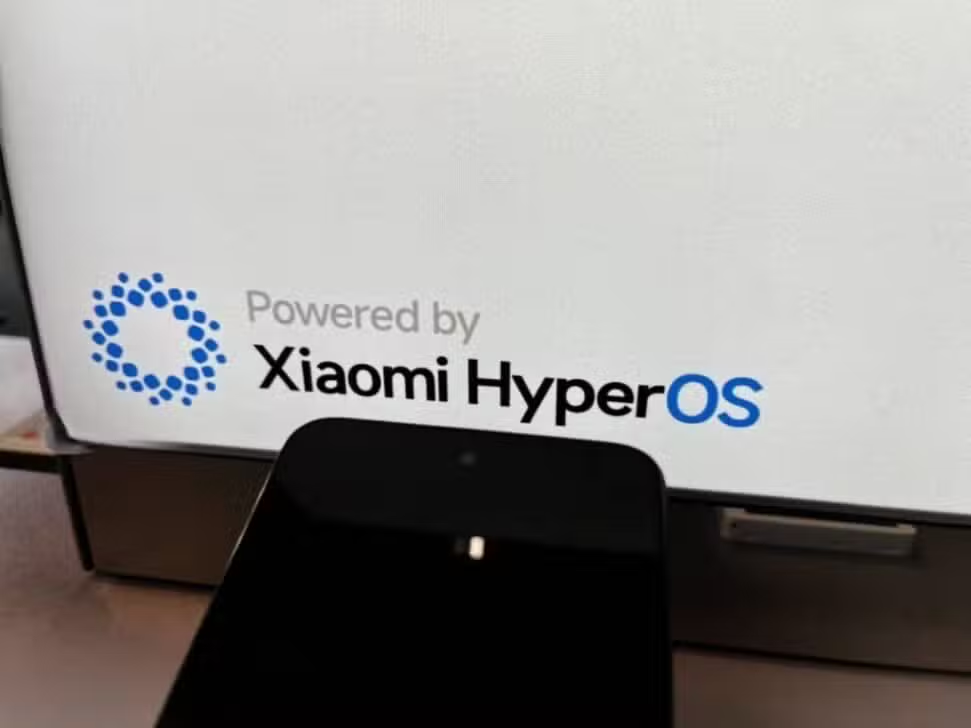
Xiaomi smartphones equipped with the HyperOS operating system offer a wide range of features designed to enhance the user experience. However, many owners use their devices with default settings, unaware of the hidden potential that can be unlocked with simple and direct adjustments, without the need to install third-party applications.
Exploring advanced menus, such as battery, screen and security, reveals native tools capable of radically transforming the device’s performance. Essas configurations allow not only to extend battery life, but also to provide greater fluidity and agility to daily operations, optimizing the system’s response in all tasks.
With the correct implementation of these tips, a cost-effective smartphone can operate with surprising efficiency, rivaling more expensive models in terms of usability and performance. Below, we detail the main adjustments that can be made to extract the maximum potential from your HyperOS device.

Smooth navigation and screen shortcuts
One of the first steps to modernizing interaction with the device is activating gesture navigation, an alternative to traditional virtual buttons. By eliminating the bottom navigation bar, the user gains more usable space on the screen, which is especially advantageous for viewing content and games. The transition between applications, returning to the home screen and accessing multitasking become more intuitive and faster, carried out with simple swipes. Essa change not only improves the aesthetics of the interface, but also contributes to more agile operation, with immediate responses even in the most demanding applications, reducing the need for multiple touches and streamlining the daily workflow.
In addition to navigation, HyperOS incorporates intelligent shortcuts that speed up routine actions. Three-finger swipe screenshot is a notable example, eliminating the need to press physical button combinations. Esse feature is ideal for recording information quickly and already integrates basic editing tools. Outra useful feature is the double tap to wake up screen, which allows you to check notifications or the time without having to press the power button. Combinados, these gestures and shortcuts minimize wear on physical components and save precious seconds on each interaction, resulting in a more efficient and comfortable user experience throughout the day.
Smart battery management in HyperOS
Battery longevity is one of the biggest concerns for smartphone users, and HyperOS offers robust tools to preserve it. One of the most effective features, although little known, is the option to limit charging to 80% of total capacity. Essa practice is based on the principle that keeping a lithium-ion battery constantly at its maximum capacity accelerates its chemical degradation process. By activating this limit, the system stops charging before the cell reaches the stress of a full charge, which can significantly extend its useful life and maintain its original autonomy for longer. Adicionalmente, the system offers an optimized night charging mode, which learns the user’s routine to complete the final 20% just before the time the device is unplugged from the socket, combining convenience with protection. Outra crucial setting is the screen’s adaptive refresh rate. Instead of operating at a constant high frequency, such as 120Hz, adaptive mode adjusts the rate dynamically depending on the content displayed. Para static tasks, such as reading an email or viewing a photo, the frequency is reduced, saving energy. Já In activities that require greater fluidity, such as gaming or scrolling through feeds, the rate increases to ensure a smooth visual experience. Esse intelligent balance between performance and energy consumption is essential to maximize the duration of each charge cycle without sacrificing the quality of the visual experience.
Maximizing overall system performance
Over time, temporary files and cached data accumulate on the system, which can cause slowdowns. The native HyperOS security application has a cleaning tool that safely removes this residue, freeing up storage space and restoring the operating system’s agility. Realizar This cleaning periodically is a best practice to maintain performance at optimal levels.
For situations that demand maximum processing power, such as high-performance games or video editing, HyperOS offers an “Alto Desempenho Mode”. Quando enabled, it prioritizes CPU and GPU resource allocation to the running task. However, its use must be punctual, as it significantly increases battery consumption.
Many services operate in the background without the user noticing, consuming valuable resources. A common example is the printing service, which most people do not use on a daily basis. Desativar These unnecessary features in connection and sharing settings can free up RAM and reduce power consumption, contributing to more stable performance.
A feature that may bother some users are the advertisements displayed in native system applications. HyperOS allows you to disable these ad recommendations directly in each application’s settings or centrally in the privacy settings, resulting in a cleaner interface free from visual distractions.
Privacy and app organization
Personal data security is a priority, and HyperOS offers an extra layer of protection through application blocking. Essa function allows the user to protect specific apps, such as banks, photo galleries or messengers, with an additional password, pattern or fingerprint. Mesmo the cell phone is unlocked, access to these applications will require new authentication.
For those who need to manage multiple accounts on social networks or messaging services, the “Dual Apps” function is extremely useful. Ela creates a working copy of an application, allowing the user to set up a second account (personal and professional, for example) on the same device. Isso eliminates the need to constantly switch between profiles or use a second smartphone for this purpose.
Functional interface customization
The lock screen can be more than just a gateway to the system. With the “Sempre Ativa Screen” function, you can display essential information such as time, date, battery level and notification icons continuously, with low power consumption. HyperOS allows extensive customization of this feature, with different clock styles and visual elements.
The positioning of the fingerprint reader on the screen can also be adjusted to become more ergonomic. Pequenas changes to the recognition area or animation effects can make the unlocking process faster and more intuitive, adapting perfectly to the way the user holds the device on a daily basis.
Widgets on the home screen are powerful tools for quick access to information and functionality. HyperOS offers a library of redesigned and more functional widgets that can be combined to create a fully customized and productive interface, keeping the system lightweight and responsive.
Integration with the Xiaomi ecosystem
HyperOS was designed to strengthen integration between the various devices in the Xiaomi ecosystem. Recursos like Mi Share allow high-speed file transfer between the brand’s smartphones, tablets and notebooks, without the need for cables or internet connection. Essa Enhanced connectivity facilitates a seamless workflow between different screens, increasing productivity.
The importance of keeping the system updated
Keeping the operating system up to date is essential to ensure the best possible user experience. Updates released by
Regularly checking the availability of new versions of HyperOS in your device’s settings ensures that your smartphone is always operating at peak efficiency and protected against the latest vulnerabilities. Ignorar updates can slow down your device and expose you to security risks, compromising the long-term experience.