Samsung’s new One UI 8.5 update reveals major limitations on devices like the Galaxy Z Fold 6

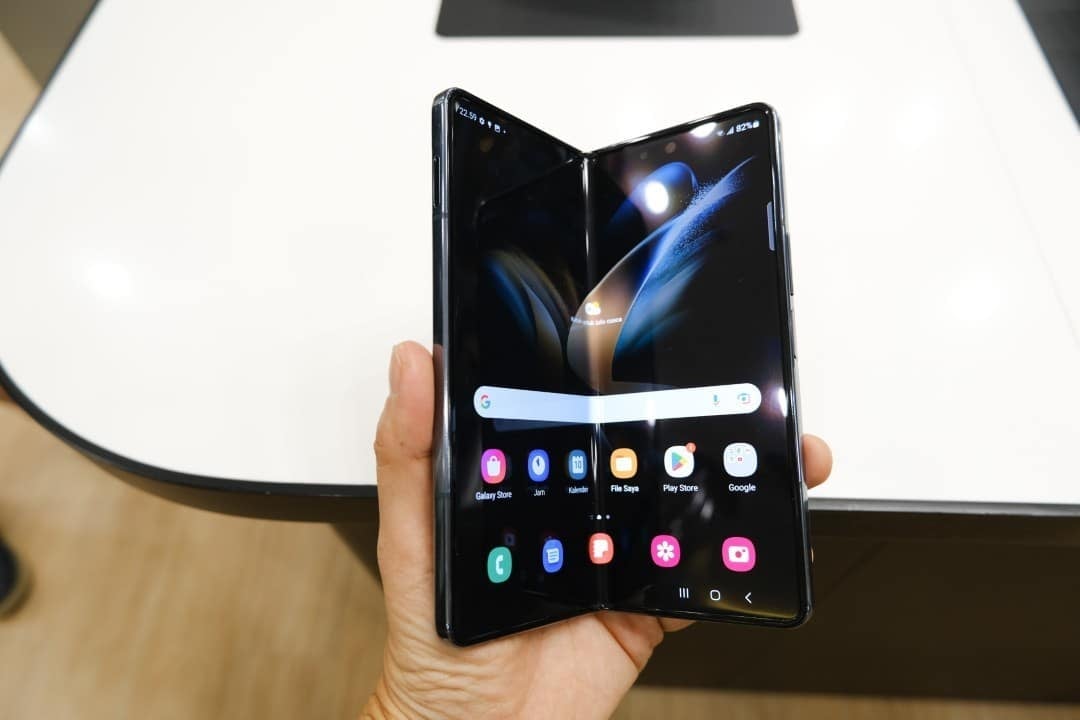
Samsung advances the development of One UI 8.5, the next major update to its user interface, which is currently in the internal testing phase before being released to the public. The new version promises a series of visual and performance improvements for the Galaxy line of devices. Contudo, the first analyzes reveal that the adaptation for foldable smartphones, such as the long-awaited Galaxy Z Fold 6, still has significant flaws that compromise the user experience.
Reports from experts who had access to preliminary versions of the software point to inconsistencies in gesture navigation and the organization of essential functionalities. Tais issues directly affect the usability of premium devices, whose main attraction is the advanced ability to multitask on larger, flexible screens, creating a barrier to the intuitive workflow that users of these devices expect.
The official schedule predicts that One UI 8.5 will be released stably in the first quarter of 2026, probably together with the new Galaxy S26 line. Isso gives Samsung a crucial period to analyze the feedback collected during the beta phase and implement the necessary fixes, ensuring that the final version meets the high expectations of the foldable device market.

Inconsistencies in quick panel navigation
One of the main areas affected in the beta version of One UI 8.5 is the new Painel Rápido (Quick Panel). Embora functionality offers an unprecedented level of customization, allowing users to rearrange shortcuts and adjust the layout, its implementation on foldable models, such as the Z Fold 6, exhibits inconsistent and impractical behavior.
The central problem lies in gesture navigation. When you swipe from the top left edge of the main screen, the system correctly displays the notifications panel. However, the subsequent gesture to the side, which should reveal quick shortcuts, is blocked, forcing the user to close one panel to open the other.
Interestingly, when starting the gesture from the right side, Painel Rápido opens without any problems. The failure occurs when trying to do the reverse movement to access notifications directly, which creates a fragmented and less fluid navigation experience than in previous versions of the interface.
This limitation, although it may seem small, directly impacts daily use, especially on the internal screen of devices in the Fold line. Users need to perform more gestures for simple tasks, which goes against the proposition of efficiency and productivity that defines these high-performance devices.
Reorganization of resources in the camera application
Another notable change in One UI 8.5 that has generated discussions is the restructuring of the camera app. Popular and widely used Funções, such as Single Take (Única Capture) and dual recording, have been removed from the main interface of the native application.
To access these tools, users now need to separately download and install the Camera Assistant module, available from Galaxy Store. Essa The decision to modularize resources requires additional configuration steps, complicating access to functionalities that were previously integrated and immediately available.
The change most significantly affects content creators and professionals who use foldable cell phones for quick productions. The need to activate and configure an external module breaks the workflow and can be an obstacle in situations that require agility to capture specific moments.
General improvements and new animations
Despite the issues identified with foldable devices, the One UI 8.5 update brings significant improvements that will benefit the entire Galaxy lineup. Samsung promoted a renewal of the operating system kernel, which translates into greater fluidity and responsiveness in day-to-day operations, from opening applications to general navigation through the interface.
In addition to performance optimizations, the new version introduces hundreds of new animations, mainly on the lock and unlock screen, offering a more refined degree of visual customization. Espera These improvements are expected to improve the overall user experience, including on older models that are compatible with the update.
The challenge of adapting to flexible screens
The Galaxy Z Fold 6 and Z Flip 6 models are the pillars of Samsung’s strategy in the luxury segment, where perfect integration between hardware and software is fundamental. Optimizing the interface for flexible displays is a complex process, and the current flaws in One UI 8.5 demonstrate that there is still work to be done to exploit the full potential of these innovative formats.
The multitasking experience, which allows the use of multiple applications simultaneously, is one of the main selling points of these devices. The navigation limitations found in the beta version directly interfere with this proposal, affecting the perception of value and functionality that consumers expect from a high-end product.
The role of beta community feedback
The beta testing phase plays a key role in software development, and the current situation with One UI 8.5 exemplifies its importance. Detailed reports from beta program participants, shared on official Samsung forums, provide the company’s engineers with valuable information to identify, diagnose, and prioritize bug fixes before public release. The community acts as a front line in quality control, highlighting usability issues that may not be evident in laboratory testing. Essa collaboration is essential to refining the end-user experience.
Samsung has a proven track record of listening to its community and implementing improvements based on that feedback. In previous update cycles, controversial features were tweaked and critical bugs were resolved thanks to the active participation of testers. Portanto, there is a strong expectation that gesture inconsistencies in Painel Rápido and camera usability issues will be fully resolved in subsequent beta releases, culminating in a stable, polished release for all users.
The strategy behind application modularization
The decision to move advanced camera features to the Camera Assistant module is not an isolated case and reflects a broader strategy by Samsung to modularize its software. Essa approach consists of separating specific functionalities from the main application and offering them as optional add-ons. The main advantage of this architecture is the agility in updates. Instead of waiting for a major OS update to fix a bug or add a new feature to the camera, Samsung can simply release a new version of Camera Assistant through Galaxy Store. Isso also allows you to reduce the size of the main application and offer a cleaner experience for casual users, while enthusiasts and professionals can install modules to gain granular control over the tools. Contudo, this strategy has the counterpart of additional complexity for the common user, who may not know about the existence of these modules or feel intimidated by the need for downloads and extra configurations to access functions that were previously native.
Expectations for the official launch
As the timeline approaches, the expectation is that Samsung will intensify efforts to correct the reported issues. The final version of One UI 8.5, which will first reach the Galaxy S26 line in early 2026, should present a cohesive and optimized experience, with all navigation and usability flaws resolved, especially on expensive and strategic foldable devices.