Galaxy Z Fold 6 users report glitches and limitations in Samsung’s new One UI 8.5 interface

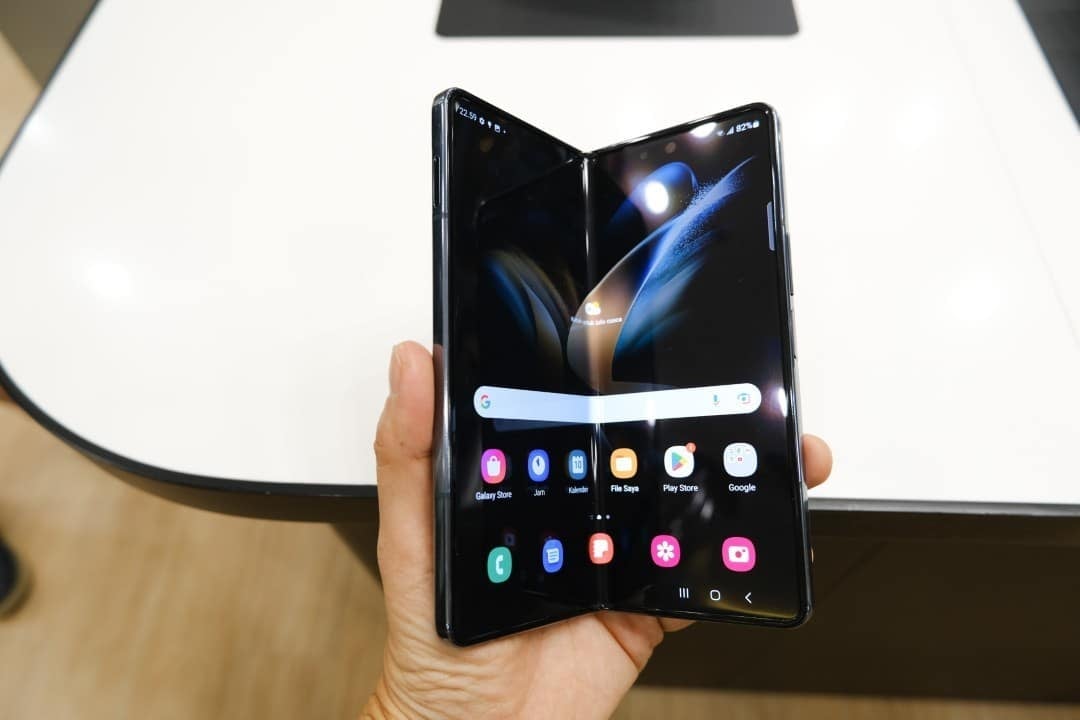
The next major update for Samsung, One UI 8.5, is in the testing phase and is already generating discussions among users. Embora promises a visual and performance renewal for the Galaxy devices, preliminary versions reveal significant usability problems, mainly affecting the experience on foldable cell phones, such as the Galaxy Z Fold 6.
Experts and participants in the beta program point to limitations in navigation gestures and access to essential functions, which appear not to have been fully optimized for the unique format of foldables. Essas issues are crucial, as they directly impact multitasking and productivity, which are the main attractions of these devices. The expectation is that Samsung will use the feedback collected during testing to refine the software before its mass distribution.
The official launch of One UI 8.5 is scheduled to accompany the arrival of the Galaxy S26 line in early 2026. Após debuts on new flagships, the update will be gradually released to other compatible models, including current generation foldables. Até there, the company has a window of time to implement the necessary fixes and ensure that the final version offers a polished and cohesive experience across the entire ecosystem.

Limitations in the Quick Control Panel
One of the most criticized points in the test version of One UI 8.5 is the behavior of the new Quick Panel, the quick control panel. Samsung introduced more customization options, allowing users to rearrange shortcuts and adjust button layouts. Essa flexibility is a theoretical advance, but its practical implementation on foldable devices has generated a fragmented and unintuitive navigation experience, especially on the larger internal screen.
The central problem lies in gestures. When you swipe from the top left corner, the system correctly displays the notifications panel. However, the side gesture to switch to quick shortcuts, which should be a simple movement, is blocked in certain contexts. Para To access the control panel, the user needs to make a new gesture from the right side of the screen, breaking the flow of interaction and requiring additional movements that become uncomfortable in daily use.
Camera app changes
Another change that generated strangeness was the reorganization of resources in the camera application. Popular and easily accessible Funções, such as Single Take and Dual recording (Dual Recording), have been removed from the main interface of the native application.
To use them, users now need to download and activate the Camera Assistant module, available from Galaxy Store. Essa decision, while it may aim for modularity and a “cleaner” core app, adds unnecessary steps to access important creative tools.
In devices like the Z
Main problems identified in tests
Independent testing and feedback from the beta community highlights a consistent list of points that require urgent attention from the Samsung development team. Essas issues directly affect the perception of a premium product that the brand seeks to consolidate with its line of foldables.
Among the most recurring complaints is the inconsistency of gestures on the Quick Panel, which prevents fluid switching between notifications and shortcuts, a basic action on any modern smartphone. The native absence of essential camera modes is also a point of strong criticism.
Furthermore, there is a general perception that the adaptation of the interface to the foldable format is still incomplete, with elements that do not properly take advantage of the internal screen space. Isso manifests itself in poorly used areas and in navigation that looks more like a stretched version of a traditional cell phone interface.
Blocking lateral navigation in certain contexts of use with the device unfolded reinforces this feeling of lack of polish, creating barriers where there should be fluidity. Esses items are the priority for future software builds.
General update improvements
Despite criticism focused on foldables, One UI 8.5 brings significant advances. The update introduces a renewal of the system kernel, which promises greater fluidity and responsiveness on all compatible Galaxy devices. Centenas new animations, especially on unlocking and system transitions, have been added to modernize and personalize the home screen, offering a more pleasant and dynamic visual experience. Essas low-level optimizations are designed to improve overall performance, with noticeable gains in opening applications and agility in transitions between tasks, even benefiting older models that will receive the update.
Experience in foldable devices
The Galaxy, Z Fold 6 and Z The user experience on these devices fundamentally depends on software that exploits their unique potential.
In its current state, the beta version of One UI 8.5 still does not achieve this goal, with the limitations described directly affecting the main advantage of foldables: advanced multitasking on a wide screen, which ends up being hampered by an interface that does not accompany the hardware.
Beta community feedback
Beta program participants have been vocal on the official Samsung forums, reporting issues in great detail. The company actively monitors these channels, using user feedback to identify and prioritize the most critical fixes.
It is a consensus among many testers that the basis of the update is robust and promising, with the problems mainly focusing on interface fine-tuning and optimization for the unconventional screen formats of foldables.
Perspectives for launch
The stable version of One UI 8.5 should be released first with the Galaxy S26 line, in early 2026.
Samsung has a history of refining features and fixing bugs based on feedback from the beta program, so the general expectation is that the usability issues currently seen in Galaxy Z Fold 6 will be completely resolved before release to the general public.