
Samsung releases new widgets and gesture control in Home Up beta for future One UI interface

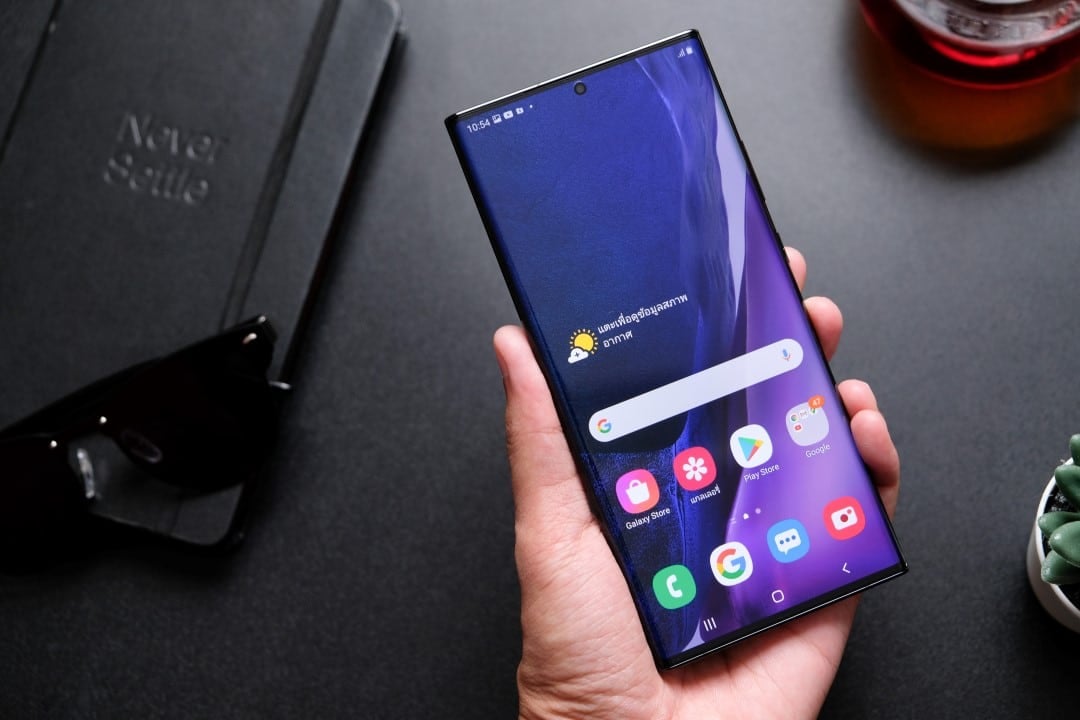
Samsung has started distributing a new update for the Home Up module, one of the most popular tools in the Good Lock ecosystem. The new version, developed to be compatible with the beta program of the future interface One UI 8.5, introduces features awaited by users, highlighting improved gesture controls and a set of redesigned widgets, focused on greater interactivity and personalization.
This preliminary update signals the company’s commitment to refining the home screen and task manager experience before the system’s official launch. Good Lock serves as an innovation lab, allowing Samsung to test new features with an engaged audience and collect valuable feedback to improve the stability and usability of features.
Users participating in the One UI beta program can now search for the update directly from Galaxy Store. The new features promise to offer an even deeper level of customization, allowing each person to adjust the interface according to their usage preferences and visual style, reinforcing one of the main differentiators of the Galaxy devices on the market.
Home UP OneUI 8.5
นี่คือคุณสมบัติหลักที่เพิ่มเข้ามา
– ความสามารถในการปรับข นาดและเลื่อนโฟลเดอร์ (เช่นเดียวกับวิดเจ็ต)
– แผงรวม (เพิ่มทางลัดและที่ติดต่อไปยังแผงขอบ)
– แก้ไขป้ายกำกับแอปและส ีป้ายกำกับบนหน้าจอหลัก
– การตั้งค่าวิดเจ็ต (ปรับแต่งขนาด)pic.twitter.com/ypi1O6Yzpq— NMPS (@FamilyTaes)19 มกราคม 2026
Details about new gesture controls
One of the main attractions of this Home Up update is the expansion of gesture controls. The functionality allows users to configure shortcuts and quick actions directly on the home screen, eliminating the need for multiple taps to access applications or specific operating system functions.
With the new implementation, it is expected that it will be possible to associate gestures, such as swiping with two fingers or double-tapping empty areas of the screen, with commands such as opening the application drawer, displaying the notification panel or starting a search. Essa extra layer of interaction optimizes the workflow and contributes to a cleaner, more minimalist interface.
Improved and more interactive widgets
The update also brings a significant revamp to widgets. Samsung is investing in more intelligent components that are visually integrated into the interface, which offer dynamic information without the need to open the corresponding application. The new widgets are designed to align with the aesthetics of One UI 8.5.
In addition to design, functionality has been expanded. Users will have more control over the appearance of each widget, including fine-tuning transparency, colors, and rounded corners. The expectation is that native application widgets, such as Clima, Calendário and Samsung Notes, will be the first to receive the improvements, offering more data and shortcuts directly from the home screen.
Interactivity is another focal point. Instead of just being information display windows, new widgets can include direct buttons and controls. Isso allows you, for example, to manage a to-do list or control music playback more efficiently, transforming the home screen into a true personal control panel.
The evolution of home screen personalization
Home Up has always been recognized for offering granular control over home screen organization, and the new version expands these capabilities even further. The update improves app grid customization, allowing users to adjust the layout to display a greater number of icons, optimizing the use of space on larger screens, such as those on foldable models.
Folders also received special attention. Agora it is possible to customize the look of folders when opened in pop-up format, changing the internal layout, background blur level and color. Essas options allow you to create a cohesive visual experience that adapts perfectly to the wallpaper and theme chosen by the user.
The ability to save and share home screen layouts is another feature that has been refined. With the “Share via Code” feature, users can export their arrangement and design settings, allowing others to apply the same layout to their Galaxy devices simply and quickly, fostering a customization community.
Flexibility extends to the smallest details, such as spacing between icons and hiding application labels, resulting in an extremely clean look. The combination of these tools transforms the home screen from a simple app launcher into a highly functional and aesthetically pleasing workspace tailored to each person’s individual needs.
What changes in the task manager
The task manager, also known as “Task Changer”, is the screen that displays all recently opened applications and is essential for multitasking. Home Up allows you to replace the default look of the One UI with several other styles, such as list, grid or carousel. The new update introduces new layouts and improves the fluidity of animations in existing models. The new styles are designed to make it easier to view more apps simultaneously, making it faster to switch between them and close background processes.
In addition to aesthetics, functionality has been improved with new interaction options. For example, a new layout selector lets users find and activate their preferred style more easily. Também adjustments have been added to the manager’s behavior, such as the ability to pin applications to memory or access split-screen mode more quickly, making multitasking a more powerful and intuitive experience. Essas improvements are especially useful on devices with more RAM, where it is common to keep dozens of applications open.
The importance of the Good Lock ecosystem
Good Lock is more than just an application; it represents Samsung’s philosophy of delivering power and flexibility to its most demanding users. Funcionando as a suite of customization modules, it allows you to modify deep aspects of the One UI that are not available in the default system settings. Módulos like QuickStar for customizing the quick panel, LockStar for the lock screen, and Theme Park for creating complete themes completely transform the experience of using an Galaxy device. The Essa platform is a crucial differentiator in the Android ecosystem, attracting an audience that values the ability to shape software to their exact preferences. The update from Home Up to One UI 8.5 beta reinforces this strategy, showing that Samsung continues to listen to its community and innovate in areas that other manufacturers often neglect, consolidating the loyalty of its consumers.
Compatibility and initial availability
It is important to note that this Home Up update is being released exclusively to participants in the One UI 8.5 beta program. Initial availability is typically focused on the latest high-end devices, such as the Galaxy S and Galaxy Z series, before expanding to other supported models.
How users can access news
For users who are already in the beta program, the update process is simple. Basta open the Good Lock application, select the “Home Up” module and follow the link that takes you to the application page on Galaxy Store. Lá, the new version will be available for download.
As this is software in the testing phase, it is possible that there are instabilities or bugs. Participation and feedback are essential so that Samsung can refine the features before releasing the stable version of One UI 8.5 to the general public in the coming months.



