
PC players gain official support for the Switch 2 Pro controller in Valve testing update
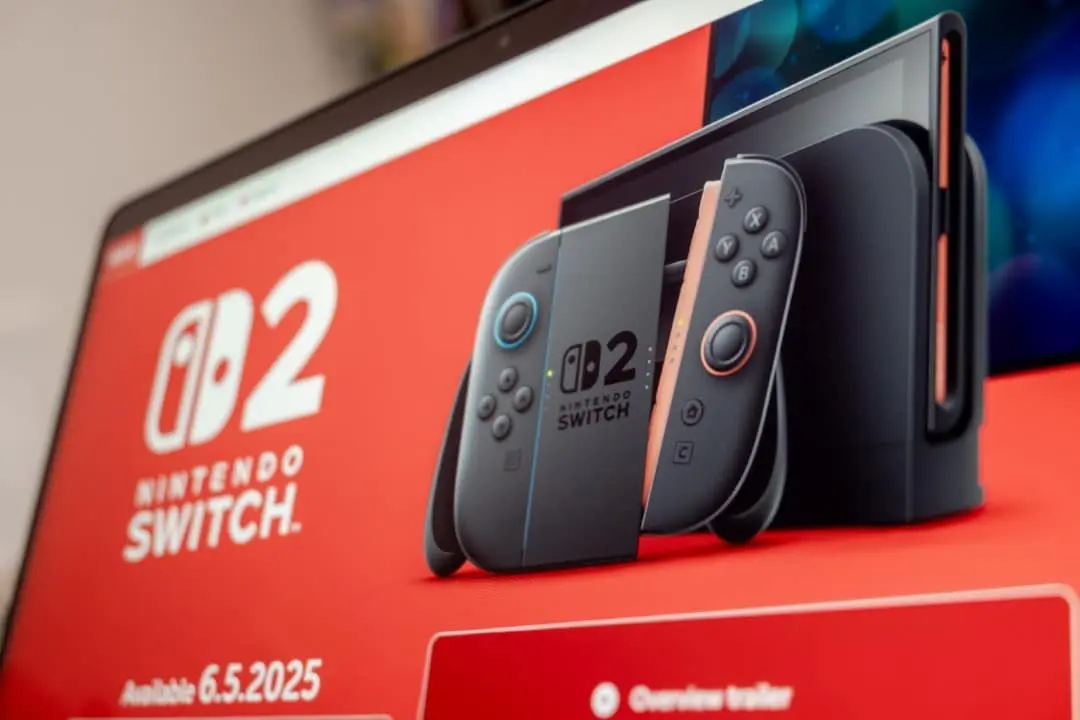
Valve has implemented a significant new feature for users using the trial version of its gaming platform on their computer. The Steam client now natively recognizes the Pro controller designed for the Nintendo hybrid console successor, in anticipation of the hardware’s arrival to the mass market.
Participants in the beta program can now connect the accessory directly via USB cable, without the need for complex configurations. The measure reinforces the company’s strategy of making the PC environment as versatile as possible, accepting peripherals from different manufacturers.

This update eliminates technical barriers that previously made it difficult to use Nintendo controls on Windows computers. The Steam Input system has been updated to automatically identify the device, ensuring that buttons and levers function as expected as soon as the cable is connected.
Among the main benefits observed in this initial phase of testing, the reduction in input latency and connection stability stand out, crucial factors for games that require fast reflexes and millimeter precision.
On the same topic: Razer keyboards bring advanced features to games at a more affordable price for the public
| 注意 | 説明 |
|---|---|
| 低遅延 | USB接続により即時応答が保証されます |
| 簡単なセットアップ | Steamでの自動検出 |
| 耐久性 | 長期使用に耐える堅牢な構造 |
| 多用途性 | 複数のゲームジャンルに対応 |
Integration technical details
The new compatibility was developed under the concept of “plug-and-play”, allowing the operating system and the Valve platform to interact instantly with the hardware. When plugging in the controller, the Steam applies a pre-defined configuration profile that maps the peripheral’s functions to standards recognized by most modern games, acting as an efficient translation layer between the device and the software.
This technical approach resolves compatibility issues that often occur with games that do not have native support for Nintendo button layouts. The system converts input signals in real time, ensuring that the gaming experience is fluid and that all commands respond with the speed necessary for high-level competition or casual gameplay.
End dependence on external software
Before this official update, players had to resort to alternative methods to use controls from other platforms on PC. Era common use of Xbox control emulators or third-party drivers, which often presented instability.
Learn more: Manufacturer Razer uses Viper V4 Pro to consolidate integrated ecosystem in the peripherals market
These improvised solutions often resulted in recognition failures, sudden disconnections, or missing features like vibration. Native integration solves these issues by providing robust support directly at the core of the platform.
Now, recognition is immediate and official, eliminating the need for any additional installation. Isso drastically simplifies the process for the end user, who can just focus on playing, without worrying about maintaining parallel software.
Nintendo hardware specifications
The Pro controller of the Nintendo Switch 2 arrives with promises of substantial improvements over its predecessor, focusing on durability and ergonomics for long sessions. The design was refined to offer a more comfortable grip, while the internal components of the analog sticks received more resistant materials to combat the problem of “drift”, a technical flaw that haunted past generations of consoles and generated numerous complaints from consumers. Além of the improved physical construction, energy autonomy is one of the device’s strong points, with specifications indicating up to 40 hours of continuous use on a single charge, surpassing the average of many competitors on the current market. The inclusion of the USB-C port not only modernizes charging, but is the key piece that enables the high-speed data transfer necessary for the stable connection with the computer that the Valve has just enabled.
Platform compatibility history
Valve maintains a consistent trajectory of opening its ecosystem to hardware from direct competitors in the console market. The company’s goal has always been to transform the PC into a universal gaming hub, where the user’s control preference is respected.
See Also



More on this story: Steam Controller acquisition may take time, with new reservations targeted for 2027
This movement began to gain momentum with the full support for Xbox 360 controls and, later, with the integration of the DualShock 4 from Sony. Cada addition expanded the gameplay possibilities and attracted more console users to the Steam platform.
More recently, the company pioneered support for the PlayStation 5’s advanced DualSense features, such as haptic feedback. The inclusion of the Joy-Cons and Pro Controller from the first generation of the Switch also paved the way for the current update.
With the arrival of support for the new Nintendo control, Valve reaffirms its commitment to being a hardware-agnostic platform. The strategy focuses on freedom of choice, allowing the player to use the peripheral he deems most comfortable.
Advanced command customization
In addition to basic recognition, the update unlocks access to Steam Input’s deep customization tools. Users can remap each button individually, create complex macros, and adjust analog stick dead zones to their personal preference.
It is also possible to configure the sensitivity of the gyroscopes and create different profiles for each game in the library. Esse level of control surpasses options generally available on consoles themselves, offering a tactical and comfort advantage for PC gamers.
Impact on the gaming ecosystem
The initiative to support control even before its full consolidation in the market demonstrates Valve’s agility in adapting to new technologies. Para the community, this means a smoother transition between playing on console and PC.
Learn more: Manufacturer Keychron announces T1 HE trackball mouse with exclusive ergonomic adjustment in Japan
The unification of the user experience strengthens the gaming market as a whole. Jogadores who invest in quality hardware for their consoles can enjoy the same investment in their computers, increasing the perceived value of the peripheral.
Procedure for accessing the beta
To use the new functionality immediately, interested parties must activate participation in the testing program in the customer settings. The process is carried out through the account menu, selecting the Steam beta update option, which will download the files necessary to recognize the new control.














