
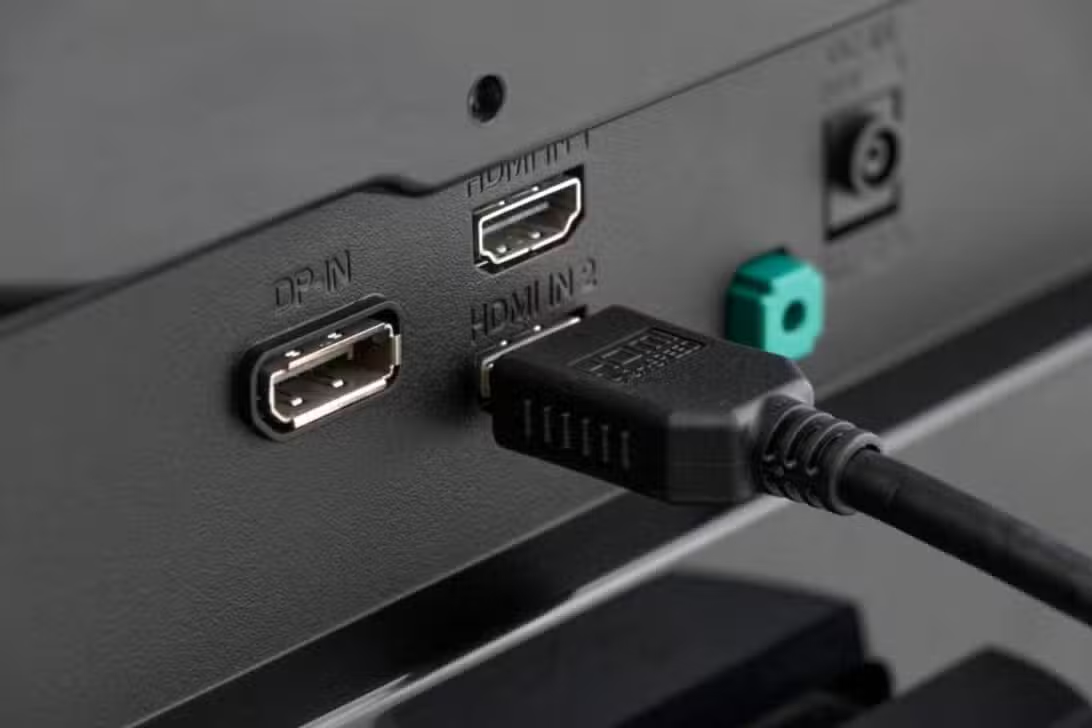
Consumers who invest in home entertainment systems often seek the best visual experience available on the market by purchasing high-resolution screens and advanced media players. The expectation when connecting a next-generation console or a premium streaming decoder is to immediately get vibrant colors, deep contrasts, and fluid movement. However, a significant portion of these users end up underutilizing the potential of their equipment due to a technical detail little disclosed by manufacturers. Communication between the screen and the signal-emitting device occurs through specific input ports, which have data transmission protocols. Ocorre that, for operational security reasons, companies configure these inputs to operate at a basic level of information traffic. Essa intentional limitation directly affects playback of content encoded with high dynamic range and high refresh rates. The practical result is an image that, although sharp, does not reflect the true capacity of the purchased hardware. Resolving this technological bottleneck requires the owner to access the television’s internal menus to release the full data stream.
The factory restriction directly affects the bandwidth available for video and audio transmission. Sem full port release, advanced imaging features remain inactive, even if the original content offers this quality. The user continues to watch a standardized image, losing crucial details in very bright or dark scenes.
The unlocking process varies depending on each screen manufacturer’s operating system. The change does not present risks to the equipment, as long as the cables used have the appropriate certification to support the increase in data volume. The modification transforms the media consumption experience in the living room.
Factory default prioritizes compatibility over resolution
Electronics industries adopt compatibility mode as standard for all video outputs to avoid communication failures with older devices. If a port was configured for maximum data traffic by default, an obsolete media player might not display any images when connected.
This conservative approach reduces the number of product returns and technical assistance calls from lay consumers. Brands’ priority is to ensure that any connected device displays an image immediately, regardless of the final quality of that reproduction.
Nomenclatures vary between the main brands on the market
Each company adopts a different commercial term for the function that frees up the total bandwidth of the connection. Nos Samsung brand devices, the setting is usually found under the name HDMI UHD Color, located in the external device settings.
The manufacturer LG uses the nomenclature HDMI Ultra HD Deep Color in its integrated operating systems. The user must navigate to the additional image options to find the activation key corresponding to each individual back panel input.
Sony, on its televisions equipped with Google systems, classifies the function as Formato Aprimorado. Activation requires the consumer to specifically select which input will receive the high-capacity signal, generally restricted to the device’s main ports.
Technical requirements to achieve maximum performance
Changing the TV’s software only solves half of the equation for obtaining the perfect image. The physical transmission medium, that is, the cable that connects the two devices, needs to support intense data traffic without loss of information packets.
For ultra high definition resolutions with a refresh rate of 60 frames per second, a connection that supports at least 18 gigabits per second is required. Old or poor quality Cabos may cause signal interruptions, resulting in intermittent black screens or visual artifacts.
Newer equipment requires cables certified to the most current standard, capable of transferring up to 48 gigabits per second. Essa specification is essential to enable 120 hertz refresh rates, highly sought after by competitive video game enthusiasts.
Verifying the certification printed on the cable jacket prevents frustration during system setup. The use of inappropriate accessories nullifies any benefit obtained by changing settings in the television menu.
Direct benefits in color reproduction and contrast
Activating enhanced mode allows the television to process video signals with a color depth of 10 bits, which represents a jump from 16 million to more than a billion possible shades. Essa expansion eliminates the effect of visible banding in color gradients, like the sky at a sunset, providing smooth, realistic transitions. Além Additionally, the expanded bandwidth supports 4:4:4 chroma subsampling, ensuring that text and small graphic details are displayed with absolute clarity, without blurring at the edges of fonts.
Full support for high dynamic range formats such as HDR10 and Dolby Vision also depends on this hardware configuration. Esses protocols send continuous metadata to the screen, instructing the panel how to adjust brightness and contrast on a scene-by-scene or frame-by-frame basis. Sem the port is properly configured, the sending device recognizes the limitation and sends only a standard video signal, resulting in opaque images without the intense brightness characteristic of modern audiovisual productions.
Necessary adjustments on new generation consoles
The correct television configuration paves the way for modern video game consoles to utilize their entire technological arsenal. Advanced Sistemas perform a communication check as soon as they are turned on, identifying the capabilities of the connected screen. With the port operating at full capacity, the console automatically enables Taxa of Simultaneamente, Modo of Essas technologies work together with maximum resolution and HDR tone mapping, creating an immersive and technically flawless visual environment. The absence of initial adjustment on the television keeps all these functions locked in the console menu, limiting the experience to standards from previous generations of hardware.
Procedure for changing the main menu of devices
The standard procedure involves accessing the television’s general settings via the remote control and locating the external inputs or device management section. The user must select the specific port where the high-performance equipment is connected and change the switch from standard to enhanced.
After confirming the change, it is common for the screen to flash or go dark for a few seconds while the new communication protocol is established. Especialistas recommend restarting both the TV and the connected device to ensure that hardware recognition occurs cleanly and without system errors.
Software updates ensure system stability
Maintaining the television’s operating system and connected devices in their latest versions prevents communication failures between equipment. Fabricantes frequently release patch packages that improve the stability of high-bandwidth video connections, ensuring that advanced settings remain active and functional throughout the device’s usage time.