
Consumers purchasing modern televisions and next-generation consoles such as the PlayStation 5, Xbox Series X or streaming devices such as the Apple TV 4K expect top-notch visual fidelity. However, a factory configuration widely adopted by the industry prevents these devices from displaying their true graphical potential, limiting resolution, frame rates and color depth upon first use.
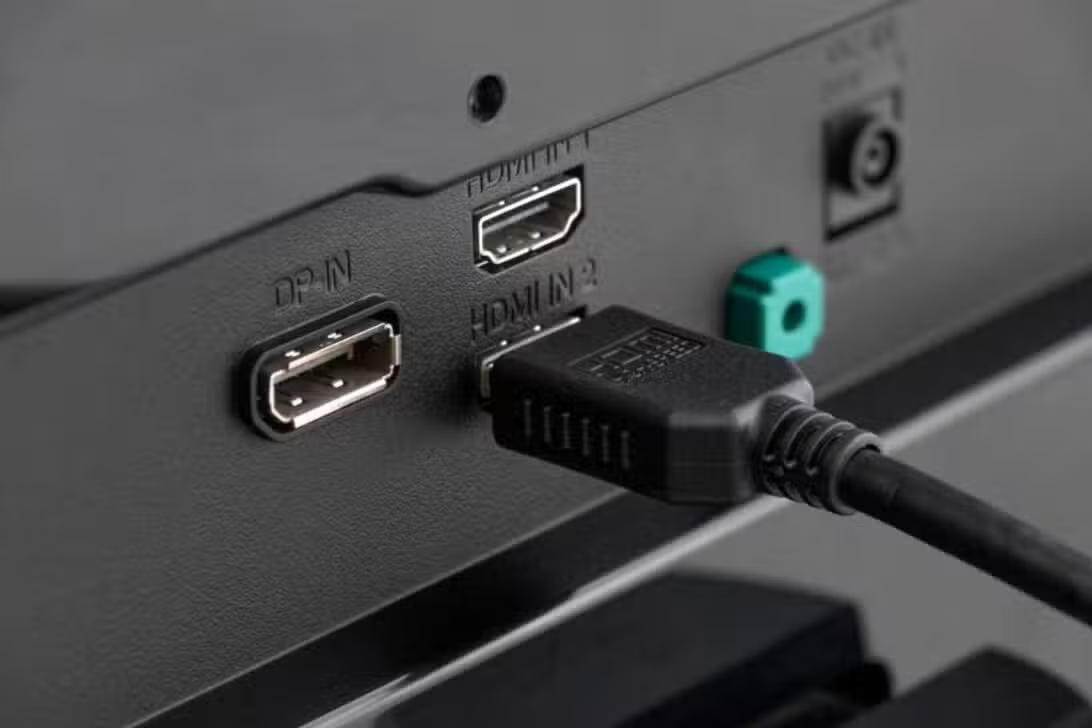
The central problem lies in the way manufacturers configure input ports before sending equipment to retail stores. To maximize compatibility with older electronics, the bandwidth of these connections is intentionally restricted, which creates a direct bottleneck in the data transfer required by current hardware.
The immediate consequences of this restriction are manifested in several noticeable visual downgrades during media consumption or gaming sessions.
– Lack of support for the 120Hz refresh rate in competitive games.
– Automatic disabling of High Dynamic Range (HDR) at 10-bit depth.
– The appearance of irregular color bands due to compression of chroma subsampling.
Resolving this bottleneck requires manual intervention through the television’s operating system, navigating through specific menus that vary significantly depending on the brand and proprietary software installed on the panel.
Technical reason for factory restrictions
Television manufacturers implement this limitation as a defensive strategy to avoid a massive influx of technical support calls related to signal failures. If a modern panel is configured to expect a high-bandwidth signal by default, connecting an old DVD player or traditional cable box often results in a completely black screen or severe audio desync.
Maintaining a universal default mode ensures that any device connected to the display produces an immediate image, prioritizing basic functionality over advanced performance. The industry standard dictates that it is preferable for the user to manually activate enhanced features rather than struggling to get a simple image of a peripheral from past generations.
Direct impact on visual fidelity
When a high-performance console tries to send an uncompressed signal at full resolution at 120 frames per second along with HDR-rich metadata, it will encounter a digital barrier if the port remains in its restricted state. The television forces the equipment to compress the output, lowering the color format to the 4:2:0 standard, which drastically reduces the vividness and precision of the displayed image.
This compression creates a phenomenon known as color banding, where smooth gradients in skies or shadows break into distinct lines and blocks, impairing immersion in graphically intensive applications. The loss of true 10-bit color depth means the panel can’t render the millions of subtle tones needed for realistic lighting and contrast.
Additionally, the restriction disables variable refresh rate (VRR) and automatic low latency mode (ALLM) technologies, which are crucial to maintaining fluidity and responsiveness of controls. Sem these features, players experience increased input lag and noticeable screen tearing during high-speed action sequences.
Nomenclatures used by the main manufacturers
Navigating the settings menu to unlock the ports’ full potential requires understanding the specific terminology adopted by each major technology company. Não A universal naming convention exists across the industry, forcing consumers to decipher proprietary labels hidden in advanced configuration tabs.
On Samsung panels running the Tizen operating system, the required setting is typically labeled as Input Signal Plus or HDMI UHD Color, located in the external device manager settings. Enabling this switch immediately expands the bandwidth capacity of the selected port, allowing the console to transmit its entire data packet.
Televisions manufactured by LG, which use the webOS platform, require users to locate a feature called HDMI Ultra HD Deep Color. Essa setting must be manually switched to the enabled or 4K position for each individual port hosting a high-performance device, prompting a quick reboot of the device to apply the changes.
The Sony Bravia models require a slightly different approach, asking users to navigate to the external inputs menu and change the signal format from standard to enhanced. Certos premium models from other brands, such as TCL or Panasonic, may also offer Dolby Vision-specific modes or high frame rates, requiring precise selection based on connected hardware.
Physical requirements for data transmission
In addition to the software settings inside the television, the physical connection between the console and the panel plays a key role in maintaining signal integrity. Transmitting uncompressed video at high frame rates requires a massive stream of information, specifically 48 gigabits per second, which is the standard set by the latest specification. Using an old cable, even if it physically fits into the port, creates an immediate bottleneck that no software change can overcome. Quando data exceeds the physical capacity of the cabling, the system automatically downgrades the visual output or stops the signal entirely, resulting in intermittent black screens or bright artifacts scattered across the display.
To ensure flawless execution of advanced features, the use of a certified ultra-high-speed cable is mandatory. Esses cables are specifically designed with superior shielding to prevent electromagnetic interference and have the internal wiring necessary to handle extreme data loads. Modern Consoles include these high-capacity cables in their original packaging, but users who replace them with longer, uncertified alternatives often encounter severe performance degradation and communication errors between devices.
Management of previous generation devices
While unlocking maximum bandwidth is essential for modern gaming and streaming hardware, applying these enhanced settings universally across all ports can introduce severe instability when dealing with legacy equipment. Older Eletrônicos, such as first-generation soundbars, basic cable television receivers, or retro game consoles, operate on outdated protocols that cannot process the complex communication requests initiated by an enhanced port. If a user forces a high-bandwidth mode on an input connected to a ten-year-old device, the television’s processor tries to establish a connection pattern that older hardware simply doesn’t understand. Essa Miscommunication leads to a complete breakdown in the digital handshake, resulting in a persistent no-signal message, erratic audio drops, or a display filled with static noise. Portanto, Proper home entertainment system management requires a strategic approach, where users must individually identify the capabilities of each connected device and assign the appropriate bandwidth mode on a port-by-port basis, ensuring that modern consoles receive the enhanced data stream while legacy devices remain in the stable, restricted default mode.
Checking the operating status of the system
After adjusting the television’s internal software and ensuring that the physical cables meet the required specifications, users should check the operational status directly through the console’s diagnostic menus. The operating systems of high-end devices feature dedicated video output information screens that confirm that the panel is successfully receiving the maximum resolution, high refresh rate and dynamic range metadata, validating that the digital path is completely free of bottlenecks.