

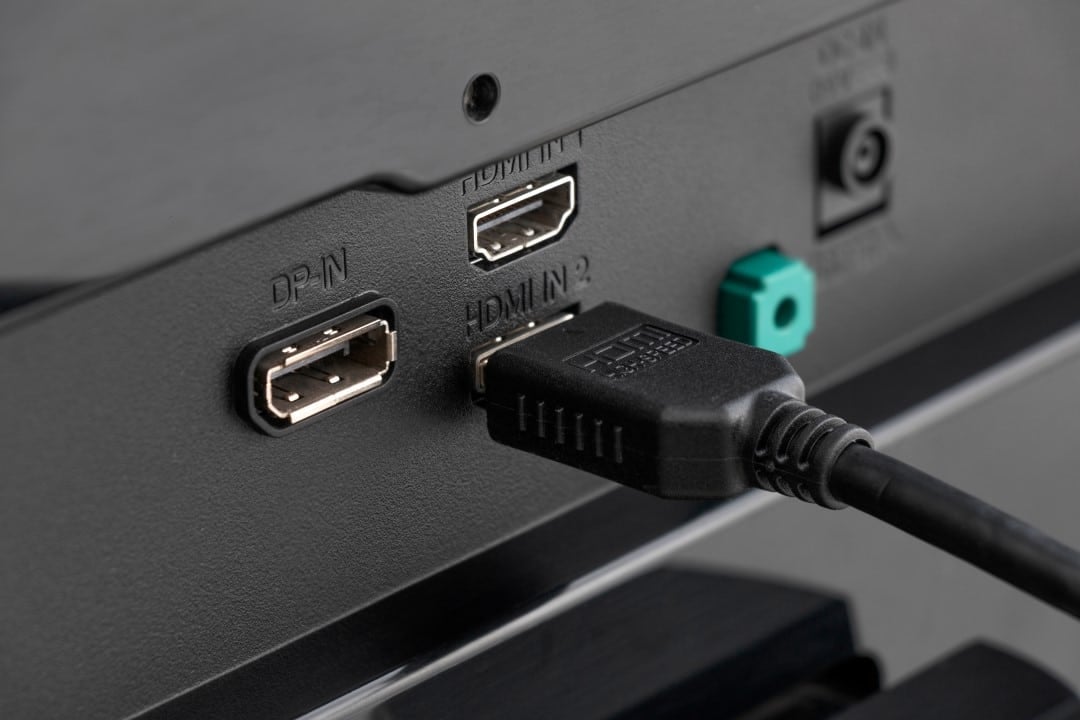
Purchasing high-end video game consoles and advanced streaming devices often runs into an invisible technical barrier in living rooms. Consumidores who invest in modern equipment report frustration when noticing that the visual quality delivered on the screen does not correspond to the technical specifications promised by the device manufacturers, generating doubts about the correct functioning of the newly acquired hardware.
The problem lies in a standard configuration established by television manufacturers, which restricts the bandwidth of video input ports right out of the factory. Essa limitation directly affects color reproduction, frame refresh rate and the activation of high dynamic range features, leveling the performance of powerful machines to that of past generation media players.
– Redução of color depth for lower and less detailed formats.
– Automatic Desativação of High Dynamic Range (HDR) during playback.
– Bloqueio of 120Hz refresh rate in supported games and applications.
– Aumento of the response delay in commands sent by the user control.
Solving this technological bottleneck requires manual intervention in the television’s operating system menus, a procedure often ignored in quick installation manuals and unknown to a large part of the public who just want to connect the cables and start using the equipment.
Technical reasons for factory lockout
The decision by technology companies to limit the capacity of connections has a justification strictly based on backward hardware compatibility. The electronics market is home to a wide range of old devices, such as DVD players manufactured more than a decade ago or obsolete cable TV decoders, which are still connected to modern panels. If the video ports were configured to operate at their maximum data transfer capacity by default, these older devices would not be able to process the signal properly due to the lack of updated communication protocols.
Attempting to force a high-capacity signal onto obsolete hardware results in severe communication failures between connected systems. Users would experience completely black screens, complete absence of audio, constant image flickering, or severe visual distortions that would make use unfeasible. To prevent customer service centers from being overwhelmed with technical support calls for incompatible older devices, the industry has chosen to adopt a conservative standard, prioritizing overall ecosystem stability over immediate peak performance for newer devices.
Visual losses on next-gen consoles
The absence of the correct configuration causes a noticeable degradation in the graphical fidelity of high-resolution games and movies. The video signal undergoes forced compression, known technically as chroma subsampling, generally falling to the 4:2:0 format. Essa mathematical reduction discards essential color information to save transmission bandwidth.
The visual result of this compression is the appearance of irregular color bands in areas that should have smooth gradients, such as the sky in an open-world game or the lighting in a dark scene. Texturas Detailed images lose sharpness, and smaller graphic elements, such as text and user interfaces, may have blurred edges or unwanted visual artifacts.
The limitation also directly affects the fluidity of movement on the screen and response time. Sem the necessary bandwidth, consoles are prevented from sending 120 frames per second to the television, locking the experience at half that capacity and harming the precision required in fast-action competitive games.
High Dynamic Range, responsible for expanding the contrast between the darkest and brightest points of the image, is automatically deactivated by the system. The image loses its intense brightness in bursts or reflections of light, returning to a dull, lifeless appearance characteristic of previous generations of video display technology.
Nomenclatures used by manufacturers
Navigating through the menus to unlock the screen’s full potential requires knowledge of specific terms created by each electronics brand. Não existe um padrão universal na indústria para nomear a função que expande a largura de banda da porta de vídeo, o que gera confusão durante a configuração inicial do equipamento na sala do usuário.
Samsung, in its proprietary operating system, generally classifies this option as “HDMI UHD Color” or “Entrada Plus Signal”, depending on the software version installed. LG, operating on the webOS platform, uses the terminology “HDMI Ultra HD Deep Color” in its advanced picture and external device settings.
Sony requires the user to access signal format preferences and change the specific port from “Standard” to “Aprimorado Format” on their televisions. Outras brands on the market adopt similar naming variations, always hidden in connection management submenus, requiring a thorough search for the correct options.
Physical requirements for data transmission
Releasing the software on the television solves only half of the technical equation, as transmitting data at very high resolution requires a physical medium capable of supporting the volume of information generated by modern processors. The use of old cables, reused from devices from previous generations, creates an insurmountable physical bottleneck in communication between machines. Para For 4K resolution combined with 120 frames per second and active HDR to work without interruptions, it is mandatory to use cables duly certified for the new speeds. The 2.0 standard supports transfer rates of up to 18Gigabits per second, which is sufficient for high resolutions at standard 60Hz frame rates. However, to extract the absolute maximum from the latest consoles, the infrastructure requires the 2.1 standard, specifically designed to support a massive stream of 48Gigabits per second continuously. Uncertified, counterfeit or internally damaged Cabos causes intermittent signal interruptions, screen blinks and device identification failures, forcing the system to automatically reduce image quality to keep the connection minimally stable.
Manual configuration in TV menus
The bandwidth adjustment procedure must be carried out individually for each input port used on the back of the panel. If the user connects the console to the primary port and the streaming device to a secondary port, both will need to be manually configured via the remote control to accept the enhanced video signal.
After changing the system menu, the television performs a quick reset of the specific communication port, cutting the signal for a few seconds before reestablishing the image with the new properties activated. It is recommended that you check the console’s own video settings immediately afterwards to confirm reception and processing of the new display parameters.
Preservation of old appliances in standard ports
Managing the TV’s rear connections requires attention to avoid unwanted hardware conflicts. Aparelhos from previous generations, which do not support advanced resolutions or recent color technologies, must remain connected to ports configured strictly in factory default mode.
Enabling the enhanced format on an input intended for an older media player may cause instability in the display’s operating system and signal recognition failures. Logical separation of ports ensures that modern equipment operates at maximum capacity while legacy devices maintain their basic functionality without communication errors.
Synchronization between software and hardware
Achieving maximum graphic fidelity depends on uninterrupted harmony between the signal generating source, the physical transmission medium and the image receiving panel. Qualquer Failure to configure one of these three pillars results in automatic limitation of visual quality, requiring the user to play an active role in the technological management of their home entertainment center to ensure the proper functioning of all components.



