
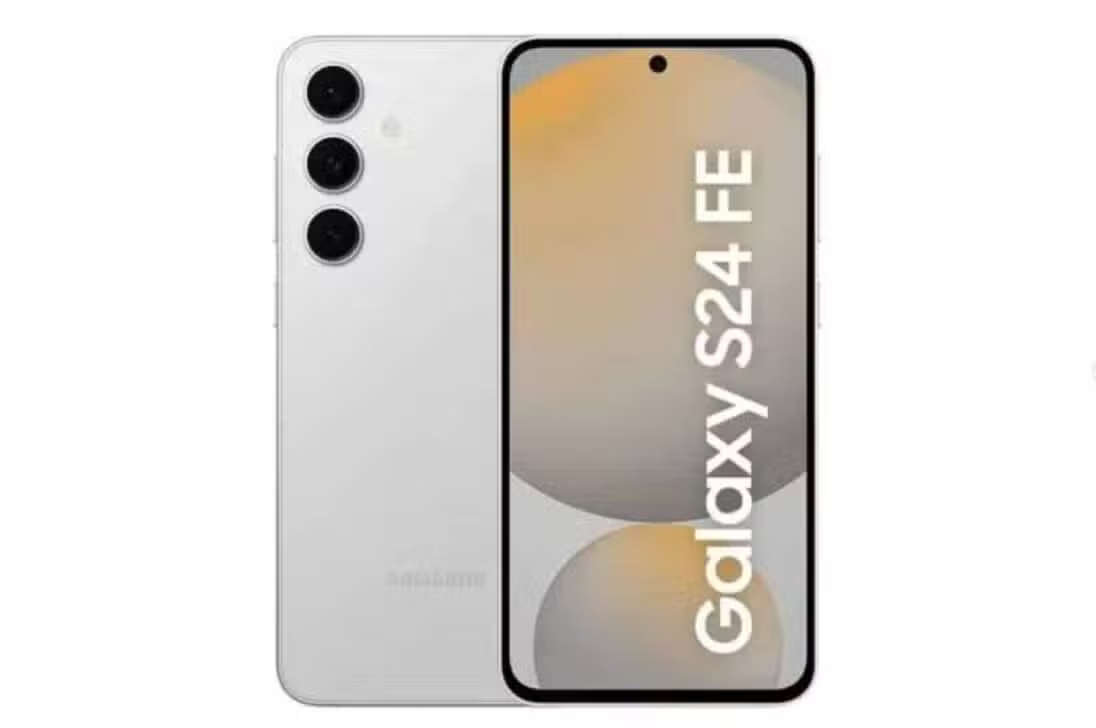
Samsung Electronics has started the internal validation phase of the One UI 8.5 interface for the Galaxy S24 FE smartphone. The procedure takes place in the manufacturer’s laboratories, located in Suwon, in Coreia of Sul. The company focuses on refining tools based on artificial intelligence. General device management also receives special attention. The schedule follows the brand’s annual update plan.
The firmware identified by the engineers carries the code S721BXXU8DYLB. The numbering indicates a stable build of the operating system. The model will receive the definitive update directly. Não will need to go through a public beta testing period. The strategy accelerates the distribution of software for premium intermediary devices. Consumers gain access to new features without facing instabilities common in preliminary versions.

Firmware Detalhes and system architecture
The new interface development cycle integrates the Galaxy S24 FE quickly after its launch. The device hit the market in October 2024. The device has the Exynos 2400e processor and a 6.7-inch screen. The hardware also includes 8 GB of RAM and a 4,700 mAh battery. Model owners expect noticeable gains in daily performance.
The detection of the test software occurred on the South Korean company’s internal servers. The build differs from the beta versions released exclusively for the Galaxy S25 line in specific regions. Os Estados Unidos participate in this initial phase. The manufacturer prioritizes code stability to avoid technical failures recorded in previous transitions. The development is based on the Android 16 QPR2 architecture.
Google’s integration of artificial intelligence models increases the accuracy of native functions. The system processes data more efficiently. The demand on the main processor decreases considerably. Source code optimization results in balanced power consumption during complex tasks.
Ferramentas image editing and connectivity
The update introduces profound changes to the Photo Assist application. The tool allows edits generated by artificial intelligence without interruptions to the workflow. Users can create continuous variations of the same photograph. The system maintains an accessible history. The final selection of the best image becomes simpler. Todas artificial creations are given a mandatory watermark. The measure guarantees the transparency of digital content.
Editing tools process photos in sequence at greater speed. Laboratory tests indicate a reduction of up to 30% in operating time. The Bixby virtual assistant also features more agile responses. Integration with voice commands makes it easy to manage battery level.
- The Quick Share feature receives automatic contact suggestions based on facial recognition present in gallery images.
- Support for Auracast technology allows simultaneous audio transmission to multiple headphones compatible with the LE Audio standard.
- Family Network Sharing expands mobile hotspot capacity to up to five nearby devices simultaneously.
Unified storage management makes it easy to access files saved on branded tablets and computers. The use of cables becomes unnecessary. Transfers occur via Bluetooth and Wi-Fi with end-to-end encryption. The functions cater to remote work scenarios and group events with complete security.
Mudanças visuals and interface usability
The quick settings panel adopts a new format in One UI 8.5. The brightness and volume sliders now have a vertical layout. The change allows elements to be resized. One-handed navigation becomes more intuitive. The themed icons automatically adapt to the colors of the user’s chosen wallpaper.
The lock screen gains native support for new clock and weather widgets. System apps display enlarged usage bars. The Device Care app exemplifies this visual shift. Reducing the amount of text on the screen optimizes the visualization of information in smaller panels. The search bar in the phone app floats at the bottom of the display. Access is via a simple swipe gesture.
The Samsung Health app consolidates body metrics into fully customizable dashboards. Sleep and nutrition monitoring gains real-time integration with smart watches from the Galaxy Watch line. The system issues automatic alerts when it detects irregular heartbeat patterns. Weekly physical activity reports include goals adjustable by advanced algorithms.
Power Management and Protection Mecanismos
Data security receives special attention in the new software package. The theft protection feature activates automatic device locking based on geolocation. Disabling safe mode requires biometric authentication from the owner. Remote blocking via the Find My Mobile function now also operates in offline mode. Activation occurs via SMS message. The command works even when the device loses internet connection.
The December 2025 security patch fixes 70 vulnerabilities in the kernel and system framework. The interface adds a malicious application detection mechanism. The system uses machine learning to automatically quarantine suspicious software. The measures comply with global personal data protection standards.
Battery tests indicate gains of up to 10% in mixed use scenarios. Power management optimization reduces consumption of background applications. The device maintains performance in games and video playback for longer periods. The company guarantees compatibility with all accessories on the market.
Cronograma distribution and ecosystem expansion
The manufacturer plans to expand the new interface to foldable smartphones after the initial phase. The Z Fold6 and Z Flip6 models enter the update queue right after the S25 line. The Tab S10 series tablets begin internal testing in the first quarter of 2026. Intermediate cell phones in the A family follow the same schedule. The Galaxy S24 FE is guaranteed to support seven years of system and security updates.
The beta version of the software collects user feedback through the Samsung Members app. The broad release of the stable build is expected to occur in the second quarter of 2026. The timing coincides with the official launch of the upcoming S26 lineup. Consumers will have access to the download directly from the device’s settings menu.
The web installation package requires approximately 400 MB of free space on internal storage. The system transition occurs transparently. Formatting the device is not necessary. The company remains focused on delivering an integrated and functional ecosystem for all market segments.