Apple releases iOS 26.4 update focusing on music organization and data privacy
Apple has released the final version of the iOS 26.4 operating system for all compatible iPhone models. The software package introduces modifications focused on daily usability, with direct changes to media management, network connection control and browsing security. The installation file has been distributed gradually since the end of March 2026, reaching devices connected to the internet around the world.
Owners of the brand’s devices can force the search for the new system through the Ajustes path, followed by Geral and Atualização of Software. The download and installation procedure does not require the use of intermediary computers and only requires a stable Wi-Fi connection and a sufficiently charged battery. The operating system replaces the central files generally during the night, when the phone remains connected to the socket, releasing the new functions shortly after the automatic hardware reset.

Gerenciamento Advanced Tracks and Playlists in Apple Music
The native audio playback application received specific tools for subscribers who manage extensive virtual libraries. The software now allows the selection of a single music track for simultaneous insertion into multiple different playlists. The mechanism eliminates the need to repeat the search and add process for each individual playlist, reducing interaction time with the application interface when organizing your personal collection.
The streaming platform also incorporated a mass deletion command based on the authorship of the works. The user types the name of a specific artist within an existing playlist and the operating system immediately removes all matching tracks. The automatic curation tool meets a long-standing consumer demand for more agile options for cleaning and restructuring music collections saved on the device.
The media player interface design has undergone subtle visual refinements when browsing full albums. Full-screen view now prioritizes clearer cover art and rearranges the playback control buttons at the bottom of the panel. The transition between the search screens and the play queue presents greater graphic fluidity, optimizing the touch response on the latest iPhone models.
Controle detailed about data usage in personal access
The iPhone’s Wi-Fi router function, known as Acesso Pessoal, has gained a network traffic monitoring panel. The owner of the device that shares the mobile internet connection now sees a complete list of all hardware connected to their temporary network. The dashboard displays accurate metrics on mobile broadband consumption, breaking down the information by each currently paired device.
Connection details include specific information that makes it easier to identify unknown devices or those with high data consumption. The shared network settings panel displays the following real-time data:
- Nomenclatura and exact model of the equipment connected to the iPhone network.
- Quantidade exact number of gigabytes or megabytes transferred by each user.
- Registro chronology of the time of the last download or upload activity.
The network transparency tool helps control limited data allowances offered by telephone operators. Active monitoring prevents the internet package from running out quickly during travel or family sharing situations, allowing the network administrator to disconnect specific devices that are carrying out heavy downloads in the background.
Prioridade in tasks and new battery limits in shortcuts
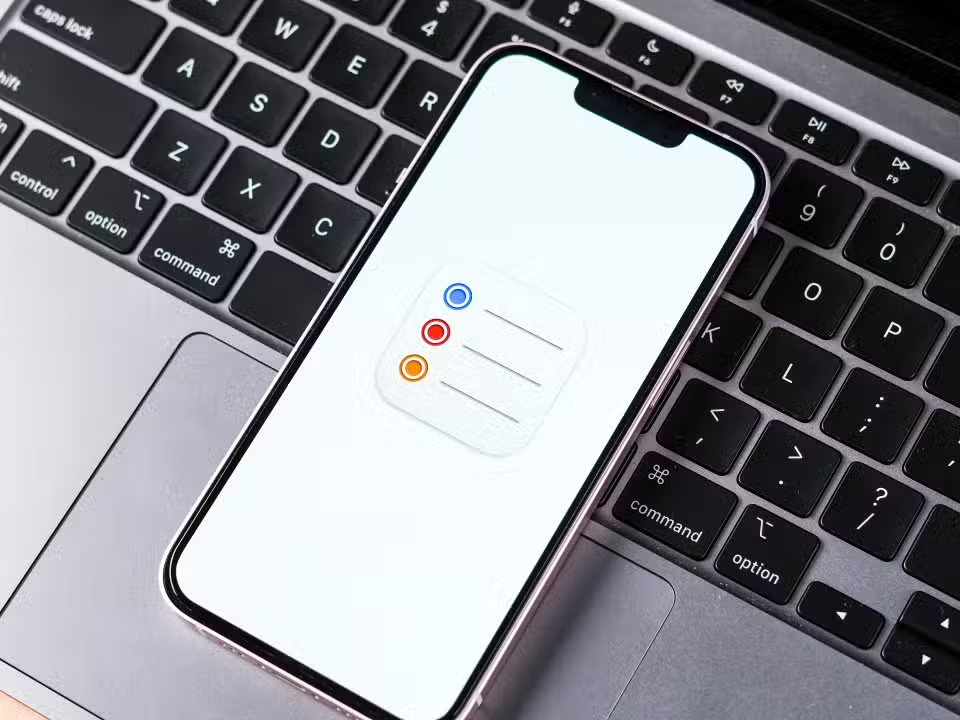
The Lembretes application introduced a native category called Urgente on the platform’s home screen. Items registered directly in this section assume the top of the application’s visual hierarchy, overlapping shopping lists or routine tasks. The user can convert old reminders into urgent priorities by long-pressing the text or accessing the task’s individual editing menu.

João Fonseca eliminates Novak Djokovic on the Philippe-Chatrier court at Roland Garros

José Mourinho confirms return to Real Madrid: Portuguese coach signs contract, according to newspaper
Brazilian tennis player João Fonseca defeats Novak Djokovic after five sets and advances to the round of 16 at Roland Garros
The iPhone’s automation system, managed by the Atalhos application, received new commands aimed at preserving battery life. The phone owner can set a temporary charging lock, setting a maximum power ceiling between 80% and 100%. Load restriction remains active for an exact 24-hour cycle before returning to factory default automatically.
The power limit setting can be quickly activated without having to open the full app. The system allows you to attach a shortcut button directly to the device’s Tela or Bloqueio or inside the Central of Controle. The function serves users who keep their phone connected to power for long periods during work hours and seek to avoid chemical stress on lithium-ion cells.
Filtros calling and additional privacy protections
The video and audio communication service FaceTime has implemented a security barrier against unsolicited international contacts. The setting automatically blocks connection attempts originating from foreign area codes, silencing the notification on the device’s screen. The filter operates selectively, maintaining normal reception of calls from unknown local numbers that are not in the user’s phonebook.
The Safari browser received an extra layer of blocking linked to the Tempo resource of Uso. The operating system requires biometric authentication via Face ID or alphanumeric password entry before allowing deletion of the history of visited websites. Requiring credentials prevents third parties from erasing browsing tracks when the device is temporarily loaned to others.
The Contatos application has undergone a review in the management of visual identification posters. The contact card interface displays a direct shortcut button for deleting the profile image assigned to a specific person, eliminating the need to go into full edit mode. The contact panel also adopted translucent graphic elements that adapt to the wallpaper chosen by the user.
Ajustes system and organization technicians at App Store
The device information menu has hidden software engineering data to simplify reading for ordinary users. The Sobre screen, located on the Ajustes, only shows the major version number of iOS 26.4. The specific software build number, used by developers and support technicians, only appears when the user physically touches the system version field.
Apple’s official app store has restructured the consumer profile management page. The button to access account settings and active subscriptions has been repositioned to the area immediately below the user’s name and photo. The layout change reduces the number of screen taps required to cancel paid services or update payment methods registered with the credit card.
The update package carries manufacturer-documented security fixes and code tweaks that optimize background data processing. The technology company advises immediate installation of the software to ensure hardware protection against recently mapped security flaws. The operating system replacement procedure keeps personal files, photographs and applications previously installed in the device’s internal memory intact.
Veja Tambem em Latest News (EN)
Brazilian tennis player João Fonseca surpasses multi-champion Novak Djokovic and advances to the round of 16 at Roland Garros
Tennis player João Fonseca beats Novak Djokovic in five sets on clay at Roland Garros
Tennis player João Fonseca eliminates Novak Djokovic in a five-set match on the Philippe-Chatrier court

Apple launches iOS 18.4 system with artificial intelligence in Portuguese for iPhone users

PlayStation 6 details reveal cost of up to US$599 and AMD Zen 6 processor for new generation

Launch of the OnePlus Ace 6 Ultra brings 8500mAh battery and 165Hz screen to the Chinese market

Huawei Watch GT 6 device centralizes well-being metrics with Health Insights system

Hubble Telescope records nucleus of the Lagoon Nebula and reveals nursery of massive stars

Prime Video reveals films and series for June 2026, including Todo Mundo em Pânico and Five Nights at Freddy’s 2
João Fonseca defeats Djokovic today in the third round of Roland Garros in Philippe-Chatrier

NASA announces 3 robotic missions to the Moon in 2026 to begin construction of a permanent base