
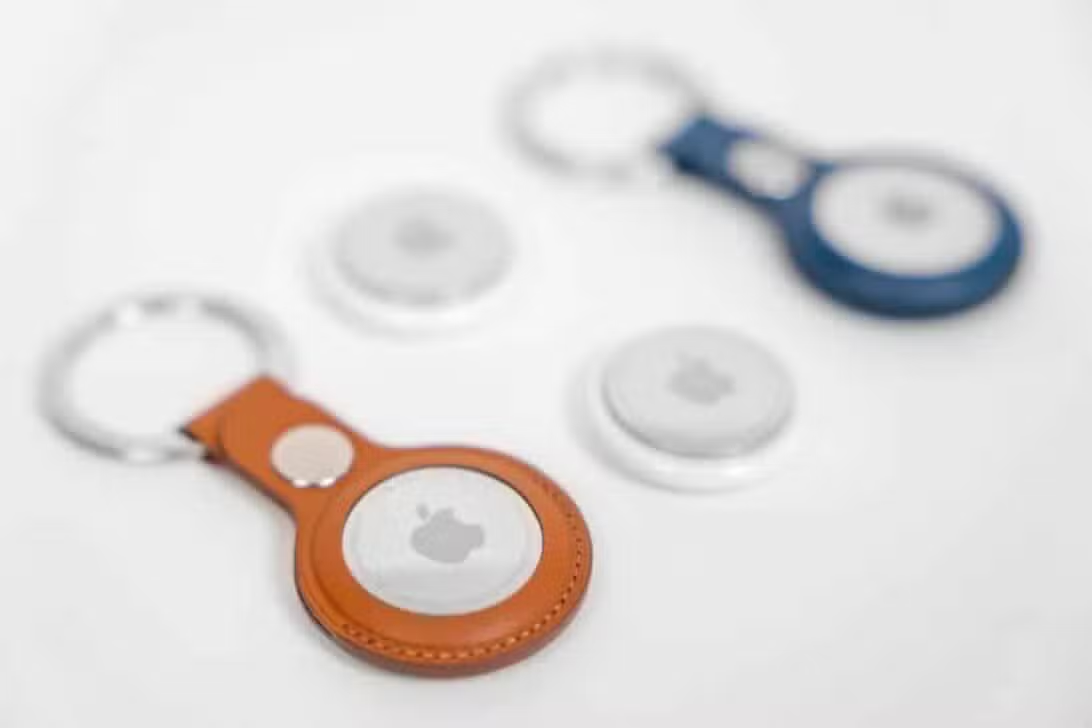
Just five days after officially hitting global shelves on January 26, 2026, the second generation of the Cupertino giant’s smart tracker has just received its first software intervention. The company began distributing firmware version 3.0.45 for the device, replacing the 3.0.41 edition that was factory installed in the initial batches. This rapid movement demonstrates the manufacturer’s commitment to stabilizing the ecosystem of its new hardware in the first week of public availability, ensuring that the first buyers have the best possible experience with the equipment fresh out of the box.
As is tradition in the brand’s technical transparency policy for its smaller accessories, release notes detailing the exact corrections contained in this data package were not released. However, technology market analysts and developers point out that this type of initial update, known as a “Day One patch” in the industry, fundamentally serves to correct small communication bugs identified after mass production and improve the overall stability of the system. It is a standard procedure that aims to refine the integration of the small tracking disk with the company’s vast network of devices spread around the world.

- The verification and installation process of the new software occurs exclusively through the native Buscar (Find My) application, present on the brand’s smartphones and tablets.
- To view the technical details of your tracker, the user must navigate to the tab dedicated to personal objects and select the specific device from the list of paired devices.
- The exact number of the current firmware is only revealed when the owner taps directly on the accessory name on the detailed information screen.
Silent software installation mechanics on apple devices
Unlike what happens with the brand’s cell phones or computers, where the user receives a notification and a clear button to start downloading a new operating system, tracker maintenance takes place completely invisibly. The data package is transferred in the background when the accessory is physically close to the owner’s smartphone, connected to the internet and, preferably, with both devices at rest. This approach eliminates the need for human intervention, but it also means there is no official method to force the update immediately, requiring some patience from eager consumers.
One of the great highlights of this new generation of trackers is the incorporation of a second generation Ultra Wideband chip, which redefines the physical limits of location technology. With this updated silicon architecture, the Precise Search functionality, which guides the user with directional arrows on the cell phone screen, has expanded its reach by up to 50% when compared to the original model. This hardware improvement makes it possible to find lost keys in the backyard or suitcases on airport conveyor belts with a margin of error of a few centimeters, even at considerably greater distances.
In addition to enhancing the range of the directional signal, the new internal architecture was designed to be extremely efficient in energy consumption. Experts suggest that the recently released software update may contain optimized algorithms precisely to better manage the power peaks required by this new ultra-wideband chip. In this way, the manufacturer ensures that the promise of a battery lasting more than one year is strictly fulfilled, preventing the new long-range capabilities from draining the cell’s energy prematurely.
Wireless Connectivity Optimization and Power Management
While ultra-wideband is the star of the show for precision localization, the Bluetooth protocol remains the backbone of the tracker’s daily communication with the outside world. It is through low energy Bluetooth that the device emits its encrypted signals to the brand’s global network of devices, allowing a lost item to be detected by an unknown cell phone that passes nearby. Firmware 3.0.45 is believed to bring refinements to the cadence of these Bluetooth “pings”, making communication more robust in areas with a lot of signal interference, such as shopping malls or dense urban centers.
Another fundamental pillar that often receives silent adjustments via firmware is the security system against unwanted tracking. Since the launch of the first version of the product, the technology industry has worked together to create standards that prevent the use of these devices for stalking. Updates like this are crucial for calibrating the sensitivity of alerts that warn a person when an unknown tracker is moving with them, ensuring that audible warnings and screen notifications work with absolute accuracy without generating annoying false positives.
Step by step to confirm the system version on your tracker
For owners who want to audit the status of their new equipment, the virtual path is quite simple, although a little hidden in the interface. The user needs to open the Search application on their main mobile device, be it a branded phone or tablet, and go to the lower section of the screen, where the item menu is located. When you locate your newly acquired tracker in the visual list, just one tap opens the individual control panel for that specific object.
The interface trick that many are unaware of is that the software version is not immediately displayed. You need to tap the top area of the panel, exactly where the tracker name and battery icon are displayed, for the interface to toggle the information and reveal the serial and firmware numbers. If the dashboard displays the string 3.0.41, it means that the latest data packet has not yet been transferred. In this scenario, the only valid technical recommendation is to keep the accessory close to the phone connected to Wi-Fi and wait for the automated system to do its work over the next few hours or days.
Hardware Requirements to Take Advantage of Precision Tracking
To extract the maximum potential from radio frequency innovations introduced this year 2026, the ecosystem requires the user to have a smartphone compatible with the latest technologies. Improved Precise Search, which uses the augmented reality interface and long-range directional arrows, requires a phone equipped with the corresponding ultra-wideband chip, which includes the iPhone 15 line or higher models, running the most current version of the company’s mobile operating system.
This does not mean, however, that consumers with older devices are excluded from the experience. Previous generation phones remain perfectly capable of registering, configuring and locating the new generation of tracker, but will depend exclusively on approaching via traditional Bluetooth signal and issuing sound alerts to find the lost object. The manufacturer has intelligently maintained backwards compatibility, ensuring that the product is useful for its entire user base, regardless of the age of their smartphones.
Commercial context and physical changes in the second generation of the product
The official launch at the end of January 2026 consolidated the company’s new pricing and packaging strategy for the tracking accessories segment. The device arrived on the North American market costing US$29 per unit, while the economic package containing four units was priced at US$99, encouraging volume purchases for families or users with multiple items of value. As an additional attraction to boost direct sales, the company maintained its policy of offering free personalized engravings with emojis or initials for those who purchase the product through its official stores.
From a physical design perspective, the most notable change accompanying this cycle of software updates is the redesign of the built-in speaker. Hardware engineers redesigned the small disc’s internal acoustic chamber, resulting in a significantly louder beep with frequencies that are easier for the human ear to identify, even when the object is muffled beneath heavy cushions or inside lined backpacks. This physical change works in conjunction with the new firmware to optimize touch patterns.
The release of this data package coincides with a recent wave of updates to other accessories in the ecosystem, including the brand’s premium headphones, highlighting a concentrated effort by the manufacturer to unify and polish the user experience of all its peripherals. Maintaining the habit of periodically checking the status of these small devices in the central search app is a best practice to ensure that the latest privacy defenses and connectivity improvements are always active and protecting the user’s belongings.