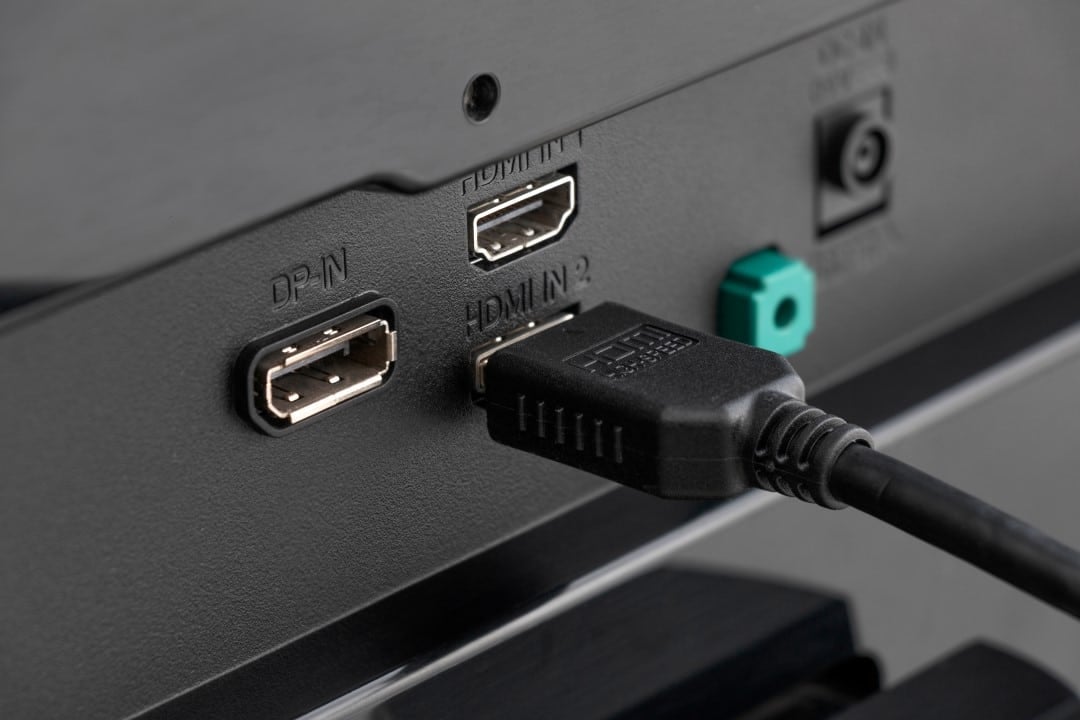
Those who invest in modern entertainment equipment, such as the PlayStation 5, Xbox Series X and Apple TV 4K, expect to obtain the best image quality available on the market. Many consumers spend significant amounts of money on ultra-high definition screens, but end up dealing with disappointing results. Most of the time, the image presents dull tones, the dynamic contrast fails to deliver the advertised brightness and the clarity of the visual elements is compromised. This technical barrier, contrary to what it may seem, does not indicate a physical problem with the display, but results from a software lock in the screen system itself or the use of inappropriate cabling.
The root of this graphical blockage lies in the way the rear connections leave the assembly lines programmed. Technology companies choose to favor integration with old players, ensuring that any electronic device transmits an image when connected. To prevent communication failures with devices that do not process large data packets, manufacturers purposely cut the ports’ traffic capacity, which ends up penalizing the operation of recent hardware.
Understanding the size of this bottleneck requires observing the exact degradations that affect the image when the television forces compression of the digital signal. The most obvious defects during playback include:
- Abrupt drop in tone depth, which makes reproduction of the true 10-bit HDR format unfeasible.
- Application of chroma subsampling, a flaw that destroys the sharpness of texts and leaves graphical interfaces blurry.
- Blocking of higher frequencies, preventing the panel from reaching the 120Hz mark in online games.
- Break in synchronization protocols, causing horizontal cuts on the screen during rapid scene movements.
Manufacturers’ strategy to avoid incompatibility with old electronics
The choice to lock the HDMI inputs to a basic readable format represents a business tactic designed to reduce customer service expenses. When the user installs the screen in the room and connects an outdated device, such as a DVD player from the early 2000s, the software must immediately process the image. If the port were configured to accept the maximum load of information, these old electronics would fail to exchange data, generating blank screens, beeping noises or continuous visual interruptions.
To avoid a daily volume of technical support calls about supposed display failures, the sector adopts a highly restrictive security protocol. In the past, an unstable electrical pulse coming from an old player would cause the TV’s main board to freeze. Currently, the task of unlocking the equipment’s full capacity is in the hands of the buyer, who is often unaware of the existence of this hidden lock in the system’s internal menus.
Consequences of data compression on faithful color reproduction
The cut in traffic capacity interferes with the physics of digital communication between the generating source and the lighting panel. In the factory setting, the input strangles the passage of data, forcing the console or player to severely compress the video file before sending it over the wire, destroying the purity of the original file.
The most visible damage from this data shrinkage appears in chroma subsampling, often downgraded to the default 4:2:0 by software. In a mathematical way, the system discards vital pigmentation information to save bandwidth space, which eliminates the natural transition between tones and causes the effect of demarcated bands on the screen, something very noticeable when navigating through the menus.
Dynamic contrast is also profoundly impacted by this software lock. Without the necessary space for data traffic, the processing board fails to read the instructions that form the 10-bit image. In practical reality, the display capacity drops from 1.07 billion tones to just 16.7 million, corresponding to the old 8-bit standard, which drastically impoverishes the visual experience.
The variation in light between areas of shadow and points of greater light loses the strength projected by recording studios. The glare of the sun in open world games or the reflection of lights in films lose their visual prominence, leveling the image quality to what was delivered by panels manufactured five or six years ago.
How bandwidth throttling hurts performance in competitive games
In the video game industry, the demand for instant graphics rendering is reaching extreme levels, which exacerbates the effects of this factory setting. High-performance computers and current generation consoles release a gigantic volume of information per second to support the complexity of maps and the speed of movement.
When input operates in the basic format, essential tools such as Variable Refresh Rate (VRR) and Automatic Low Latency Mode (ALLM) are immediately blocked. The user loses the ideal response time, and the monitor begins to display tearing in the image during camera rotations, in addition to registering a clear delay between pressing the button and the character’s action.
Under these technical barriers, achieving 4K resolution running at 120 frames per second becomes a mathematical impossibility, as the format requires the free passage of 48 Gbps provided by the HDMI 2.1 cable. The system identifies the blockage in the door and, autonomously, reduces the quality of the texture or divides the fluidity in half, nullifying the financial expense spent on purchasing the video game.
Different nomenclatures used by Samsung, LG and Sony in menus
The path to freeing up data traffic comes up against the lack of standardization in the electronics industry itself, which creates different names for the same tool. Samsung, for example, camouflages the feature under the title HDMI UHD Color within the Tizen system. LG chooses to call the function HDMI Ultra HD Deep Color in the webOS options. Sony asks Bravia line owners to change the signal format to the advanced option. Companies like TCL, Philips and Panasonic use similarly confusing paths. The ultimate goal of all these changes is to allow the 18 Gbps of version 2.0 or the 48 Gbps of version 2.1 to run unhindered between the source and the screen.
Correct way to change system input settings
To correct this limitation, the consumer needs to take the original control and access the main operating system panel. The path requires going to the general settings icon and searching for the connections sector, external device management or video inputs, varying depending on the brand of display.
Locating the signal formats tab represents the fundamental step to specifically modify the port where the video game or player is plugged. The change from standard format to expanded mode happens instantly, causing the panel to flash or go out for a brief moment while the software restarts reading and applies data traffic without interruptions.
Requirement of certified cables to support data traffic
The physical structure of the wire acts as the main route for transporting this electrical charge, which makes it pointless to change the software if the cable is incompatible. Connecting an old wire, with damage to the internal mesh or worn connectors, generates a physical barrier that destroys any benefit activated in the television menus.
To ensure that high refresh rates and dynamic colors reach the main board, the consumer must use cables approved by technology regulatory bodies. High-speed rated wires get the basics done, but to take advantage of the full capabilities of recent ports, ultra-high-speed models are mandatory components in installation.
Precautions when plugging old equipment into high-speed ports
Although modern electronics need broadband to function correctly, the technical indication points to activating the feature only on the inputs used by them. Old equipment, when subjected to ports with maximum free traffic, often presents signal instability, no sound or a completely dark screen. For this reason, the owner must individually manage what is connected to each space on the back panel.