


The iOS 26 update, released by Apple in late 2025, introduced a number of improvements to the ecosystem, but no tool proved as transformative for daily productivity as the native Vista Previa app. Inspirado in its robust macOS counterpart, the app has established itself over the past few months as a complete solution for document and image management, eliminating dependence on multiple third-party applications for essential tasks.
For many iPhone and iPad users, Vista Previa represents a fundamental change in the way they interact with digital files. Apple’s proposal was clear: to create an integrated, safe and powerful tool that would allow viewing, annotating, signing, scanning and editing PDFs and photos without leaving the operating system’s native environment, ensuring fluidity and security.
Since its launch, the application has gained fans for its intuitive interface, which perfectly aligns with the system’s design, and for a set of features that cater to both casual users and professionals who need agility in their mobile workflows. The ability to centralize so many operations in a single location saves time and simplifies file organization in iCloud Drive.
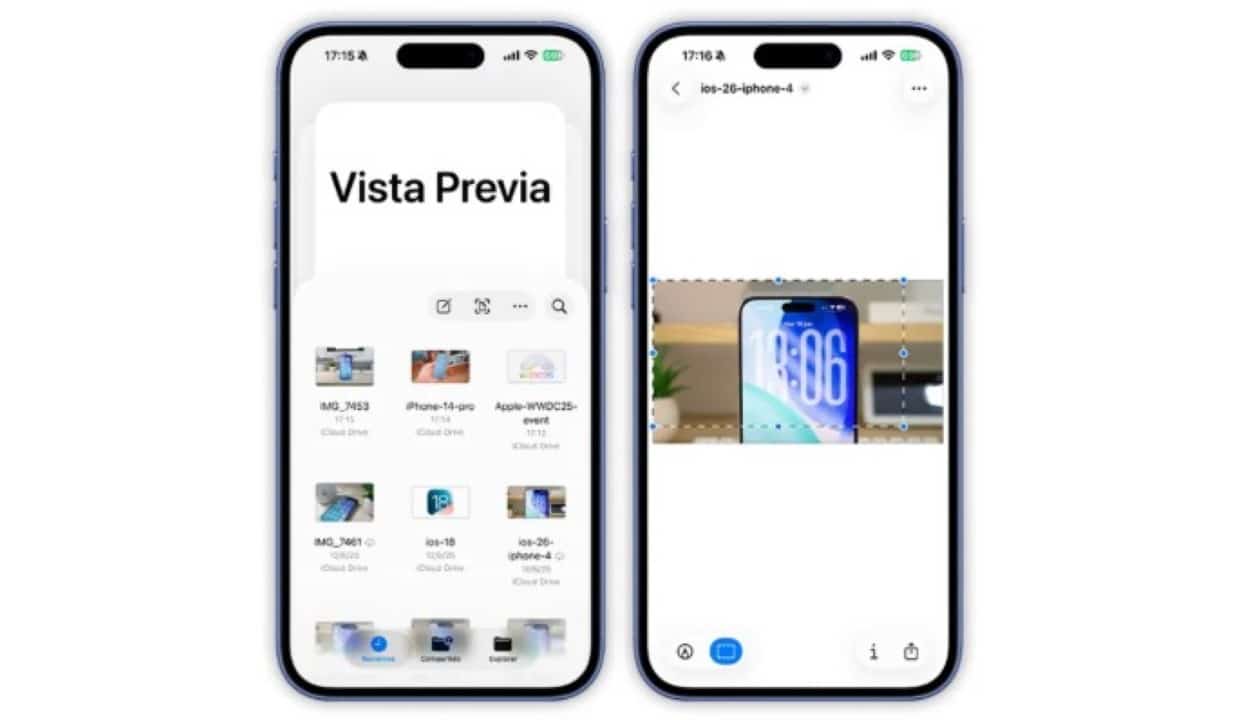
Essential features for manipulating PDFs
The true power of the Vista Previa is revealed in the manipulation of PDF documents, an increasingly common task in professional and academic environments. The tool goes far beyond simple visualization, offering a complete markup set that allows you to highlight important sections with different colors, underline or strikethrough text and add comments anywhere in the document. For professionals who deal with contracts, the digital signature function is a differentiator, allowing you to create and save multiple signatures to apply them with just one touch. Filling out forms was also optimized, with the system automatically suggesting information such as name, address and email, streamlining bureaucratic processes. iCloud integration Além Furthermore, security is a fundamental pillar, and the app allows you to protect sensitive files with robust passwords, guaranteeing the confidentiality of information without resorting to external software that could present vulnerabilities.
Image editing with advanced tools
When it comes to image editing, Vista Previa surprises with the robustness of its tools, which rival many dedicated photo editors. AI-enhanced background removal functionality lets you isolate the main subject of a photo with surgical precision in seconds, making it easy to create montages or prepare images for presentations. Ferramentas classics like cropping, rotation and perspective adjustment are present, but with the fluidity and tactile feedback you’d expect from a native Apple application.
The platform also offers detailed controls for color, brightness, contrast and saturation adjustments, allowing users to refine their photos directly on the device. Para iPad owners, full compatibility with the Apple Pencil takes the experience to another level, enabling handwritten notes, drawings and touch-ups with high precision. Essa versatility transforms the iPhone and iPad into true portable editing studios, capable of performing everything from quick adjustments to more complex edits that would previously require a computer.
Deep integration with the Arquivos application
Vista Previa does not work as an isolated application, but rather as an intelligent extension of the Arquivos application. Essa synergy dramatically optimizes document management across iCloud Drive and other connected cloud services.
When browsing folders in Arquivos, a simple tap on a PDF or image not only opens a preview, but loads the full Vista Previa editing interface, allowing immediate actions without the need to switch between different applications.
Document scanning with artificial intelligence
One of the most praised features is the ability to turn your iPhone into a high-quality scanner. Utilizando the device’s camera, the app captures images of documents, receipts or whiteboards with stunning clarity.
Artificial intelligence kicks in to automatically correct perspective, remove shadows, and highlight text, resulting in a crisp, readable digital file.
The user can scan multiple pages in sequence and the application automatically groups them into a single PDF file, simplifying the scanning of contracts or academic work.
Additionally, integrated Reconhecimento Óptico (OCR) technology allows text within scanned documents to be searchable, making organizing and searching for information much more efficient.
How Vista Previa optimizes daily productivity
The main benefit of Vista Previa is the centralization of tasks that previously required the installation of several applications, many of them with paid subscriptions. By unifying a PDF reader, image editor, document scanner and annotation tool into a single native solution, Apple simplifies the user’s workflow.
This approach not only saves storage space on the device, but also creates a more cohesive and secure working environment, where all tools talk to each other and the operating system harmoniously.
Combining and exporting files in a simplified way
The application’s versatility extends to its ability to combine different file types into a single PDF document. It is possible, for example, to create a report by merging pages from a text document, spreadsheets, images and even pages scanned on the spot. Esse feature is extremely useful for students and professionals who need to compile materials from different sources into a single cohesive file for sharing. The export process is also flexible, allowing the user to choose the quality and format of the final file, as well as easily sharing it through the native iOS menu.
Tips for exploring the app’s full potential
For new users, the best way to get started is to open an existing PDF document in the Arquivos app to explore the markup tools. Then it’s worth testing the scanning function with a receipt or a book page to see the scan quality and automatic corrections. Outra tip is to explore photo editing, especially the background removal feature, which can be used to create stickers or images with a transparent background. Finally, trying out iCloud syncing by editing a document on your iPhone and watching your changes appear in real time on your Mac or iPad demonstrates the power of the Apple’s integrated ecosystem.



