
Home Up update for Samsung’s One UI 8.5 beta brings new gesture controls and widget lock

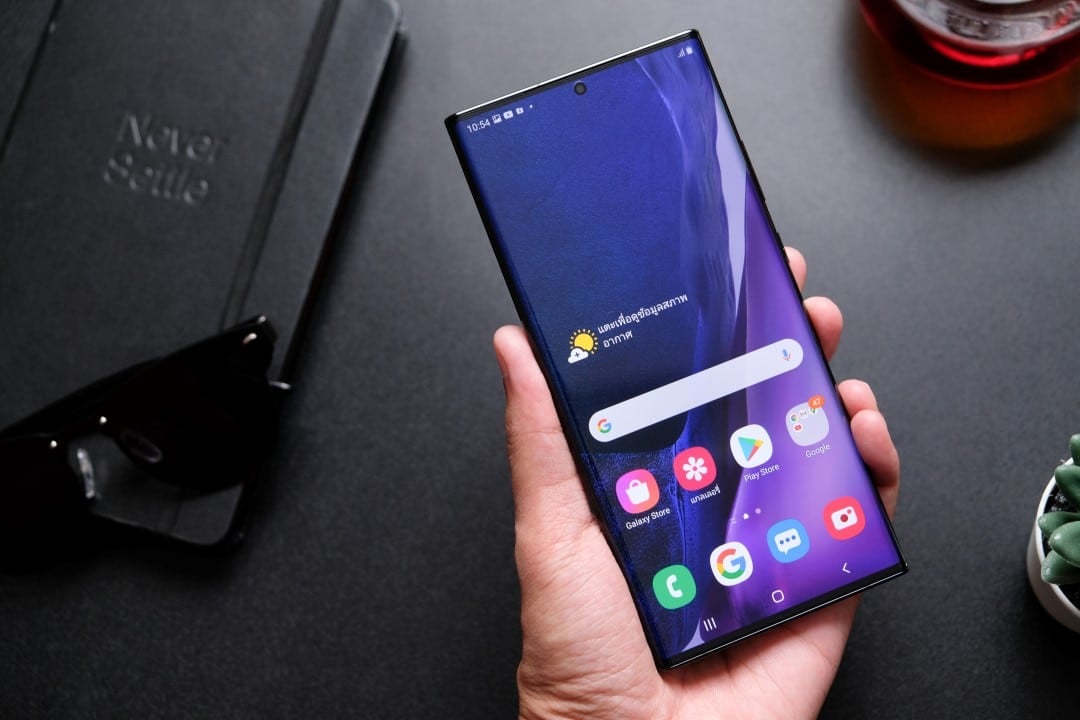
Samsung has started rolling out a new update for the Home Up module, one of the most popular customization tools in the Good Lock ecosystem. The new feature is aimed at users who participate in the One UI 8.5 beta program, introducing long-awaited features that promise to significantly improve the experience of using the home screen on Galaxy devices. Entre highlights are a widget lock system and improved gesture controls.
Available for download through Galaxy Store, the update aims to refine user interaction with the interface, offering greater control over the organization of icons and widgets. The implementation of these tools responds to constant feedback from the community, which was looking for more flexibility and security to avoid accidental changes to the personalized home screen configuration.
The improvements aren’t just limited to the home screen. The update also optimizes the app drawer and sharing menu, known as Direct Share. With these changes, Samsung reinforces its commitment to offering one of the most customizable operating systems on the market, allowing each user to adjust the device according to their preferences and workflow needs.
OneUI 8.5 用のホーム UP がリリースされました
追加された主な機能は次のとおりです。
– フォルダーのサイズ変更とスクロール機能 (ウィジェットと同様)。
– 統合パネル (エッジパネルにショートカットと連絡先を追加)。
– ホーム画面でアプリのラベルとラベルの色を編集します。
– ウィジェット設定 (スケールのカスタマイズ)。pic.twitter.com/ypi1O6Yzpq— NMPS (@FamilyTaes)2026 年 1 月 19 日
New locking features for widgets
One of the most celebrated additions in this version of Home Up is the ability to lock widgets on the home screen. Essa function is designed to prevent users from accidentally moving, resizing, or removing a positioned widget, a common problem that can disrupt carefully planned layouts.
When activating the feature, widgets remain fixed in their positions, ensuring that the appearance of the home screen remains consistent. The functionality is especially useful for those who use multiple widgets to obtain quick information, such as weather, calendar and news, and do not want to worry about involuntary touches.
Activation is simple and can be done directly in the Home Up module settings. Once enabled, widget lock offers an extra layer of security for user customization, keeping the visual organization intact during daily use of the device.
This tool demonstrates Samsung’s attention to detail and user experience, solving a small frustration that, for many, represented a recurring annoyance. Home screen layout stability is critical to productivity and device familiarity.
Improved and customizable gesture controls
The Home Up update also brings significant advancements to gesture navigation, a cornerstone of the modern Android experience. The Samsung has expanded customization options, allowing finer adjustment of the sensitivity of gestures, especially the “back” gesture, which can now be configured to have a smaller activation area, avoiding accidental activations when interacting with the edges of the screen. Isso resolves a point of friction for many users who encountered difficulties with applications that have menus or side scroll bars.
In addition to sensitivity adjustments, a new gesture was introduced for the application drawer. Agora, users can swipe down anywhere in the drawer to instantly open the search bar. Essa small change optimizes workflow, making searching for apps faster and more intuitive, especially on devices with larger screens, where reaching the top of the screen with just one hand can be uncomfortable. Essas improvements refine usability and make interaction with the One UI more fluid and efficient.
Direct sharing interface optimization
The sharing menu, also known as Direct Share, received special attention in this update. Samsung has implemented a feature that allows users to customize which applications and contacts are displayed as suggestions, making the process of sharing files and links cleaner and more organized.
Previously, the menu could become polluted with irrelevant suggestions, based on algorithms that did not always match the user’s preferences. With the new version, it is possible to hide applications that are rarely used for sharing, prioritizing those that are more frequent.
This change not only speeds up the process, but also increases privacy by giving the user control over which contacts appear as shortcuts. The ability to customize this critical area of the interface has been a long-standing request from the community and drastically improves the usability of the system.
Flexibility in organizing folders and applications
The new version of Home Up deepens customization options for folders and the app drawer, offering granular control that goes beyond the default settings of the One UI. Users can now adjust the background blur level when opening a folder, change the layout of the icon grid within it, and even enable a “folder pop-up” that displays apps in a floating window instead of taking up the entire screen. Essa flexibility allows the creation of a unique visual experience adapted to each person’s taste. Para the app drawer, the update introduces a continuous vertical scrolling feature, eliminating horizontal paging and making it easier to navigate through long lists of apps. Adicionalmente, it is possible to hide the names of applications, creating a minimalist and clean look, where only the icons are displayed. Essas tools, combined, transform the home screen and app drawer into a truly personal space optimized for productivity.
Ecosystem Good Lock as a differentiator from Samsung
The Good Lock has established itself as one of the biggest differentiators of the Samsung in the Android smartphone market. Trata is a suite of official applications that allows deep customization of the One UI, going far beyond what the system offers natively. Ele works in a modular way, with each “module” focusing on a specific aspect of the system.
Home Up is one of those essential modules, focused exclusively on the home screen and app drawer. By continuing to invest in tools like this, Samsung directly serves the enthusiast audience and “power users”, who value the ability to adjust every detail of the software so that it behaves exactly as they want.
Gradual update availability
The new version of Home Up is being gradually released to participants in the One UI 8.5 beta program. Initial availability is concentrated on the latest models in the Galaxy S line, with expansion expected to include other compatible devices in the coming weeks.
A more refined user experience
Each of the new features introduced in the Home Up update contributes to a more cohesive and powerful user experience. Widget locking, improved gestures, and sharing menu customization are examples of how Samsung listens to feedback from its community to refine the software.
These improvements, while they may seem small in isolation, create a significant cumulative impact on everyday usability, making Galaxy devices even more efficient and enjoyable tools to use.
Luís Henrique Costa é jornalista formado pela FMU, editor-chefe e fundador do Mix Vale, portal de notícias em atividade desde 2013. Responde pela direção editorial do veículo, que cobre Brasil e mundo em economia, benefícios sociais, esportes, tecnologia, ciência e entretenimento. Atua na área há mais de 15 anos e lidera uma equipe de cerca de 15 colaboradores.



