
New Steam update adds support for Switch 2 and classic GameCube controls via USB

Valve has implemented a significant update to its Steam beta client, unexpectedly introducing native compatibility with the Pro Controller of the recently announced Nintendo Switch 2. The new feature allows players to connect the peripheral directly to the computer via USB, guaranteeing access to practically the platform’s entire game catalog through Steam Input technology. Esta measure expands hardware options for PC users even before the official launch of the new Nintendo console.
In addition to supporting the new generation controller, the update also brings back a classic much loved by the community: the Nintendo GameCube controller. Utilizando the official adapter originally released for the Wii U, gamers can now connect the iconic joystick to their PC and enjoy an authentic modern gaming experience. Functionality includes recognition of all buttons and axes, as well as full support for the vibration function, a crucial detail for immersion.
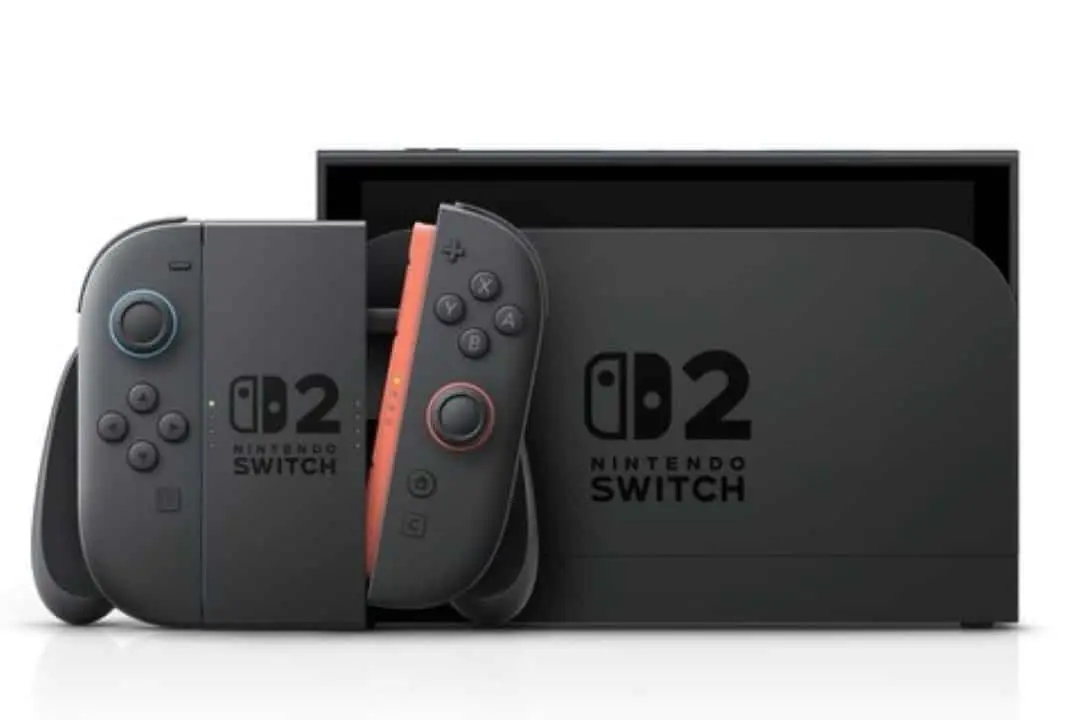
The integration of both controllers is managed by Steam Input, a software layer that translates commands from different devices into a universal format that games can understand. Isso eliminates the need for developers to program specific support for each new control released on the market, simplifying the process and ensuring broad compatibility almost instantly. The update is now available to all users who choose to participate in the Steam beta program through their client settings.
Compatibility and operation details
The new functionality for the Pro Controller of the Switch 2 operates in a simplified manner, requiring only the device to be connected to a USB port on the computer. Once connected, the Steam client in beta mode automatically recognizes the controller and configures it using the Xinput mapping, the most common standard for joysticks in the Windows environment. Isso means that most games that already support Xbox controls will work perfectly with the Nintendo peripheral without the need for complex manual adjustments by the user.
On the same topic: Rumor suggests that Nintendo is preparing a special edition of the Switch 2 with a remake of Ocarina of Time
In the case of the GameCube controller, the process requires intermediate hardware: the official adapter from Nintendo to Wii U. Este accessory, which allows you to connect up to four controllers simultaneously, must be connected to the PC via USB. The Steam then identifies the adapter and enables communication with the controls connected to it. Testes initial tests carried out by the community indicate that the command response is accurate and without noticeable delays, replicating the feeling of playing on the original console, which is especially valued by players of fighting and platform titles that require high precision.
The role of Steam Input in integration
The Steam Input is the centerpiece that enables this broad hardware compatibility so efficiently and transparently for the end user. The technology works as a powerful signal translator, intercepting the raw commands sent by any connected controller and converting them into actions that the game can interpret, whether simulating a keyboard and mouse or a standard controller like the Xbox. The Essa approach allows devices that were not originally designed for the PC, such as the Nintendo, to run thousands of titles without modifications to the games’ source code.
Learn more: PlayStation 6: Sony seeks to resolve wear on DualSense with new controller
The tool goes beyond simple compatibility, offering a deep level of customization. Players can access the Steam Overlay interface during gameplay to completely remap each button, adjust analog stick sensitivity, configure dead zones, and even create complex macros. It is possible to save different configuration profiles for each game and share them with the community, allowing other users to download and use optimized mappings created by other players, making the experience even more flexible and adapted to each player’s style.
This philosophy of universal hardware support reinforces Steam’s position as an open, player-centric platform. Instead of limiting options to licensed peripherals, Valve invests in software solutions that embrace the diversity of controls available on the market, from the most modern to the classic. The inclusion of controls from the Switch 2 and GameCube is another step in this direction, ensuring that PC players have the freedom to choose the control method they consider most comfortable and efficient for their game.
Activating the new feature on the platform
To immediately access support for the new controls, users must opt-in to participate in the Steam beta update program. The process is simple and reversible, and can be done directly in the platform’s client. Primeiramente, you need to open the “Steam” menu in the top left corner and select the “Settings” option.
Within the settings window, the user must navigate to the “Interface” tab. In the Nesta section, there will be an option called “Participate in Customer Beta”. Basta click on the drop-down menu and select “Steam Beta Update”.
See Also



More on this story: Xbox presents exclusive Gears of War: E-Day controller with striking details
After confirming the selection, the Steam client will request a restart to download and apply the beta files. Once restarted, support for Nintendo Switch 2 and GameCube controllers (via adapter) will be active, and the devices can be connected and used in compatible games.
Repercussion on the gaming community
The news was received with great enthusiasm by the PC gaming community, especially by those who are also fans of Nintendo consoles. The possibility of using the GameCube controller, considered by many to be one of the best ever made for fighting and platform games, in modern titles was widely celebrated.
Switch 2’s early support for Pro Controller also generated surprise and speculation, being seen as a strategic move by Valve to position itself as the platform of choice for players moving between PC and the new console.
Forums and social networks were quickly filled with test reports and configuration guides, with players exploring compatibility in titles such as “Elden Ring”, “Street Fighter 6” and old console emulators.
The Valve initiative demonstrates a continued commitment to expanding the PC ecosystem, making it increasingly versatile and welcoming to different gamer profiles and their preferred peripherals.
Advantages of Pro Controller on PC
The Pro Controller’s integration of the Switch 2 offers PC gamers a high-quality, ergonomic alternative. The controller design is often praised for the comfort it provides during long gaming sessions, and the inclusion of features such as the gyroscope and HD Rumble, if fully mapped by the Steam Input, can enrich the experience in games that support such technologies.
Learn more: Xbox Elite 3 controller has leaked prototype revealing built-in screen for players
Another significant advantage is the controller’s long-lasting battery, which can be recharged via USB-C while the player continues the game, eliminating interruptions. Familiarity with the layout for those who already play in the Nintendo ecosystem is also a positive point, facilitating adaptation.
The legacy of the GameCube controller
The GameCube controller maintains a near-legendary status among gamers, largely due to its association with the “Super Smash Bros” series. Seu unique button layout, with a large, central “A” button, and analog triggers with a tactile click at the end of the travel are features that make it ideal for certain genres of games. Valve’s decision to officially support it via the Wii U adapter is a recognition of its enduring relevance and a gift to the fighting game community and retrogaming enthusiasts who can now relive the experience on their PC with ease.














