

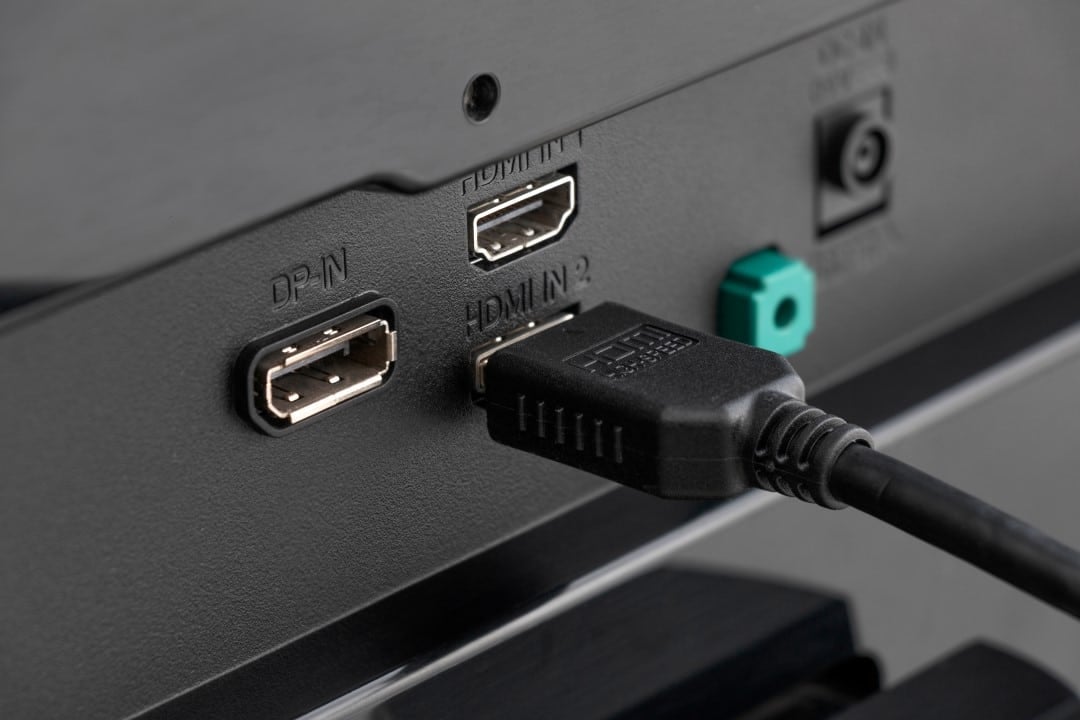
Consumers purchasing modern high-resolution televisions for use with next-generation consoles and advanced media players face a technical hurdle shortly after installation. Equipamentos like PlayStation 5, Xbox Series The limitation occurs due to a factory standard adopted by the electronics industry, which restricts the bandwidth of input ports to avoid compatibility conflicts with older devices.
The expectation of an immediate high-fidelity visual experience is often frustrated by software settings that operate in the background. Quando a high-performance device is connected to a newly purchased screen, the television’s operating system assumes a conservative data reception profile. Essa preventive measure directly affects color depth, fluidity of movement and image contrast, fundamental elements for the faithful reproduction of complex graphics and recent cinematographic productions.
To overcome this barrier, it is necessary for the equipment owner to perform manual interventions in the television’s configuration menus. The lack of clear warnings in the user interface leaves many using their entertainment systems for years without extracting the maximum potential from the hardware they paid for. Releasing the complete signal requires knowledge of transmission protocols and navigation through submenus often hidden in advanced image options or external connection management.
The visual impact of this factory restriction manifests itself in several ways when displaying content. Entre The main issues reported are disabling 10-bit HDR, downsampling chroma, and blocking refresh rates higher than 60 frames per second. Identificar these flaws require attention to image details, especially in scenes with complex color gradients or in moments of fast action where the clarity of movement is hampered by the lack of data transmitted between the console and the screen.
Manufacturers’ technical reasons for the restriction
The decision to limit the capacity of communication ports by default is based on a strategy to reduce operational costs and customer support. The current electronics market is made up of a wide range of devices from different eras. If a modern television comes with all its inputs configured to accept the maximum data stream, connecting an old DVD player or a cable box from previous generations can result in serious communication failures. The older sending device cannot interpret the high-speed protocol, which causes black screens, no audio or constant flickering in the image.
To prevent customer service centers from being inundated with complaints about no signal screens, brands choose to level the initial setup at the bottom. Compatibility mode ensures that any device, regardless of its age or technical capabilities, can establish a basic connection and display images immediately. The responsibility for changing this behavior to accommodate cutting-edge hardware is transferred entirely to the end user, who must instruct the television to accept the massive volume of data generated by modern gaming platforms.
Direct effects on gaming and media experience
Maintaining compatibility mode severely restricts the visual fidelity designed by software developers. The main damage occurs in color reproduction, where the system forces a compression known as 4:2:0 chroma sampling. Esse format discards a significant amount of color information to save bandwidth, which results in blurred edges on text and interface elements, as well as compromising the smooth transition between similar tones. The color depth drops from 10 bits, capable of displaying more than a billion shades, to a lower standard, generating the banding effect, where visible bands of color appear in areas that should have continuous gradients, such as the sky in an open world game.
In addition to colors, fluidity and response to commands are penalized. Bandwidth blocking prevents the activation of 120Hz signals, which are essential for competitive games that require the shortest possible reaction time. Tecnologias auxiliaries such as Taxa of Atualização Variável (VRR) and Modo of
Nomenclatures used by the main brands
The lack of standardization in the industry makes it difficult to resolve the problem. Cada television manufacturer uses its own terminology to describe the function that frees up the total bandwidth of the input ports. Essa fragmentation of nomenclature confuses consumers, who often look for generic terms in menus and do not find the correct options to activate the potential of their consoles.
In Tizen operating systems, used by one of the market leaders, the function is generally found under the name HDMI UHD Color or Sinal of Entrada Plus, located within the external device manager. Já on devices that run the webOS platform, the option is usually labeled as HDMI Ultra HD Deep Color, requiring the user to access the advanced image settings to enable the key corresponding to the specific port where the video game is connected.
Other Asian brands take similar approaches but with different names. Termos as Formato Aprimorado, HDMI 2.1 Standard or Modo of Activating these switches forces the television to restart the communication port and establish a new data exchange protocol with the console, finally allowing the signal to pass without destructive compression.
Cable specifications and physical infrastructure
Changing the software settings on the television is only part of the solution, as the physical infrastructure must support the required data traffic. Transmitting images in 4K resolution with HDR and high frame rates demands a transport capacity that old cables do not have. The use of reused wiring from previous equipment is a common cause of signal failures, even after correct configuration of the menus.
The standard needed to get the most out of current platforms is the ultra-high speed protocol, capable of traveling at up to 48 gigabits per second. Cabos of previous generations, limited to 18 gigabits per second, suffer immediate bottlenecks when trying to process the volume of information in a modern game. Quando the physical limit is reached, the screen may experience intermittent blackouts, visual noise in the form of flashing white dots, or complete loss of audio sync.
Cable certification is a critical factor in assembling the entertainment system. The parallel market offers several low-cost options that claim to support the latest specifications, but fail to maintain signal integrity during peak processing times. The lack of adequate shielding against electromagnetic interference compromises the stability of the connection between the console and the display.
For installations that require greater distances between the media player and the screen, copper-based solutions quickly lose efficiency. In Nesses scenarios, the adoption of active optical cables becomes mandatory to ensure that the digital signal reaches its destination without degradation, keeping color fidelity and response speed intact.
Procedures for signal release and management
The system adaptation process requires a methodical approach on the part of the user. The first step is to physically identify which ports on the television support the maximum bandwidth, as many models offer this capacity in only one or two of their available inputs. Após the physical connection with the appropriate cable, the transmitting equipment must be turned on so that the television recognizes the presence of an active signal source.
With the basic image established, navigation through the general configuration menus should focus on the inputs or connection management section. Once you locate the specific port, activating enhanced mode will interrupt the signal momentarily. Após image restoration, it is necessary to access the video settings of the console or media player itself to confirm that the Advanced HDR, maximum color depth and high frame rates options have finally been unlocked and recognized by the system.
Managing old devices on the same network
Organizing the TV’s rear connections requires planning to avoid new conflicts. Dispositivos legacy devices, such as old pay TV receivers or previous generation consoles, must be kept on ports configured with standard compatibility mode. Conectar Old equipment on an input with Enhanced Signal enabled can result in severe instability, forcing the user to revert settings or physically swap cables to restore basic functionality to the older device.



