

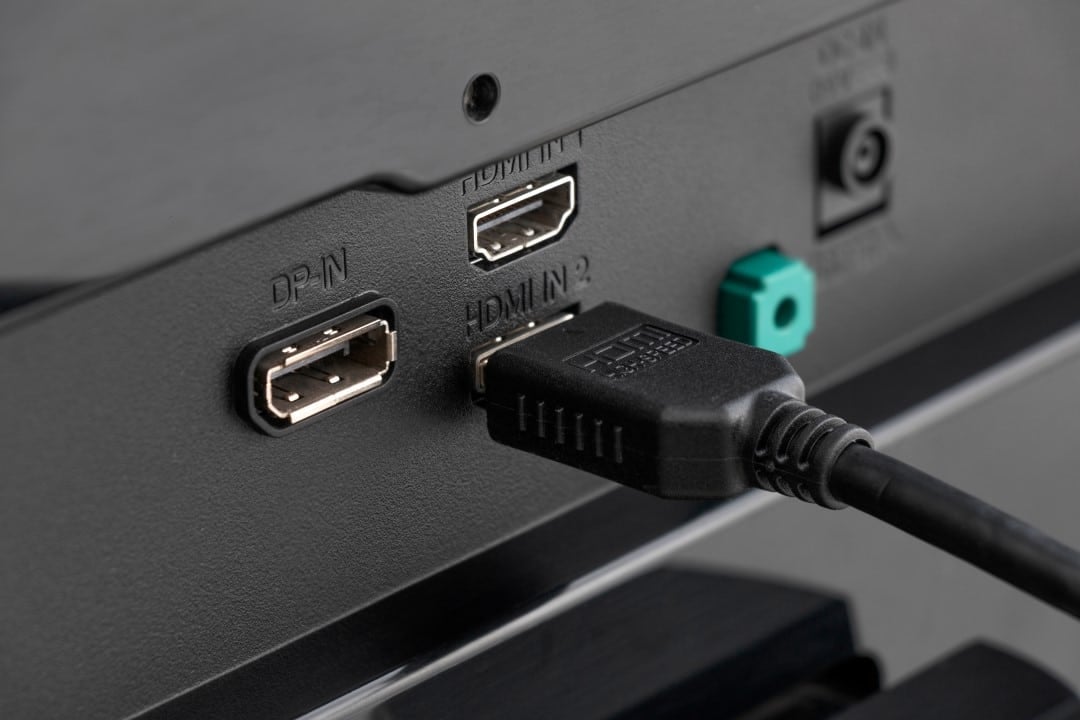
Consumers purchasing high-end equipment face a technical hurdle shortly after installing their entertainment systems. Aparelhos such as PlayStation 5, Xbox Series X and advanced media players, such as the Apple 4K TV, do not automatically deliver their maximum visual capacity when connected to newly purchased panels. The limitation occurs due to factory settings established by screen manufacturers, which prioritize signal stability over extreme graphic fidelity.
Technical lockout prevents high-performance features from activating immediately, frustrating expectations for a superior visual experience. Tecnologias fundamentals for the new generation, such as 10-bit High Dynamic Range (HDR) and high refresh rates, remain inactive or operate in restricted compatibility modes. Sem manual user intervention, financial investment in cutting-edge hardware does not translate into visible improvements on the screen.
The absence of the correct configuration results in washed out colors, lack of adequate contrast and the inability to run games at their maximum fluidity. The ecosystem of modern devices requires a data transmission bandwidth that the screen input ports, in their original state, are not programmed to accept, requiring in-depth navigation through the menus of the television’s operating system.
Reasons behind factory restriction on devices
Technology companies intentionally implement these limitations to ensure broad compatibility with older electronic equipment still circulating on the market.
When a panel is installed in a home environment, the operating system cannot predict whether the connected device will be a high-end console or a DVD player manufactured more than a decade ago. Para To prevent the consumer from experiencing black screens, audio sync failures, or signal error messages, the input ports are configured in a default mode. Essa conservative approach reduces data transfer speed to a basic level, ensuring that any device can project an initial image without the need for specialized technical support.
This leveling-down strategy prevents a massive volume of returns and technical assistance calls from users less familiar with video bandwidth requirements. However, for the public that consumes electronic games and cinema in high definition, the measure creates a severe artificial bottleneck. The screen restricts the passage of complex information, preventing the transmission of rich color depth and advanced chroma sampling. The burden of releasing the true potential of the hardware is completely transferred to the owner, who needs to identify the specific port in use and change the signal reception parameters individually, assuming the risks of possible incompatibilities with older devices that may be connected in the same location.
Direct effects on gameplay and visual media consumption
Visual degradation manifests itself through various technical failures when playing demanding media. Sem Enhanced mode is active, consoles are forced to compress the image using 4:2:0 chroma sampling, a format that discards color information to save broadcast space. Esse mathematical process results in blurred text, pixelated edges on interface elements, and broken gradients in scenes with detailed skies or shadows.
The restriction also blocks the activation of maximum resolution combined with 120 frames per second, one of the main promises of the current generation of video games. Reprodutores streamers fail when trying to trigger dynamic metadata patterns, displaying only the default dynamic range and missing the brightness peaks and deep dark tones that the panel would be physically capable of reproducing.
Varied nomenclatures make correct configuration difficult
The process of freeing up bandwidth is made difficult by the lack of standardization among the main electronics brands on the market. Cada manufacturer uses a different marketing term to describe the exact same entry door unlock function.
Samsung brand televisions, which operate under the Tizen system, require owners to locate a setting historically called “HDMI UHD Color” or, in newer models, “Input Signal Plus”. Activation must be done port by port, selecting the check boxes corresponding to the location where the console is physically plugged in.
Screens manufactured by LG, using the webOS interface, hide this crucial key under the name “HDMI Ultra HD Deep Color”. The option is often buried in advanced imaging submenus or in the general settings of external devices, requiring multiple clicks on the remote control to access.
The Sony, in its Bravia line, requires owners to change the signal format from “Standard” to “Aprimorado Format”, while brands like TCL and Panasonic have their own variations of terminology. Essa fragmentation makes the creation of universal tutorials a complex task, forcing consumers to consult specific manuals for their model.
The importance of physical infrastructure in data transmission
In addition to software adjustments, the physical connection plays a critical role in achieving maximum visual fidelity. The data channel required for uncompressed video at high refresh rates requires hardware capabilities that older cables simply cannot provide. A standard previous generation cable reaches the limit of 18
To successfully transmit complex signals, the use of a certified ultra-high speed cable is mandatory, offering a capacity of 48 Gbps. If a user enables enhanced settings on their screen but uses obsolete cabling, the system will experience severe communication failures. The immediate result includes constant image interruptions, screen flickering, visual artifacts and sudden signal drops, requiring immediate replacement of the physical component to stabilize communication between the console and the panel.
Recommended procedures for system optimization
To resolve these bottlenecks and ensure the visual delivery promised by hardware manufacturers, owners must perform a systematic check of their entertainment setup. The first step is to connect the device directly to the screen, bypassing old soundbars or audio receivers that may not support high-speed signal passing. Then, the user must access the television’s main menu, locate the external device management or input settings section, and activate the enhanced bandwidth mode specifically for the port in use, restarting the screen if prompted. Após to release the signal on the panel, it is necessary to access the video settings within the PlayStation 5 or Xbox Series X to confirm that all resolution, frame rate and dynamic range options are marked as supported. The final check on the console’s diagnostic screen ensures that the hardware is operating exactly as designed by the software developers, delivering the original clarity and fluidity.
Old and modern device management
Maintaining a mixed ecosystem of classic consoles and modern hardware requires careful management of available ports. Users should reserve the enhanced ports exclusively for their newer devices, keeping older equipment in the standard configuration ports. Essa physical and logical separation prevents compatibility errors, eliminates the need for constant reconfigurations, and maintains operational stability of the entire home entertainment center.



