
Android Auto users optimize experience with 4 essential and customizable settings

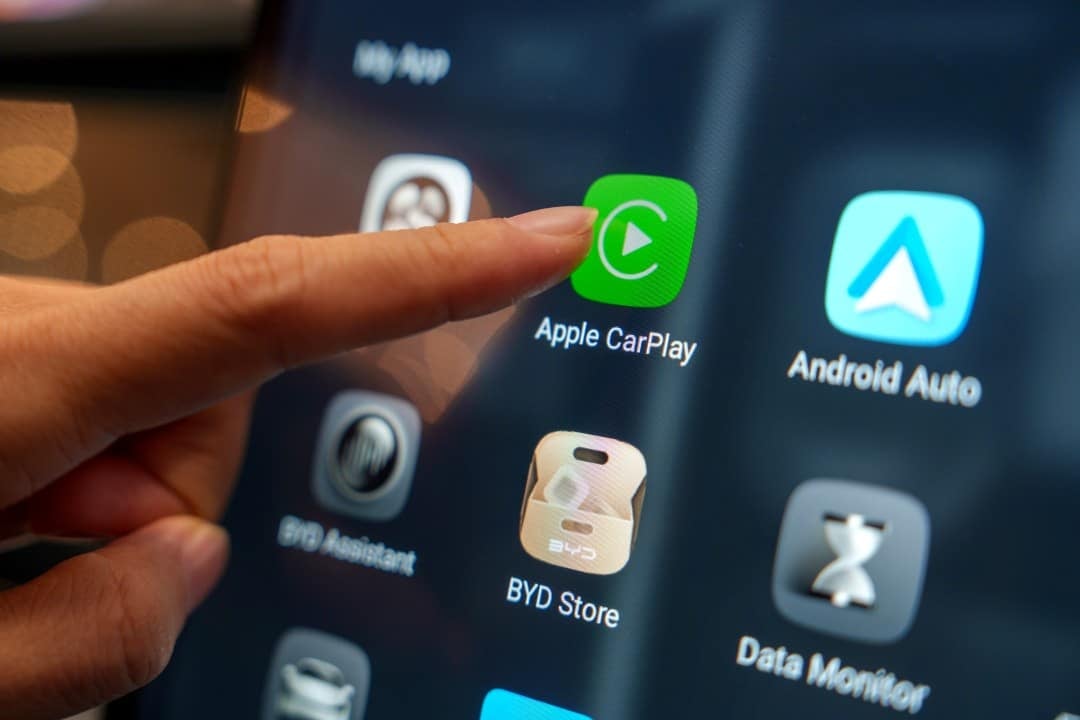
The Android Auto platform, which projects smartphone applications directly onto the vehicle’s infotainment system screen, has won over drivers for its versatility. While Embora and Apple’s CarPlay are a popular alternative, the Google’s system offers a level of customization that many users value to tailor the driving experience. Essa adaptability allows drivers to adjust the car’s digital environment according to their preferences, making the interface more intuitive and pleasant.
Recently, many drivers have been exploring various options to customize the Android Auto, transforming the usability of the system. The adjustments range from visual details to features that directly impact safety and convenience behind the wheel, providing a more fluid interaction with the vehicle and the device. The ability to mold the system to individual needs is one of the great attractions, differentiating it in the automotive infotainment market.
The search for a more connected and less distracting experience leads users to delve deeper into the Android Auto settings. With the increasing sophistication of vehicles and smartphones, such as the Galaxy S26, integration between these devices becomes crucial. System optimization is essential to ensure that essential information is always accessible, without compromising the driver’s attention to the road.
Permanently activating night mode
One of the first changes many users make to improve viewing and eye comfort is to continuously enable Modo Noturno for map applications. The default setting of the Android Auto often switches between day and night modes automatically, but for some, day mode may be excessively bright, especially in low-light conditions or at night, causing eye strain and distraction. Transitioning to a darker color scheme provides smoother reading of navigation information, such as that displayed by the Waze or Google Maps, allowing for quick comprehension without the need for additional visual effort. Permanent activation is done by accessing the “Settings” menu within the Android Auto and selecting “Day/Night Mode”, where you can opt for “Always Night”, ensuring that the screen is always comfortable for the eyes, regardless of the time of day.
Wallpaper customization
Adding a personal touch to your car’s infotainment system can transform the visual experience, and setting a custom wallpaper on the Android Auto is simpler than you might think. Diferente from other platforms that may require complex solutions or third-party applications, Android Auto allows the user to use an image from their own Android device as the interface background. Essa functionality provides an opportunity to express the driver’s individuality by making the car environment more welcoming and familiar, or simply applying a look that minimizes distractions.
To set the wallpaper, the process involves going to your Android device’s “Settings”, navigating to “Connected Devices”, then “Connection Preferences”, and finally “Android Auto”. Dentro from the Android Auto options, just search for and activate the “Use phone wallpaper on Android Auto” function. It is important to note that the system uses the image set as the smartphone’s main wallpaper, which means that, to customize the Android Auto’s background, the user must first change the wallpaper on their own cell phone. Após this change to the device, the new image will automatically be mirrored on the car’s screen, giving it a unique and highly customizable look.
Organizing the Home Screen with Shortcuts
Home screen organization is vital for efficient and safe navigation on the Android Auto, allowing drivers to quickly access frequently used applications and functions. Personalizar The available shortcuts help reduce the time spent searching for applications, such as music, messaging or navigation, minimizing distractions while driving. Esse adjustment provides a more fluid and intuitive experience, with essential tools always at hand.
Users can manage which apps appear on the Android Auto home screen through settings on the smartphone. Acessando the Android Auto app on the phone, there is an option to customize the “Launcher”, which is the home screen of the system in the car. You can add, remove, or reorder icons for supported apps, ensuring that only what you really need is visible.
This functionality not only improves aesthetics but significantly optimizes usability. For example, a driver who predominantly uses Spotify and Waze can position these icons prominently, avoiding the need to scroll through several screens. Customizing the launcher is an important step towards making the Android Auto an even more practical extension of the smartphone in the vehicle.
Automatic system startup
The convenience of getting into the car and having the Android Auto ready to use, without the need for manual intervention, is a common desire among users. The automatic startup setting allows the system to be activated as soon as the smartphone is connected to the vehicle, either via a USB cable or wirelessly, depending on the car’s compatibility. Essa functionality optimizes the driver’s time and attention, eliminating unnecessary steps before starting the journey.
To configure automatic startup, users must access the Android Auto settings on their smartphones. Dentro of the application, there are options related to connection and launch behavior. Habilitar automatic startup ensures that the car’s infotainment system mirrors the cell phone’s personalized environment instantly, making maps, music and calls available as soon as the vehicle is started.
Optimizing notifications on Android Auto
Notifications are an intrinsic part of the smartphone experience, but in the context of driving, they can become a huge distraction. The Android Auto offers features to manage how notifications are presented on the car’s screen, allowing drivers to stay focused on the road without missing important information. Controlar the flow of alerts is crucial for safety and a smooth driving experience.
Users can adjust notification settings to decide which apps can display alerts on the vehicle’s screen and how those alerts should appear. For example, you can choose to disable notifications from less relevant apps, keeping only those that are critical, such as urgent text messages or browsing alerts. Essa customization helps prevent the Android Auto screen from constantly filling up with unnecessary warnings.
Furthermore, the system allows you to configure the level of detail of notifications. Instead of displaying the full content of a message, you can choose to show just the sender, for example. Essa approach balances the need to stay informed with the priority of maintaining attention while driving, ensuring that the driver has control over what is displayed in their field of vision while driving.
This careful management of notifications turns Android Auto into an even safer and more efficient tool. By reducing the amount of unnecessary visual and audio stimuli, drivers can enjoy a more focused and less stressful journey, safe in the knowledge that truly important information will still be communicated discreetly and effectively.
Exploring more features to improve driving
In addition to night mode settings, wallpaper, shortcuts and notifications, the Android Auto offers a wide range of features that can be explored to enhance the driving experience. Ferramentas and integration with Google Assistant allow voice commands for various functions, from sending messages to controlling music playback, without the driver having to take their hands off the steering wheel. Essa Hands-Free functionality is a fundamental pillar for security.
Other options include application permissions management, where the user can determine which apps have access to certain vehicle features, and audio optimization for different sources. Explorar these additional settings in the Android Auto smartphone app can unlock new forms of interaction and personalization, making each journey more enjoyable and tailored to the individual needs of the driver and passengers.
The essence of personalized experience
The ability to customize the Android Auto goes beyond mere aesthetics, directly impacting driving safety and efficiency. By adjusting settings to meet their specific needs, drivers can create an in-car digital environment that minimizes distractions, maximizes visibility and optimizes access to crucial information. Personalization allows you to transform the driving experience, making it safer, more comfortable and aligned with individual preferences, proving that small adjustments can generate major improvements in the journey.



