

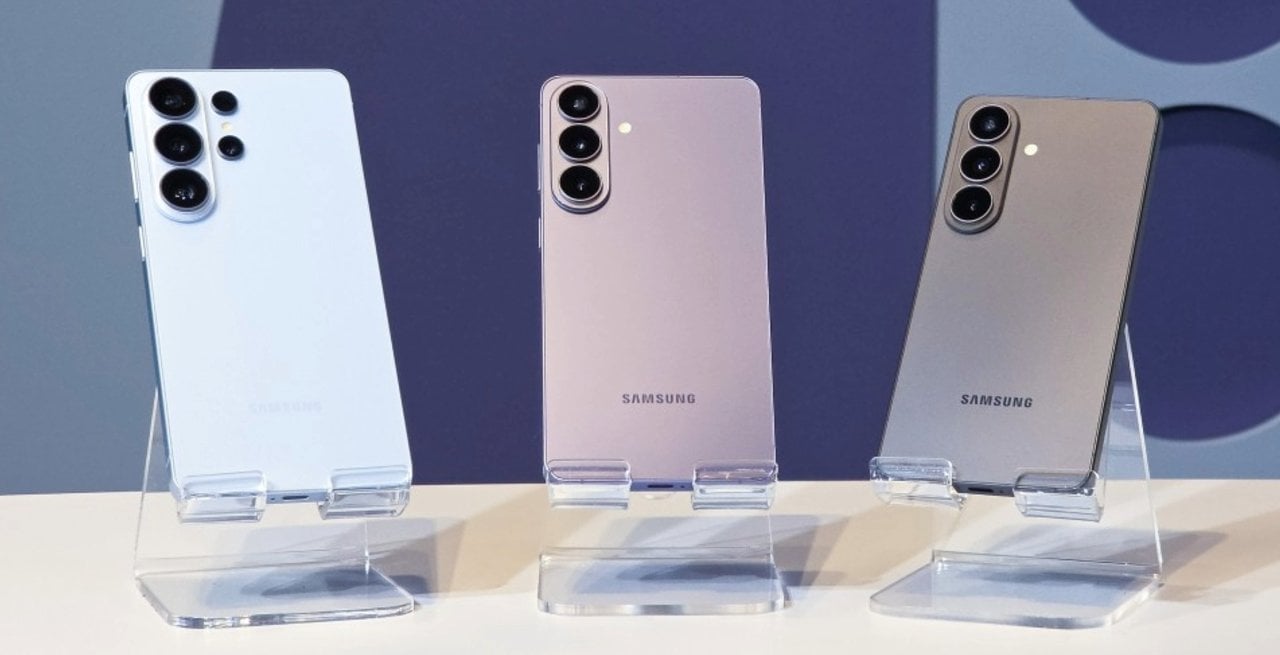
South Korean manufacturer Samsung recently released a new version of its advanced photographic module, significantly modifying the image capture dynamics for owners of the brand’s latest smartphones. The secondary camera software received a package of improvements that aims to resolve a frequent technical complaint from the user community, which pointed out operational difficulties in activating intermediate resolutions during daily use of the devices. With the implementation of this structural change, the system’s adjustment interface gains greater navigation fluidity and definitively eliminates the need to search for hidden menus to configure the quality of photographs.
Version 4.5.00.20 of the add-on, officially distributed through the company’s own online store, brings direct changes to usability. Key points of change include:
– Reposicionamento of the 24 megapixel resolution activation key.
– Acesso directly on the main photographic module settings screen.
– Memorização of the user’s choice to avoid automatic returns to the factory default.
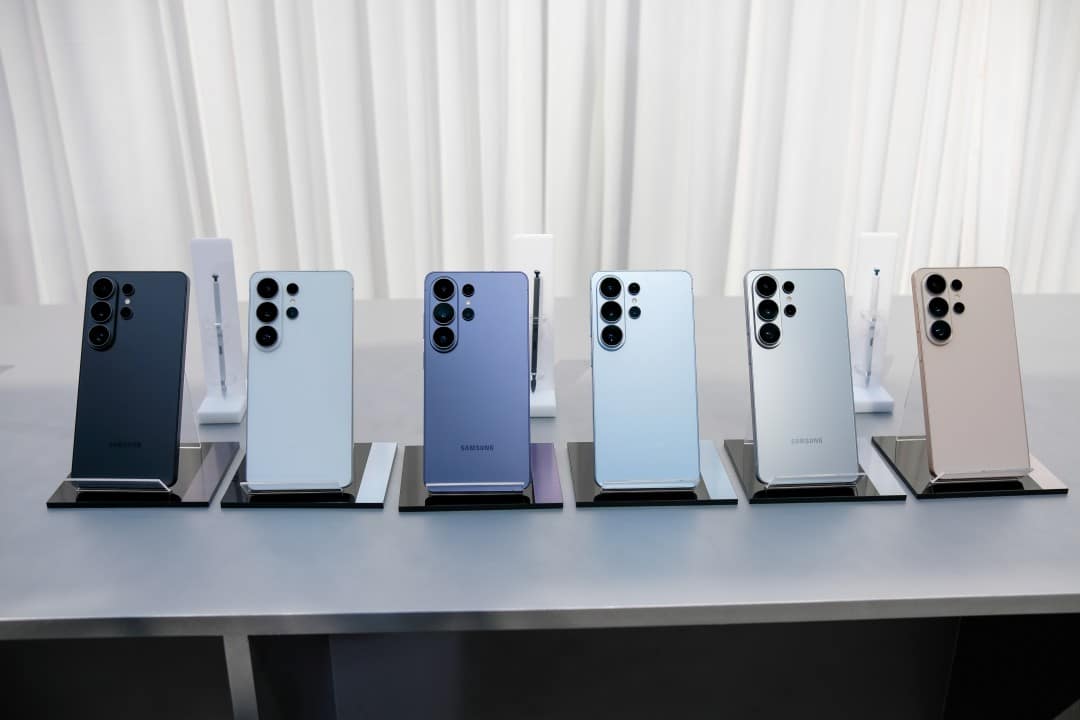
This modification responds to requests for simplification of the standard capture interface, specifically covering the Galaxy S26, S26 Plus and S26 Ultra devices. Integration requires prior installation of the add-on to work silently in the native application, changing the options available on the display immediately after initial configuration.
Technical functioning of the new adjustments interface
The restructuring of the internal menus of the secondary application represents a significant change in the usability of the mobile capture system. Anteriormente, the option to photograph at 24 megapixels was relegated to submenus aimed strictly at advanced users, requiring multiple touches on the screen to activate it.
With the arrival of the new version, the development team moved the resolution selector to the first hierarchical level of the device settings. Essa visual change transforms a previously hidden resource into an easily accessible tool for the general public looking for greater image fidelity.
Integration between the add-on module and the native camera app happens in real time after the update. Assim Once the option is enabled in the control panel, the 24 megapixel icon immediately appears in the top bar of the main display, next to the traditional markings.
Practical differences between photographic resolutions
Modern mobile photography largely operates based on combining pixels to capture more light from the environment. Esse process results in the industry standard 12 megapixels, which delivers lightweight files and excellent performance in dark or nighttime locations.
In contrast, maximum resolutions of 50 or 200 megapixels offer a massive amount of detail in images. Essas extreme options are ideal for large-format prints or precise cropping of distant elements in the recorded scene.
Using these maximum capacities requires perfect lighting conditions and generates considerably large files in storage memory. Além In addition, they present slowness in software processing and possible problems with overexposure in very bright areas.
The 24 megapixel option appears on the market as an ideal technical balance point for most everyday situations. The format doubles the amount of detail compared to the factory default, while maintaining a highly manageable file size and fast processing time.
Image processing and artificial intelligence
The generation of a 24 megapixel photograph on devices in the Galaxy S26 line does not occur through a simple cropping or physical resizing of the image sensor. The operating system uses advanced artificial intelligence algorithms to merge multiple frames captured simultaneously at different resolutions. The smartphone’s image signal processor combines the high light capture of the 12-megapixel standard mode with the fine details extracted from a full-resolution capture, merging all the information into a single digital output optimized for the end user.
This computational processing requires considerable firepower from the neural processing unit embedded in the cell phone. Durante the exact moment of capture, the software analyzes the scene in real time, identifying complex textures, human faces and areas of high light contrast. The practical result is a photograph that preserves the dynamic range of colors, avoiding blown out skies or completely dark shadows, while maintaining the sharpness necessary for reading distant texts, overcoming the physical limitations inherent to the compact lenses of mobile devices.
System installation procedure
To have immediate access to the new functionality, the device owner needs to access the manufacturer’s native application store and search for the complementary photographic module. The software is completely free to download and installation takes place in just a few seconds on the operating system.
After opening the newly installed program, the individual must locate the resolutions section and activate the switch corresponding to 24 megapixels. It is essential to select the checkbox that sets the preference, ensuring that the main application recognizes the choice on all future uses.
Feature exclusivity on recent devices
The manufacturer’s corporate decision to limit this ease of access exclusively to the Galaxy S26 series raises technical debates about resource segmentation via software updates. Modelos of immediately preceding generations have sufficient hardware and processing capacity to perform the same photographic work, but depend on third-party applications aimed at professionals, which require in-depth knowledge of manual photography and handling uncompressed files. The absence of an official forecast from the company for the expansion of this simplified interface to other devices in the catalog indicates a clear strategy to enhance the current line, using the convenience of native software as a strong competitive differentiator in the fierce global market for high-performance mobile devices.
Internal storage optimization
Disk space management represents a constant concern for smartphone owners who record a lot of media daily. The 24-megapixel intermediate format solves the problem of rapid memory exhaustion, generating files that take up just a fraction of the space required by full-resolution captures, without compromising visual quality for sharing on social networks or messaging applications.
Speed comparison in daily use
Digital shutter speed is a crucial factor in capturing spontaneous everyday moments. The standard 12-megapixel mode continues to be the fastest on the system, presenting practically no delay between touching the glass screen and actually registering the image in the gallery.
Capturing at 24 megapixels adds a fraction of a second to the process, time strictly necessary for artificial intelligence to merge the frames. Esse Slight lag is imperceptible in still landscape shots or posed portraits, but requires attention when shooting sports or fast-moving animals.
Hands-on testing and community acceptance
Mobile technology experts and market analysts point out that the current dependence on an external module for such a basic photographic function represents a transitional stage in the brand’s ecosystem. The South Korean manufacturer has a known history of using these complementary applications as true public testing laboratories, evaluating the reception of new tools before definitively implementing them in the main source code of its cutting-edge devices.
The technology community’s largely positive acceptance of easier access to 24 megapixels has the potential to directly influence the development roadmap for the next major mobile operating system updates. The technical expectation is that these intermediate resolution options will be natively incorporated into the standard camera app, eliminating the need for additional downloads for future buyers of the premium smartphone line.
Until this definitive integration takes place on the company’s servers, installing the additional module remains the only viable and safe alternative for owners of current models. The recently distributed update fulfills its fundamental role of democratizing access to photographs of higher technical quality for the common user, delivering a powerful tool through an intuitive navigation interface free from unnecessary technical complexities.



