
PlayStation 3 update 4.93 suspends physical disc player until system installation
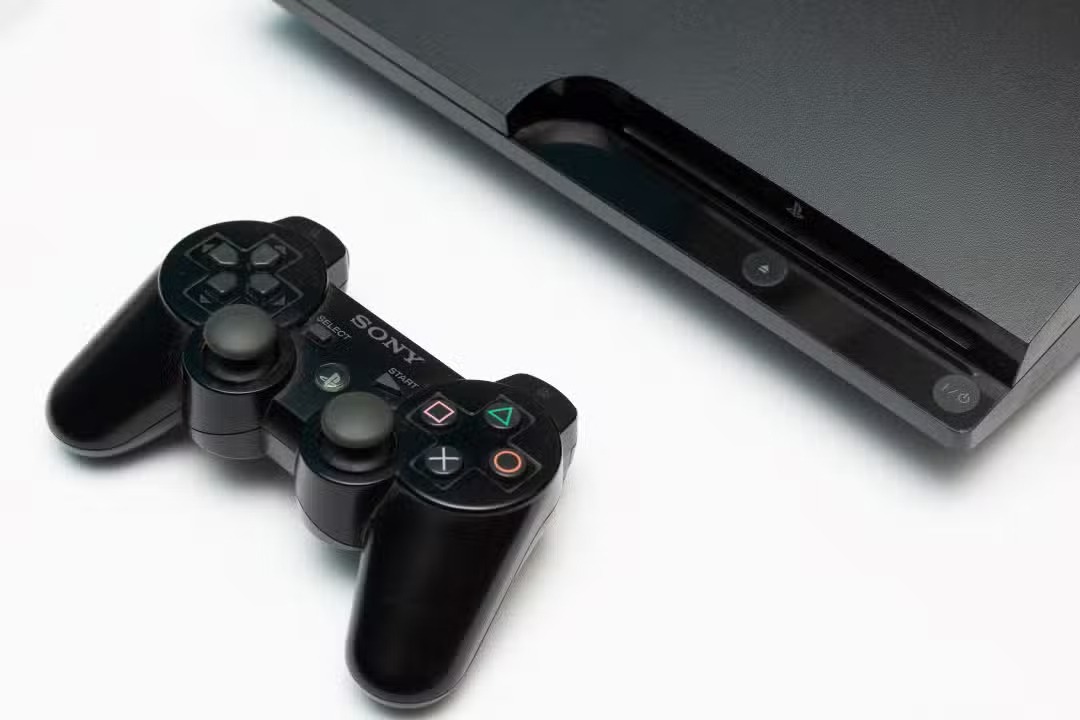
Sony Interactive Entertainment recently released a new system requirement for owners of the PlayStation 3, the console that marked the seventh generation of video games. The company made firmware 4.93 available, a data package essential for maintaining the device’s basic functionalities. The measure directly affects users who still use the platform to consume physical media, be they games or films.
Without the presence of this latest version on the hard drive, the component responsible for reading Blu-ray disks enters a state of temporary inoperation. Locking occurs automatically and prevents the hardware from recognizing any media inserted into the reading compartment. The manufacturer establishes that the only way to reverse this suspension is through the official application of the data package provided on its support channels.
This technical requirement does not affect consumers who use the video game exclusively to access digital titles purchased from the online store or streaming applications. The focus of the change lies strictly on the validation of physical security keys, a standard protocol that the company maintains active even almost two decades after the original launch of the product on the international market.
Technical reasons for requiring new software
The main reason for releasing this annual patch involves renewing the Blu-ray player’s encryption key, a fundamental element for playing media protected by the AACS standard. Este copy protection system requires periodic updates to ensure that the console remains capable of decrypting the data contained on the original disks. Quando the validity period of the previous key expires, the video game operating system cuts off access to the reader for security measures, preventing possible vulnerabilities or the execution of unauthorized media.
In addition to the central issue involving the disc reader, the data package brings general improvements aimed at the stability of the operating system and the correction of minor usability flaws. The manufacturer structures these preventive maintenance to ensure that the device’s network architecture and communication protocols continue to operate in accordance with current servers. Dessa way, installing the file not only returns the functionality of the optical drive, but also aligns the old hardware with the security standards required by the brand’s contemporary infrastructure.
Correct procedure for installation via external device
For owners who need to restore the drive’s functionality, the safest method involves using a flash drive formatted in the FAT32 standard. The user must access the brand’s official support page via a computer and download the updated system file.
Inside the USB device, it is necessary to create a specific folder structure for the video game to recognize the data. The consumer needs to create a main folder and, within it, a subdirectory dedicated exclusively to update files, respecting the nomenclature required by the manufacturer in its technical manuals.
With the file properly positioned on the pendrive, the device must be connected to one of the front USB ports of the turned off console. When starting the device, the operating system will identify the presence of removable media and offer the update option through the main settings menu.
The data transfer and installation process takes just a few minutes, during which time the equipment must not be turned off or disconnected from the electrical network. Após automatic restart, the disc player resumes its reading capacity immediately, allowing normal use of compatible games and movies.
Risks associated with unofficial modifications to the device
The application of this new version of the operating system presents significant challenges for users who maintain consoles with customized firmware or hardware modifications not authorized by the manufacturer. The security architecture built into the 4.93 package scans system components during installation, which may result in the immediate breaking of any previous changes made to the original software. In cases documented by technical communities, attempts to superimpose the official system on a modified device can generate severe incompatibility conflicts, leading the equipment to a critical failure state that requires complex rollback procedures. The company constantly reiterates in its terms of service that the use of third-party software invalidates the product’s operation guarantees, and the insertion of files downloaded from unofficial sources can irreversibly corrupt the motherboard’s flash memory.



Preservation of the game catalog in physical format
The dependence on these periodic validations generates constant debates among video game collectors and physical media preservation enthusiasts. The PlayStation 3 has a vast library of exclusive titles that have never been ported to later generations, making the original hardware the only viable platform for running these works.
Many owners choose to keep their devices permanently disconnected from the internet to avoid automatic scans, but the natural expiration of the Blu-ray key makes the update inevitable for anyone purchasing new movies or games. Essa dynamics highlights the challenges of keeping legacy hardware fully functional in an ecosystem that requires constant authentication.
Despite criticism about the mandatory process, the strategy adopted by the company ensures that the console ecosystem remains protected against large-scale piracy. Maintaining the AACS format ensures the intellectual property rights of film studios and software developers who publish materials on the platform.
Details about required storage space
The system file requires approximately two hundred megabytes of free space, either on the video game’s internal hard drive or on the removable media used for transfer. Este reduced size facilitates fast downloads even on internet connections with lower bandwidth, minimizing device downtime during maintenance.
Security recommendations during the download process
Before starting any system change procedure, it is essential to check the integrity of the internal hard drive and ensure that there is enough space to decompress the files. The manufacturer recommends that the console be positioned in a place with adequate ventilation, as the processor reaches higher temperatures when writing data to flash memory.
If the disc reader continues to experience read failures after the installation has completed successfully, the problem may be physical rather than software-related. Nesses scenarios, specialized technicians suggest carefully cleaning the laser cannon or evaluating the drive’s mechanical components, which suffer natural wear after years of continuous use.
Ongoing manufacturer support for older hardware
Maintaining an update cycle for a device released in the mid-2000s demonstrates an unusual level of support in the consumer technology industry. Enquanto most companies completely shut down network services for discontinued products, the basic infrastructure of the seventh generation console remains active.
This approach allows thousands of users around the world to continue accessing their entertainment libraries without permanent interruptions. The annual renewal of security keys reaffirms the technical commitment to the installed base that still actively consumes the Blu-ray format in their homes.
Veja Tambem em News (EN)

Research reveals that parents are unaware of how their children use artificial intelligence

Samsung releases new system update with new features for Galaxy Watch 4 users

Digital retail reduces the value of the Galaxy S25 5G smartphone with bank bonuses and device exchange

Amazon’s wireless CarPlay adapter has a 50% discount and high approval ratings from drivers

Zach Cregger’s new Resident Evil ignores games and focuses on an unprecedented story with new characters

Rumor suggests that Nintendo is preparing a special edition of the Switch 2 with a remake of Ocarina of Time

Apple accelerates production of the iPhone 17e and develops new Air model with dual camera system

Epic Games platform releases twelve high-budget games at no permanent cost for PC users

PlayStation 5 Pro price drop accelerates digital retail sales and eliminates global stocks

New Galaxy Watch 9 firmware appears on server and confirms progress in software development

Apple’s commemorative project tests cell phone with 1.1 millimeter edge and curved screen for 2027
