Online retailer cuts the value of the Samsung Galaxy Tab A11+ 5G to R$1,379 in a new flash offer


The e-commerce sector records a significant change in the prices charged for large-screen portable equipment. Consumidores that monitor the technology segment find a new acquisition condition for devices aimed at productivity and media consumption.
The most recent commercial move involves a device from the South Korean manufacturer equipped with native support for fifth generation networks. The equipment, aimed at mixed use between corporate tasks and daily entertainment, underwent a tariff readjustment on virtual platforms.
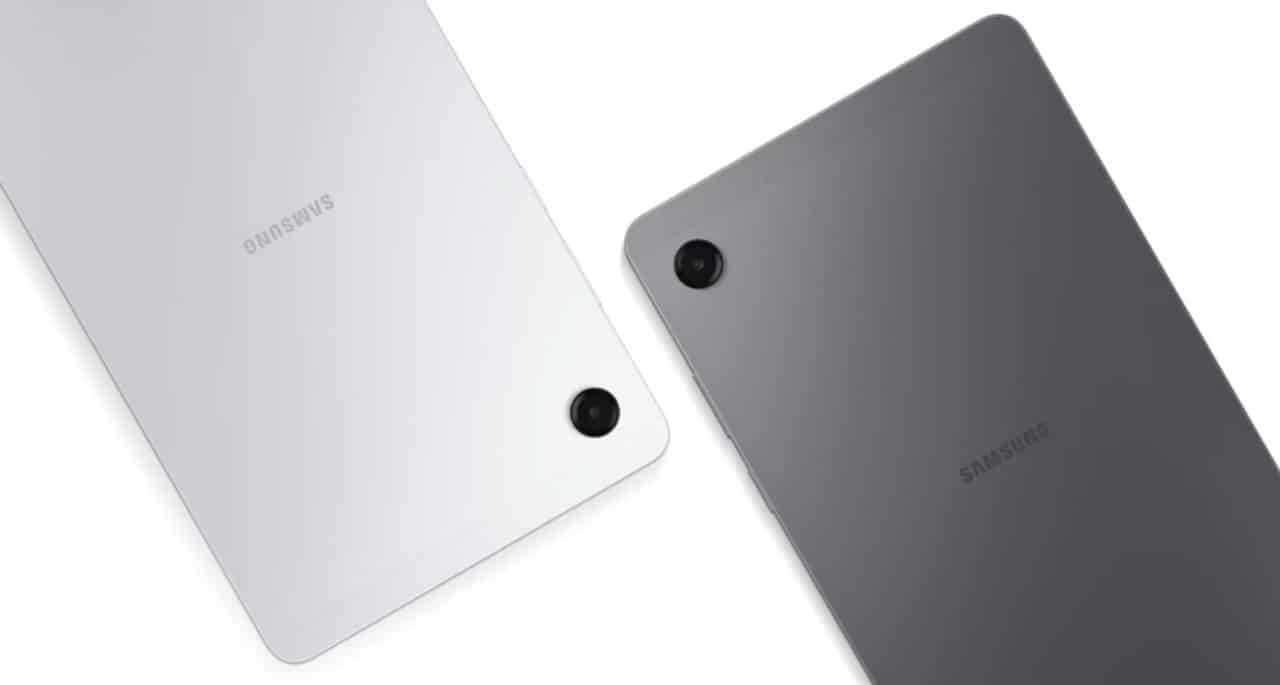
Previously positioned in a cost range above two thousand five hundred reais, the product is temporarily listed for a considerably lower value. The current label changes the competitive dynamics in the intermediary niche and attracts the attention of users looking for hardware upgrades.
Commercial strategies in the electronics sector
Price fluctuations in the mobile device ecosystem reflect sales tactics focused on accelerating the turnover of inventory stored in distribution centers. The promotional value applied to the tablet represents a direct savings margin when compared to the cost suggested at the official launch of the product on the national market.
The availability of equipment with the discount applied depends on the volume of units maintained by the virtual store’s logistics partners. The model that stars in the campaign has a gray finish and is delivered in factory-sealed packaging, maintaining the original technical guarantees established by the brand.
Front panel specifications and navigation fluidity
The physical structure of the device is characterized by an 11-inch front panel, a dimension that the technology industry frequently adopts to balance the portability of the chassis with the visual comfort necessary for long sessions of use. The screen delivers a resolution of 1920 x 1200 pixels, a technical specification that guarantees a high level of sharpness for reading documents with reduced fonts and for reproducing audiovisual materials rich in graphic details. The image ratio chosen by the manufacturer facilitates the ergonomic transition between vertical orientation, ideal for consuming academic articles and digital books, and horizontal orientation, which perfectly accommodates the interface of video streaming platforms. The most important technical difference in this component is the refresh rate set at 90 Hz, an advancement that provides visibly smoother image transitions when placed side by side with traditional 60 Hz panels. Essa hardware feature eliminates stuttering when scrolling through extensive web pages and improves tactile response time, an essential factor for users who use pens capacitive for manual annotations or that depend on applications that require precision when touching the screen.
Data processing and storage architecture
The management of the device’s operational tasks is carried out by the MediaTek Dimensity 7300 processor, built using a modern lithography that focuses on energy efficiency. The silicon component ensures rapid execution of operating system commands without generating unnecessary spikes in battery consumption.
Fluid switching between applications is guaranteed by the presence of a 6 GB RAM memory module integrated into the main board. Essa technical capacity allows the maintenance of multiple software open in the background, enabling the simultaneous use of browsers and text editors.
The internal space for storing files totals 128 GB, a suitable volume for installing work tools and storing various media. The equipment’s chassis also offers a side drawer for expansion via microSD card, with support for reading up to an additional 2 TB of data.
Battery autonomy and optical capture system
The tablet’s energy supply is supported by a 7,040 mAh battery, designed to keep the device running for long periods without the need for recharging from fixed sockets. The component provides enough autonomy for full study days or remote work shifts with the screen brightness adjusted to intermediate levels.
The set of cameras meets the basic demands of visual recording and corporate communication in the digital environment. The lens positioned on the rear has an 8 MP sensor, focused on scanning printed documents, while the 5 MP front camera delivers the image quality necessary for participating in video conferences.
Mobile connectivity and acoustic immersion
The integration of a network modem compatible with 5G technology raises the level of usefulness of the equipment, transforming it into a productivity tool independent of residential or corporate Wi-Fi connections. The insertion of a telephony chip with an active data package allows the user to access cloud platforms, download large files and participate in virtual meetings with signal stability during urban commutes or road trips. Essa Independence from fixed routers is a decisive factor for professionals who carry out their activities in the field or who require constant mobility throughout the working week.
The audio engineering project developed for the device includes the installation of four speakers distributed symmetrically along the edges of the metal chassis. Esse physical arrangement of sound hardware is responsible for emitting stereo audio with high volume and clarity in distinguishing bass and treble frequencies. The power of the native acoustic system eliminates the need for pairing with external speakers in most indoor usage scenarios, optimizing the user experience when playing films, series and corporate presentations with audio support.
Software modifications and production environment
The operating system interface features structural customizations developed by the manufacturer to adapt navigation to the expanded dimensions of the front panel. The software code has been adjusted to maximize the usable screen area, facilitating quick access to the device’s main settings.
The most prominent feature in the native program package is DeX Mode, a tool that changes the graphical layout of icons and windows. Enabling this feature transforms the default mobile interface into a visual environment similar to that of a conventional desktop computer.
The system now displays a fixed lower taskbar and allows applications to run in floating windows that can be resized by the user. The free organization of elements on the screen speeds up the workflow of those who need to cross-reference data between financial spreadsheets and text documents.
Pairing wireless peripherals such as keyboards and mice via the Bluetooth connection converts the tablet into a complete workstation. The configuration meets the needs of professionals looking for a lightweight alternative to traditional notebooks for daily transport in backpacks or executive briefcases.
Practical utility in contemporary routine
The union of updated hardware, support for high-speed mobile networks and software focused on productivity consolidates the device as a versatile option in technology retail. The temporary reduction in acquisition cost facilitates access for students and workers to equipment capable of centralizing the reading of extensive files, corporate communication and digital entertainment in a single portable and easy-to-use chassis.