Samsung system offers in-depth screen and button adjustments for Galaxy line users

The Galaxy line smartphones have their own software environment that profoundly modifies the standard operating system experience. The interface developed by the South Korean manufacturer provides visual control tools and physical shortcuts that do not exist on devices from other brands. The customization package goes by the name One UI and acts as a bridge between advanced hardware and everyday consumer needs. The company’s strategy focuses on offering a superior level of detail to attract a demanding audience.
The set of modifications acts directly on the Android base code. The company aims to retain consumers through an exclusive usability ecosystem. Especialistas in technology points out that factory customization drastically reduces the need to install third-party applications. The user finds native solutions for demands ranging from image editing to the automation of work routines.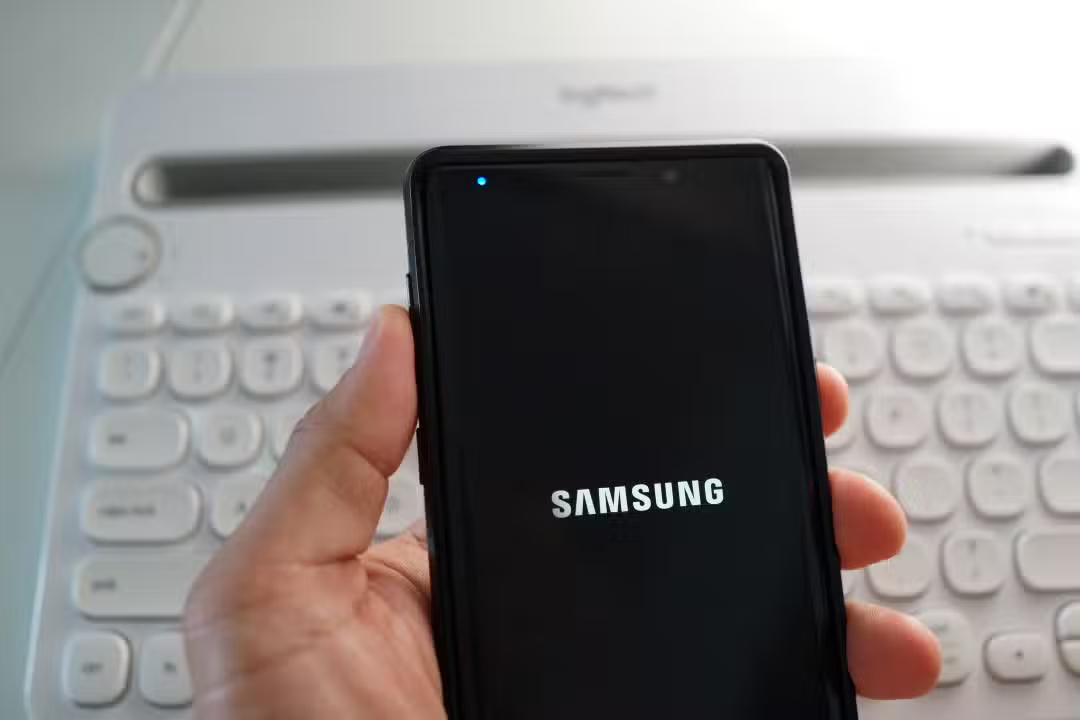
Controle granular over panel color reproduction
Screen calibration represents one of the main differentiators of the software embedded in the Asian brand’s phones. The display settings menu houses precise toggles that alter the white temperature and vividness of images. The owner accesses these options through the screen mode tab in the main settings application. Intuitive navigation allows quick changes to the visual appearance of the display.
The system provides pre-defined factory profiles, labeled as natural and vivid, to facilitate the choice. The manufacturer also includes an advanced settings section aimed at extremely fine adjustments. Neste restricted space, individual sliders manage the exact intensity of the red, green and blue channels. Essa precision serves audiovisual professionals who depend on absolute visual fidelity for media editing.
Telas built with organic light-emitting diode technology has its own saturation characteristics. The company’s software compensates for these small hardware variations with real-time correction algorithms. The absence of these advanced tools in the pure version of the operating system deters users who seek total control over the equipment. The freedom to set the exact screen temperature turns your phone into a portable reference monitor.
Reprogramação of physical shortcuts for routine optimization
The side power button has lost its unique function of turning the phone on and off. The interface transforms this piece of hardware into a fully user-programmable multifunctional trigger. The factory default setting launches the camera app with two quick taps and wakes up the intelligent virtual assistant with a long press.
The device owner has complete freedom to change this default behavior and create their own usage flows. The convenience features menu lists dozens of actions linked to physical controls on the side of the chassis. Dual Drive supports the following native system functions:
- Ativação immediate rear LED flash for emergency use as a flashlight in dark environments.
- Digital magnifying glass tool Abertura to make printed text with small fonts easier to read.
- Início voice recorder app snapshot for urgent audio captures during work meetings.
- Execução directly from any social networking application previously installed on the phone’s internal memory.
- Acionamento of competing virtual assistants configured as default by the device user themselves.
- Exibição immediate power menu for quick shutdown or restart of the mobile operating system.
Eliminating menu navigation steps saves precious time during heavy daily use. A driver can open the satellite navigation map without having to look at the device’s screen. The long press also accepts in-depth modifications, allowing the user to return the button to its classic off function without the need to memorize key combinations.



Integração artificial intelligence in everyday use
The massive presence of tools based on machine learning defines the current generation of mobile devices. Google Gemini acts as the main engine for complex responses and interactions in the phone’s virtual environment. The South Korean interface organizes access to these data processing resources in an extremely organic way. Artificial intelligence analyzes screen context to provide accurate text and search suggestions.
The modified operating system does not impose a strict blockade against artificial intelligence platforms developed by other companies. The end consumer decides which digital assistant will process their voice commands and text searches on the internet. Essa open software architecture prevents service monopoly and encourages healthy competition among application developers.
Distanciamento strategic base operating system
The global mobile phone market presents an increasingly strong visual standardization between competing brands. The proprietary interface acts as a commercial barrier against the commoditization of high-cost devices. The continuous development of exclusive software functions justifies the financial value charged for the most advanced models in the company’s catalog.
The pure version of the software maintained by Google essentially focuses on stability and lightness to run properly on basic equipment. The Asian manufacturer adopts a diametrically opposite philosophy, filling the system with as many utilities and customization options as possible. The practical result is a dense digital environment that requires modern processors and large amounts of memory. Extensive customization ensures the phone fits perfectly into the buyer’s lifestyle.
The initial learning curve required by the interface pays off in the long term with the efficiency gained in daily tasks. Menus hide powerful functions that often go unnoticed after months of continuous use. Detailed exploration of advanced settings reveals the true potential of the equipment you purchase. Essa technical differentiation consolidates public loyalty and maintains the brand in a prominent position in the competitive telecommunications sector.
See Also em Latest News (EN)

Where to watch Palestino x Grêmio in the third round of the Copa Sudamericana group stage
29/04/2026
Does Samuel Lino play today? likely lineups Estudiantes x Flamengo for Libertadores 2026
29/04/2026
Longest solar eclipse of the century in 2027 will turn day into night and only return in 157 years
29/04/2026
Gabriel Jesus aims for a place in the Brazilian team and highlights a decisive phase in Europe in 2026
29/04/2026
Samsung releases stable One UI 8.5 for Galaxy S25 in May
29/04/2026
Does Gonzalo Plata play today? Where to watch Estudiantes x Flamengo with likely lineups in the Libertadores
29/04/2026
New PlayStation DRM focuses on refund deadline to release permanent game license
29/04/2026
German automaker launches electric compact inspired by the classic Golf with up to 231 horsepower
29/04/2026
OPPO’s new premium smartphone debuts on the European market with a focus on advanced photography
29/04/2026
Arcade classic arrives on Sony consoles with new gameplay features
29/04/2026
Video card manufacturer maintains operations after administrative merger with controlling group
29/04/2026