Samsung updates QuickStar app with new look to prepare for One UI 8.5
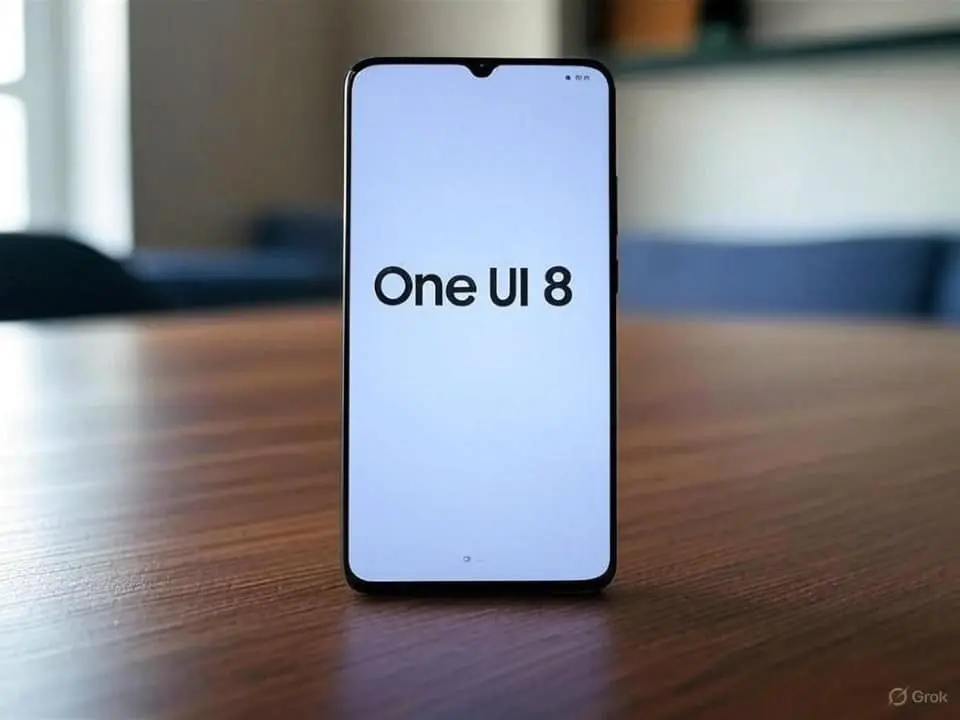
Samsung has started distributing version 10.0.04.26 of the QuickStar module for Galaxy line smartphones. The update brings new visual control tools aimed at the operating system’s quick settings panel. The package is now available for download on the manufacturer’s official platforms. The South Korean company seeks to align its parallel services with this specific release.
The strategic release sets the stage for the upcoming One UI 8.5. Desenvolvedores seek to organize the software environment before the major structural change expected in the coming months. Proprietários devices gain greater freedom to modify graphic elements in depth. The movement meets long-standing demands from the enthusiast community for advanced customization on mobile devices. The customization moves the interface away from the standard experience found in pure Android.
Adaptação technique ensures stability in software transition
Continuous development follows the Asian company’s rigorous update schedule in the global market. The recent version establishes the technical basis necessary for the new visual resources to fully function. Engenheiros software focused on compatibility between legacy codes and newly adopted aesthetic guidelines. The prior adaptation process avoids conflicts during massive systems transition. The application architecture had to undergo complete programming reviews.
Early integration makes it easier for consumers to adapt to future graphical changes on mobile devices. The module automatically adjusts its internal parameters when it detects the presence of the new software environment. Essa modular structure reduces the incidence of crashes after major operating system updates. Analistas technology monitors application behavior in these early implementation phases. The stability of the quick control panel requires constant attention from the brand’s programmers.
The installation file size remains compact despite new tool additions. Source code optimization ensures minimal RAM consumption while running in the background. Aparelhos with more modest hardware specifications can run the tool without showing noticeable slowdowns. The fluidity of the graphical interface represents an absolute priority for the development team. System resource management occurs silently and efficiently.
Ferramentas customization transforms the user’s visual experience
The customization options reach a deep level of detail on the cell phone screen. The user changes the number of icons displayed simultaneously through a fully adjustable grid. The density of information follows each person’s individual preference and routine. Larger Telas make better use of available space with expanded hot button configurations. The standard layout gives way to arrangements created to measure by the demanding consumer.
Control over the top status bar gains new hiding functions in this update. The application offers the possibility of hiding native operating system indicators in a simple way. The visual cleanliness of the upper part of the display pleases users who seek a minimalist design in their daily lives. Removing visual clutter makes important notifications easier to read.
- Símbolos mobile network connection and telephone operator signal strength.
- Ícones of active alarms and general volume control of the device.
- Indicadores battery percentage and digital clock display.
The panel’s color palette also receives special attention from developers in the new version. The consumer defines exact tones for on and off buttons through an advanced color selector. Background transparency supports fine adjustment using highly precise sliders. The final result reflects the visual identity desired by the smartphone owner. Integration with the system’s dark mode happens automatically and fluidly.
Leia Também

Three days after earthquake, rescue teams find 11-year-old boy under rubble in Venezuela

Dispute in Austria: Russell takes pole position in the 2026 Formula 1 GP; find out where to watch in the USA and 7 other countries
Complete guide to external batteries in 2026 with affordable options and high-performance models
Ecossistema Good Lock centralizes advanced modifications to devices
QuickStar works as a dependent extension within the main Good Lock application. Esta platform centralizes several independent modules created by the electronics manufacturer itself for its customers. The segmented structure allows the user to install only those tools that are of direct interest to them. The distribution model saves internal storage space on mobile devices. Uninstalling unused components takes place with just two taps on the home screen.
The platform’s popularity is growing exponentially among mobile technology enthusiasts around the world. Fóruns internet discussion brings together thousands of screenshots with layouts created by the active community. The exchange of configuration files between users encourages the discovery of unusual visual combinations. The company actively observes these interactions to plan future official updates to the standard system. Ideias born from the user base often become native features years later.
Access to the full set of tools is restricted in some specific geographic regions. The manufacturer expands the availability of the service gradually across continents over the months. The Brazilian market receives official support for the vast majority of modules offered in the brand’s virtual store. The precise localization of the menus into Portuguese makes it easier to understand the most complex functions. Tutoriais built-ins help newbies understand the impact of each system change.
Correções crashes optimize daily smartphone performance
The official changelog of the updated version mentions the elimination of several old operational errors. Usuários reported unexpected panel closures during heavy use of multiple simultaneous applications. The technical support team identified and corrected specific graphic rendering errors. The response time to touch commands shows significant improvement after installing the package. The animation transition occurs without choking on the screen’s frame rate.
The software is distributed exclusively through the proprietary Galaxy Store platform. The brand’s official channel guarantees the absolute integrity of files downloaded by consumers daily. Automatic security check prevents the installation of maliciously modified versions by third parties on the internet. The update process only requires a stable connection and free space in your cell phone’s memory. Notificações silent messages notify the owner when the download finishes in the background.
Applying complex themes raises frequent questions about the power consumption of mobile devices. Engenheiros ensures that visual modifications do not affect battery life in everyday use. The graphic processing of colors and transparencies uses optimized routines from the device’s main processor. Telas with OLED technology benefit from choosing dark backgrounds to save charge throughout the day. Intelligent management disables superfluous animations when the energy level reaches critical levels.
Internal performance monitoring reveals that the module operates at maximum efficiency in different scenarios. Overlaying elements on the interface does not cause delays when opening heavy applications or games. The manufacturer carries out exhaustive tests on different models before releasing the final version to the general public. The balance between extreme customization and consistent performance guides the daily work of developers. Continuous maintenance prolongs the practical usefulness of equipment in today’s highly competitive market.