
Galaxy S26 interface gains advanced artificial intelligence features on Android 17
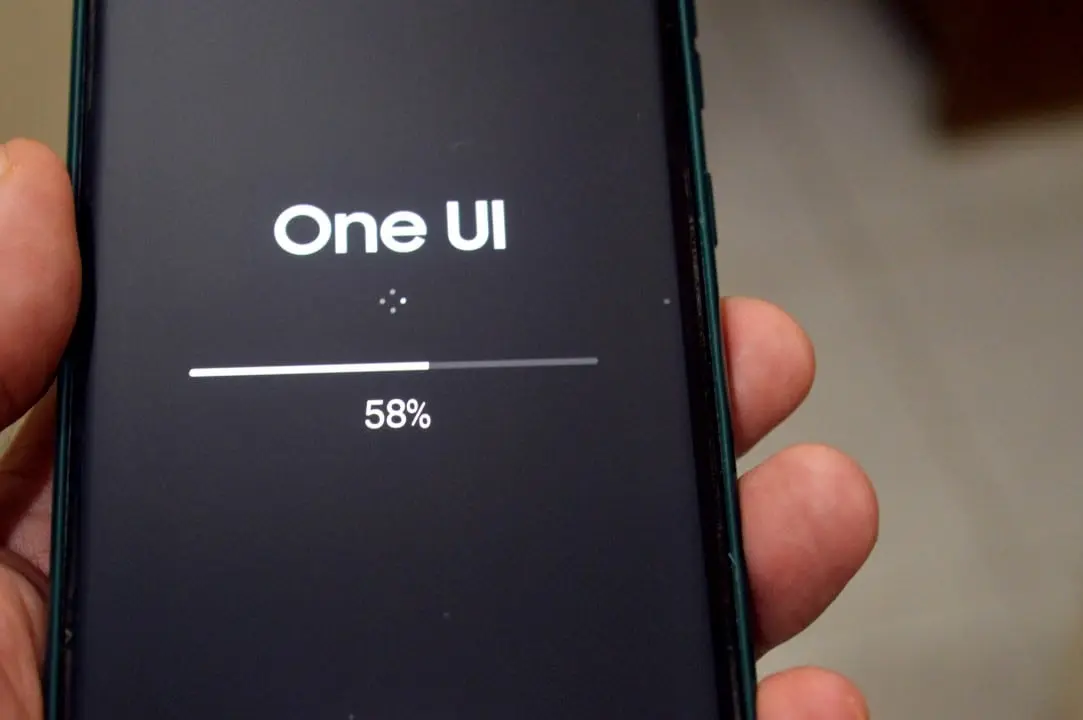
Samsung has started the development process of One UI 9 for its mobile devices. The new version of the custom interface uses Android 17 as its architectural base. The company’s Engenheiros is already testing the first builds of the software in laboratory environments. The main objective is to deepen the integration of the system with the Galaxy AI ecosystem. Especialistas from the technology sector projects a significant advance in productivity.
The initial modifications were detected in Galaxy S26 validation units. The smartphone acts as the main platform for calibrating new features before global launch. The virtual environment has a renewed aesthetic. The company prioritizes the clarity of essential controls and the automatic execution of routine tasks. The South Korean manufacturer establishes generative artificial intelligence tools as the core of the user experience in 2026.
Operational Sistema focuses on automation and generative intelligence
The transition to the new generation of software requires profound adaptations to the devices’ source code. Android 17 provides the structural guidelines for Samsung to implement its own visual and functional solutions. The interface seeks to reduce the number of taps needed to access complex settings. Machine learning works in the background. The system maps the times of greatest use and silently optimizes battery consumption.
The premium device market demands fast software responses. One UI 9 tries to anticipate the phone owner’s needs. Frequently used Aplicativos remain preloaded in RAM memory. The transition between screens occurs with more fluid and shorter animations. The overall design abandons three-dimensional elements in favor of a flat, direct visual language.
Edição of photographs and audio isolation gain autonomy
Media processing represents one of the areas with the highest volume of updates in the new interface. Photo Assist now operates with proactive behavior within the image gallery. The tool analyzes newly captured photographs automatically. The software suggests generative editing commands without initial user intervention. Esse mechanism eliminates the need to create complex textual descriptions to remove unwanted objects or adjust lighting in a scene.
Sound manipulation accompanies visual advances through the Audio Eraser tool. The sound insulation feature has received a dedicated and independent menu in the media settings. The system can identify and silence specific noises in video recordings with high precision. Wind, traffic and background voices are separated into separate audio channels.
Learn more: Toyota will develop 2++ assistance system with AI and guardrail by 2028
 Staten Island resident is struck by lightning while going to the dentist and reports unusual experience A resident of Staten Island, Thomas Fahmy, experienced a moment of extreme fright on September 1, 2026, when he was struck by lightning while on his way to… In Latest News (EN) · 01/09/2026 |
 Presenter Jim Thornton of the Wheel of Fortune program is removed due to suspicions in an internal investigation Advertiser Jim Thornton was removed from the popular television show Wheel of Fortune, according to a report made on September 1, 2026.Thornton, who has served as announcer for… In Latest News (EN) · 01/09/2026 |
 Sony releases three major games for free for PlayStation 5 owners Electronics manufacturer Sony surprised consumers by announcing the free distribution of three big-budget games to PlayStation 5 owners. The initiative allows users to permanently add the titles to… In Latest News (EN) · 01/09/2026 |
- The audio eraser works natively in practically any video playback application installed on the device.
- Botões quick activation on the main screen allows you to turn the function on or off without the need to navigate through complex submenus.
- The tool acts directly on the Android 17’s sound processing flow to avoid delays in playback.
The local processing capacity of the Galaxy S26 allows these edits to occur without an internet connection. Data privacy is maintained within the phone’s hardware. Artificial intelligence evaluates pixels and sound waves in fractions of a second. Final results are exported in standard high-resolution formats.
Ergonomia visual transforms the user’s shortcut center
Quick Panel has undergone an architectural restructuring to facilitate daily usability. The brand’s traditional shortcut center displays brightness and volume controls with enlarged dimensions. The change improves ergonomics and allows comfortable handling with just one hand. Modern smartphones have large screens. The spacing between the buttons has been recalculated to avoid accidental touches during the rush of everyday life.
The organization of information flow has received improvements in the Now Brief service. The daily summary panel separates news, calendar appointments, and system alerts into distinct visual categories. Morning reading becomes faster and more objective. The user only views critical data for the start of their workday.
The Samsung DeX mode also presents new features aimed at the corporate environment. The desktop productivity platform gained an unprecedented centralized button. The command makes it possible to hide the task and status bars automatically. The usable working area on the monitor screen is immediately enlarged. The experience of using a smartphone is even closer to operating a traditional desktop computer.
Transferência file uses new sensor positions
Physical connectivity between devices gained a new protocol called Tap to Share. The solution uses the proximity sensor to initiate data packet transfers instantly. The user just needs to touch one device to the other. Fotografias, heavy videos and corporate documents start being shared between compatible devices in just a few seconds. Throughput utilizes broadband wireless networks after initial pairing.
The engineering of the Galaxy S26 expanded the versatility of this feature through the strategic positioning of the antennas. Previous models restricted signal reading to the central rear part of the chassis. The new high-end phones allow connection from both the back panel and the top edge of the metal finish. The technical adjustment makes the sharing gesture more natural and ergonomic.
The Bixby virtual assistant keeps up with interaction changes with new widgets for the home screen. The system offers a rectangular text bar that speeds up silent communication. The owner can type complex commands into the artificial intelligence without needing to speak out loud. The function is ideal for public environments, work meetings or places with a lot of noise.
Suporte technical and accessibility features operate natively
The One UI 9 architecture has incorporated vital accessibility functions directly into the core code. The system previously relied on external packages provided by Google to perform certain tasks. The Select to Speak feature reads selected texts aloud on the screen with more natural voices. The Text Spotlight tool enlarges specific portions of the display to help people with low vision when navigating complex websites.
Preventative maintenance of devices gained a dedicated space in global settings. The manufacturer created the Garantia and Cuidados menu to centralize after-sales services. The dashboard displays the phone’s exact legal coverage period. The user can run full hardware diagnostics to test the battery, screen and sensors.
The new menu also makes it easier to access the brand’s official remote support tools. Técnicos authorized personnel can assist in configuring the device remotely with prior security authorization. The definitive debut of the One UI 9 on the global market is expected in July 2026. The launch schedule should coincide with the official presentation of the company’s eighth generation of foldable smartphones, comprised of the long-awaited models Galaxy Z Fold 8 and Galaxy Z Flip 8.
The May 2026 calendar promises to shake up the gaming community with a robust batch of news prepared for the Japanese giant's consoles. The company has officially confirmed…
In Latest News (EN) · 01/09/2026
Technology giant Apple decided to break with years of discreet visual updates by introducing an unprecedented hardware architecture for the mobile device market. During an event that attracted…
In Latest News (EN) · 01/09/2026
A celestial body from the depths of deep space is about to face the biggest challenge of its long cosmic existence. Identified by astronomers as 3I/ATLAS, this traveler…
In Latest News (EN) · 01/09/2026
The Japanese video game giant is in final preparations to put its next platform on the global market. The new equipment marks the company's generational transition, ending the…
In Latest News (EN) · 01/09/2026
Japanese developer Capcom is structuring aggressive planning for its flagship survival horror brand over the next few years. Internal documents and industry movements indicate the continuous development of…
In Latest News (EN) · 01/09/2026
Deep space has just sent yet another distinguished visitor to our cosmic neighborhood, drawing the attention of observatories around the world. This is the interstellar comet 3I/Atlas, which…
In Latest News (EN) · 01/09/2026